
Endsight

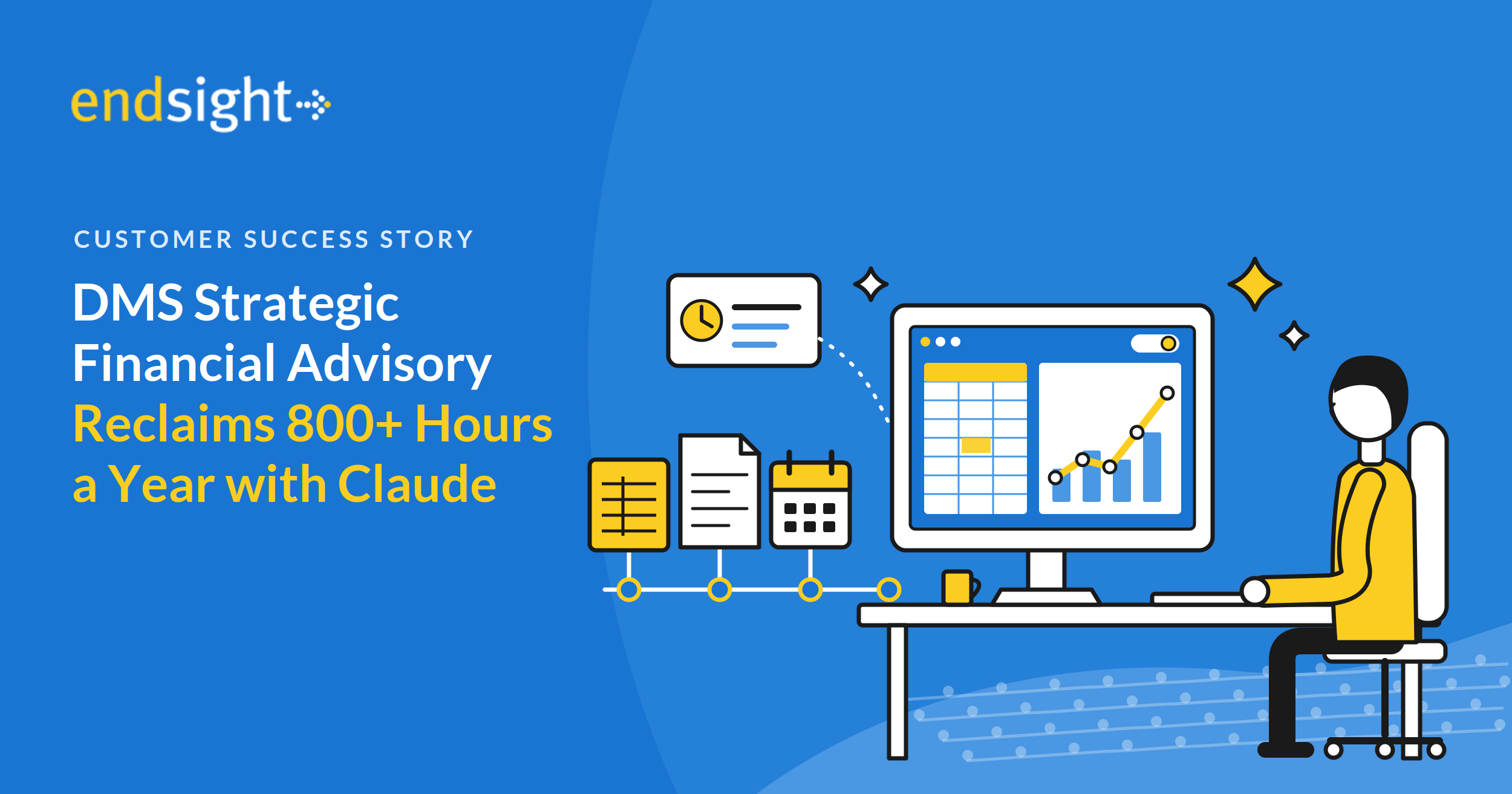
DMS Strategic Financial Advisory Reclaims More Than 800 Hours a Year with Claude
How a fractional CFO practice turned months-long planning, forecasting, and reconciliation work into hours, with Endsight’s guidance on making Claude a repeatable part of the finance function. 3 months → 2 days To build an annual operating plan for a multi-unit CPG business 400+ hrs/yr Of CFO time removed from supply and demand run-out modeling 75 min → 3 min Daily cash reconciliation, run every morning as a saved skill 800+ hrs/yr Reclaimed across two recurring workflows alone Key Takeaways at a Glance Client: DMS Strategic Fina
How a fractional CFO practice turned months-long planning, forecasting, and reconciliation work into hours, with Endsight’s guidance on making Claude a repeatable part of the finance function. 3 months → 2 days To build an annual operating plan for a multi-unit CPG business 400+ hrs/yr Of CFO time removed from supply and demand run-out modeling 75 min → 3 min Daily cash reconciliation, run every morning as a saved skill 800+ hrs/yr Reclaimed across two recurring workflows alone Key Takeaways at a Glance Client: DMS Strategic Financial Advisory, a fractional CFO practice serving wine, golf, defense, and technology services companies. Problem: Annual planning, supply and demand run-out modeling, and daily reconciliation were rebuilt by hand from exports out of several systems, consuming months and hundreds of hours a year. Solution: Claude, working natively in Excel, with recurring analyses saved as reusable skills. Endsight introduced the approach, ran the working sessions on the run-out model, and taught the skills workflow. Results: Annual operating plan from three months to about 16 hours; 400+ hours a year removed from run-out modeling; daily cash reconciliation from 75 minutes to 3; executive what-if scenarios answered in the meeting. Why it worked: The method captures an expert’s judgment as a repeatable procedure, so every subsequent run takes minutes and the same framework carries to the next company. Overview DMS Strategic Financial Advisory provides fractional CFO and project finance services to a portfolio of companies: a multi-unit consumer packaged goods business in the wine industry, an operator of community golf courses, a defense firm, and a managed technology services provider. Founder David Smith does the strategic work a full-time CFO would do, plus the operational projects other CFOs do not have time for. Challenges The heaviest of that work was periodic and manual. An annual operating plan for the CPG business, which sells through several distinct channels, took one to three months of gathering departmental inputs, loading them into a planning system, and reconciling twenty spreadsheets whenever an assumption changed. Supply and demand run-out modeling across thousands of SKUs consumed 400 to 500 hours a year of his own time, and more of an assistant’s, with every new sales scenario forcing a rebuild. A daily cash reconciliation for the golf business took an hour and fifteen minutes every morning. And a multi-year cleanup of that company’s books, after several accountants had passed through them, looked like a job only an outside accounting firm could take on. “This is what every winery struggles with. Their supply and demand.” David Smith, Founder and Fractional CFO, DMS Strategic Financial Advisory Solution and Implementation David’s use of Claude began with Endsight. After watching Endsight’s leadership work through their own executive workflow in Claude, and seeing Endsight automate a payroll accrual reconciliation with it, he decided to try the same approach on his own finance work. Endsight’s AI & Automation team then worked with him in a series of sessions on his supply and demand run-out model: watching the process end to end, having Claude turn weeks of chat iteration into a saved skill with deterministic spreadsheet logic, and teaching him how to save, update, and reuse skills so the work becomes repeatable. From there the method was his own. Pull the source data out of the systems where it lives, whether a general ledger, a planning tool, an inventory report, or a bank export. Give it to Claude with a plain-English description of the analysis. Iterate until the output ties out. Save the procedure as a skill so the next run takes minutes instead of days. Because Claude works natively in Excel, the deliverables are the same workbooks the executives already use, now with features David could describe but had never known how to build, such as a toggle between best-case, worst-case, and most-likely demand plans. Results The 2027 annual operating plan for the CPG business, normally a three-month effort, was built bottom-up from general ledger data in about 16 hours. More important is what happens after the first draft. When an executive asks what closing a facility or removing a business unit would do to the numbers, David now models the scenario during the meeting rather than a week later. In one thirty-minute budget review, three such scenarios were run and resolved on the spot. A five-year financial model built from ten years of history, the kind of work behind a valuation, is now a one-day project instead of four weeks. The supply and demand run-out model, once a 400-to-500-hour annual burden, now runs a single product in minutes and the whole portfolio on demand, with a saved skill that updates the full model whenever new inventory or demand numbers arrive. David estimates the change is worth about half a headcount across himself and his assistant. The daily cash reconciliation dropped from 75 minutes to 3 minutes. Run every morning as a skill, that is roughly 438 hours a year returned on one routine task. The bank-to-ledger cleanup that would have gone to an outside firm is now an iterative project he works month by month. It has also already surfaced process problems in other places the business did not know it had including an unintended discount created by a price ceiling on a subscription club. “I’m not a computer programmer. But I now am an Excel computer programmer, because I ask it in English to do something I know can be done in Excel, and it does it in a minute.” David Smith, Founder and Fractional CFO, DMS Strategic Financial Advisory The same frameworks are being carried to other companies in the portfolio, and the operating plan model will be re-run monthly as actuals post, so the time savings compound rather than repeat once. Conclusion None of this required custom software or a data platform project. It required a finance leader willing to describe his work in plain English, a partner to show him how to make the result repeatable, and a model capable of handling the volume of data a real business produces. The frameworks DMS built are now standing assets, re-run monthly and carried from one company to the next, and the time they return goes back into the strategic work a CFO is actually hired for. About DMS Strategic Financial Advisory DMS Strategic Financial Advisory provides fractional CFO services and project-based finance work to companies that need executive-level financial leadership without a full-time hire. Founded four years ago by David Smith, the practice serves clients in consumer packaged goods, hospitality, defense, and technology services, covering planning, forecasting, valuation, reconciliation, and the operational finance projects in-house teams do not have time to take on. About Endsight Endsight is a Napa-based managed service provider and Claude Partner Network member serving small and mid-sized businesses in Northern California and beyond. Our AI & Automation practice helps clients choose a platform, deploy it as a governed business system, train their teams, and then build the skills, connectors, and automations that turn general-purpose AI into leverage on the work that matters most.
Read full post on endsight.net

Phishing Simulation: Why Your Cyber Insurance Carrier Requires It | Endsight
A few years ago, a business owner we know sat down to renew their cyber insurance policy. The previous year, the application had been two pages. Check a few boxes, sign, done.
A few years ago, a business owner we know sat down to renew their cyber insurance policy. The previous year, the application had been two pages. Check a few boxes, sign, done.
Read full post on endsight.net
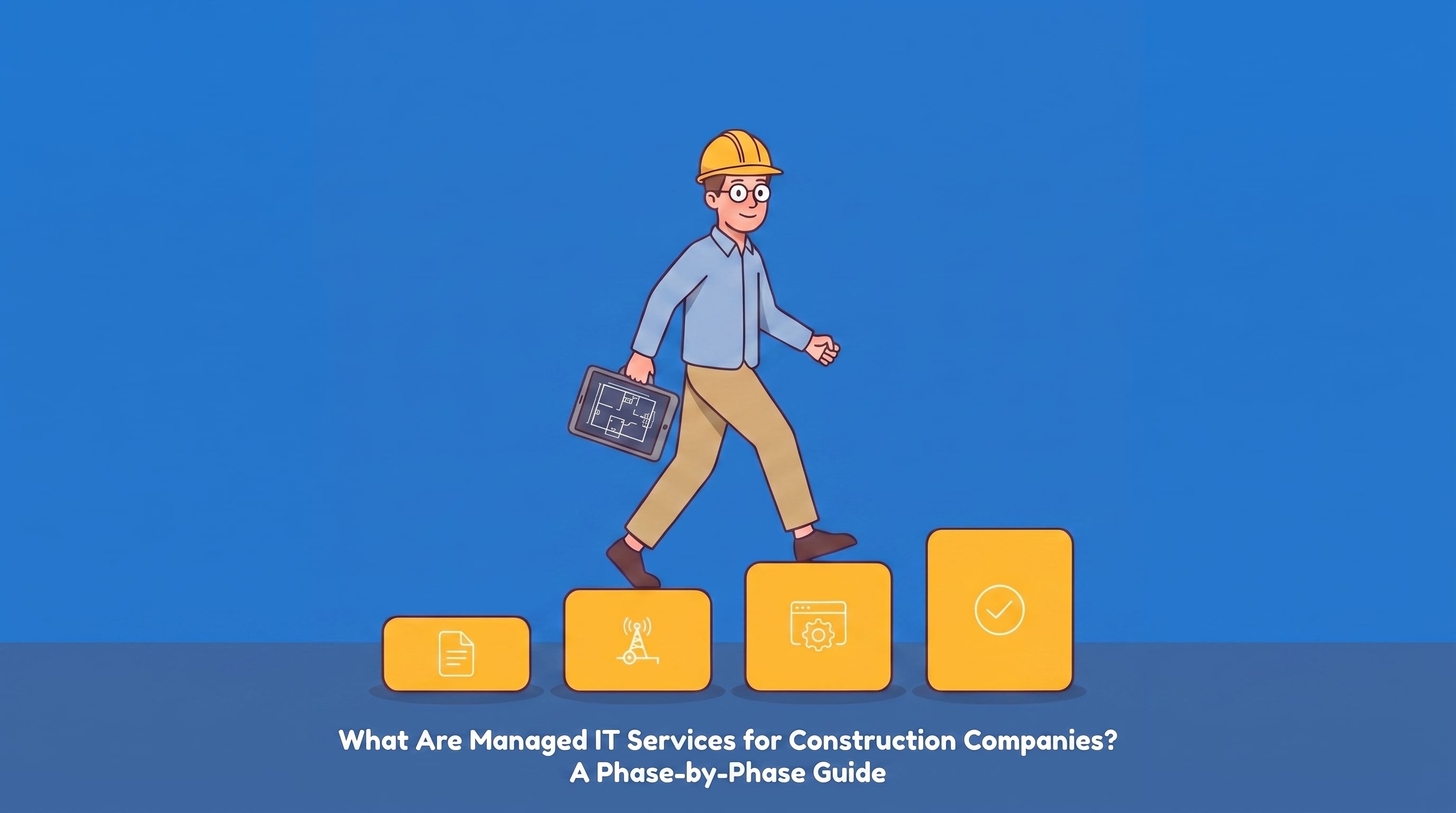
What Are Managed IT Services for Construction Companies? A Phase-by-Phase Guide
You would never hand a client a bid with one number on it and no breakdown.
You would never hand a client a bid with one number on it and no breakdown.
Read full post on endsight.net

Nonprofit Cybersecurity: Stop Ransomware Before It Stops Your Mission
Quick answer: Nonprofit cybersecurity is the set of practices, tools, and policies nonprofits use to protect donor data, financial systems, and daily operations from ransomware, phishing, and other attacks. Because nonprofits hold sensitive donor and client data on limited IT budgets, they are a frequent target. A small set of controls, multi factor authentication, tested backups, staff training, and a written incident response plan, closes most of the gap without an enterprise security budget. Nonprofits run on trust. Donors trust you with their information. Clients trust you with thei
Quick answer: Nonprofit cybersecurity is the set of practices, tools, and policies nonprofits use to protect donor data, financial systems, and daily operations from ransomware, phishing, and other attacks. Because nonprofits hold sensitive donor and client data on limited IT budgets, they are a frequent target. A small set of controls, multi factor authentication, tested backups, staff training, and a written incident response plan, closes most of the gap without an enterprise security budget. Nonprofits run on trust. Donors trust you with their information. Clients trust you with their data. Boards trust you to protect the mission itself. That is exactly why cybercriminals see nonprofits as an easy, high value target, and why nonprofit cybersecurity is no longer something to handle later. Not sure where your organization stands? See how Endsight's cybersecurity team monitors and protects nonprofit networks before an attack happens, not after. Why Nonprofits Are a Growing Target Nonprofits collect and store some of the same sensitive information large enterprises do: donor records, personal client information, financial details, and program data. Most nonprofits, however, do not have enterprise level defenses behind that data. Limited IT staff, aging software, and a reliance on volunteers using personal devices all create openings that attackers know how to find. Two trends make this worse. First, ransomware as a service has lowered the skill bar for attackers, criminal groups now rent out ready made ransomware tools to anyone willing to split the profits. Second, business email compromise and other social engineering tactics increasingly target nonprofit finance and development staff directly, since a single convincing email asking for a wire transfer or gift card purchase can bypass technical defenses entirely. The gap shows up in the numbers. The 2023 Nonprofit Tech for Good Report found that 27% of nonprofits worldwide experienced a cyberattack in the past year, more than one in four organizations. Attackers are not choosing targets at random. Nonprofits often pair valuable data with underfunded security, which makes them a more efficient target than a well defended corporation. What a Ransomware Attack Actually Costs Your Organization When ransomware hits, it stops being a technical problem within hours. Program staff lose access to case management systems. Finance cannot process payroll or grant disbursements. Communications teams cannot reach donors on schedule. Meanwhile, your board is asking for answers you do not have yet. The 2024 IBM Cost of a Data Breach Report puts the average ransomware related breach at nearly $5 million, not including any ransom paid. Few nonprofits have reserves built for that kind of hit, financially or in staff time. The damage is not only operational. Donors and grant makers increasingly ask how organizations protect the data entrusted to them, and a breach can quietly undermine relationships that took years to build. Warning Signs You May Already Be at Risk Before an incident happens, most nonprofits already have visible gaps. Watch for: No multi factor authentication on your donor database, email, or financial accounts Staff and volunteers using personal, unmanaged devices to access organizational data No one internally responsible for cybersecurity or IT risk Backups that have never actually been tested for restore No documented incident response plan, or one nobody has reviewed in over a year A cyber insurance policy nobody on staff has read closely A Practical Cybersecurity Framework for Nonprofits You do not need an enterprise security budget to meaningfully cut your risk. Focus on the controls that address how ransomware actually gets in and spreads: Turn on multi factor authentication (MFA) everywhere. Email, your donor database or CRM, file sharing, and any system touching financial data. This one step stops a large share of account takeover attempts. Back up critical data and test the restore. A backup and disaster recovery plan you have never tried to restore from is a hope, not a plan. Train staff and volunteers on a regular cadence. Most ransomware starts with a phishing email or other social engineering attempt. Short, recurring training builds the habit of pausing before clicking. Keep endpoints patched and monitored. Laptops, servers, and software need regular patch management, and someone (internal staff or an IT partner) needs to run active endpoint detection and response, not just react after something breaks. Review access on a least privilege basis. Limit who can reach sensitive systems, and remove access promptly when staff, board members, or volunteers leave. Write down your incident response plan. Decide now who gets called, who talks to donors, and how you keep operating if a system goes down, rather than deciding it live during an attack. Understand your cyber insurance coverage. Review your policy, or get one, and know what it actually covers, including whether ransomware payments are included, before you need it. Learn more about cyber insurance requirements. Nonprofit Cybersecurity Checklist at a Glance Control Why It Matters Quick Action Multi factor authentication Stops most account takeover attempts Enable on email, CRM, financial systems Tested backups Ransomware often targets backups first Restore a file from backup this quarter Staff training Most ransomware starts with phishing Schedule recurring, short sessions Patch management & monitoring Unpatched systems are easy entry points Confirm someone owns this weekly Access reviews Old accounts are easy targets Audit access quarterly Incident response plan Speed of response limits damage Document and share with leadership Cyber insurance review Coverage gaps surface at the worst time Read your policy this month Frequently Asked Questions Is my nonprofit really a target for ransomware? Yes. Nonprofits hold valuable donor and financial data but typically have lighter security than corporations, which makes them an efficient target rather than an overlooked one. How much does nonprofit cybersecurity cost? Cost varies with organization size, systems in use, and current security maturity. Most nonprofits can meaningfully reduce risk with a focused set of controls (MFA, backups, training, monitoring) before considering larger investments. See Endsight's packaging and pricing or reach out for a tailored quote. What is the difference between antivirus and managed cybersecurity? Antivirus software flags known threats on a single device. Managed cybersecurity (sometimes called MDR or MSSP services) actively monitors your whole network, investigates suspicious activity, and responds to incidents in real time. Does cyber insurance cover a ransomware payment? It depends entirely on the policy. Some policies cover ransom payments and recovery costs, others exclude them or require specific security controls to be in place first. Review your policy directly, or ask your broker, before assuming you are covered. What should we do in the first hour of a ransomware attack? Disconnect affected devices from the network to limit spread, avoid paying or negotiating on your own, and contact your IT or security provider and legal counsel immediately. This is exactly what a written incident response plan should specify in advance. Questions to Ask Your Current IT Provider If you already work with a managed IT provider, the fastest way to gauge your risk is to ask a few direct questions: Can you walk me through our backup plan, and when was it last tested? Are you actively monitoring our network for threats, or only responding after something breaks? Do you provide regular staff training and phishing simulations? Do we have a documented incident response plan, and have you walked our team through it? If your provider cannot answer these clearly, that is worth a conversation about whether your current partnership matches your risk. How Endsight Supports Nonprofit Cybersecurity At Endsight, we work with nonprofits across California and Hawaii to build practical, affordable security programs sized to fit their team and mission, matched to the needs we see across our nonprofit clients. We help nonprofit teams: Strengthen data protection and backup and recovery Meet cyber insurance and compliance requirements Train staff and volunteers to reduce human error risk Monitor systems and respond quickly when something looks wrong Learn more about our cybersecurity services or see how our approach fits organizations like yours.
Read full post on endsight.net
Law Firm Data Breach Risk Is Rising: Is Your Firm Protected?
If your law firm has fewer than 50 attorneys, you're exactly the kind of target cybercriminals are looking for. Law firm data breach activity has climbed sharply in recent years, and small and mid-sized practices are absorbing the brunt of it. Attackers assume smaller firms are easier to breach: fewer defenses, less oversight, no dedicated IT security staff watching the perimeter. They're often right. According to Checkpoint Research, legal professionals are now facing more than 1,000 cyberattacks per week, a 13% increase year over year. That's not a statistic that only applies to Am Law
If your law firm has fewer than 50 attorneys, you're exactly the kind of target cybercriminals are looking for. Law firm data breach activity has climbed sharply in recent years, and small and mid-sized practices are absorbing the brunt of it. Attackers assume smaller firms are easier to breach: fewer defenses, less oversight, no dedicated IT security staff watching the perimeter. They're often right. According to Checkpoint Research, legal professionals are now facing more than 1,000 cyberattacks per week, a 13% increase year over year. That's not a statistic that only applies to Am Law 100 firms with in-house security teams. It applies just as much, arguably more, to a 12-attorney practice in Napa or a boutique firm in San Diego. Why Data Security Matters More Than Ever for Small Law Firms Clients don't just hire a law firm for legal expertise. They're trusting that firm with some of the most sensitive information in their lives: financial records, medical records, health insurance information, social security numbers, trade secrets, and confidential case files that could include everything from custody disputes to trade secret litigation. A single security breach can compromise all of that at once. And the fallout isn't limited to the IT department. It touches client trust, malpractice exposure, bar association scrutiny, and the firm's ability to keep operating normally while the incident gets sorted out. Nearly 30% of law firms report having experienced a security breach, according to the American Bar Association's Legal Technology Survey Report. A meaningful share of clients say they'd consider firing a firm after a breach. The average cost of a breach for a small firm runs well into five figures once you account for investigation, remediation, and lost billable time. These aren't hypothetical risks. They're active, ongoing threats hitting firms of exactly this size, right now. What Makes Law Firms So Vulnerable to Cyberattacks? Cybercriminals aren't chasing the biggest targets. They're chasing the ones they believe will be easiest to breach, and smaller law firms often fit that profile for a few specific reasons. Common Attack Methods Phishing and social engineering attacks. Attackers impersonate clients, opposing counsel, or even partners within the firm to trick staff into wiring funds, sharing login credentials, or opening malicious attachments. Law firms are especially attractive targets for this because email is the primary communication channel for nearly every matter. Ransomware attacks. Once inside a network, attackers encrypt client files and case documents, then demand payment before they'll release them. For a firm with active litigation deadlines, even a short outage can be devastating. Credential theft and unauthorized access. Weak or reused passwords, combined with a lack of multi-factor authentication, give attackers an easy path into email accounts and document management systems. Stolen credentials often surface for sale on the dark web long before a firm realizes anything happened. Data leaks from unsecured remote access. Remote and hybrid work expanded the attack surface for every industry, and legal is no exception. Unsecured VPNs, unmanaged personal devices, and poorly configured cloud storage all create paths in. What Hackers Are Counting On No formal cybersecurity policy Outdated or scattered security tools that don't talk to each other Unsecured remote access No documented incident response plan Staff who haven't been trained to recognize phishing attempts According to the American Bar Association, 17% of firms still operate with no cybersecurity policy at all, and 79% have no incident response plan in place. If your firm doesn't know how it would respond to a breach today, that uncertainty is exactly what attackers are betting on. The Regulatory and Ethical Landscape Law Firms Can't Ignore Data security for law firms isn't just a business risk. It's an ethical obligation. Most state bar associations, including California's, require attorneys to take reasonable measures to protect client data as part of their duty of confidentiality. Falling short of that standard can expose a firm to disciplinary action independent of any lawsuit a client might bring. On top of bar obligations, several regulatory frameworks apply directly to firms handling certain types of sensitive information: The California Consumer Privacy Act (CCPA) gives California residents specific rights over their personal information, and firms that handle client data for California-based individuals need policies in place to support those rights. HIPAA applies when a firm's practice touches medical records or health insurance information, common in personal injury, workers' compensation, and estate planning work. The Federal Trade Commission (FTC) Safeguards Rule sets baseline expectations for how businesses, including many professional services firms, protect consumer financial information. None of this requires a firm to become a compliance shop overnight. It does mean that "we didn't have a policy" is no longer a defensible position, either to a regulator, a bar association, or a client's cybersecurity attorney reviewing what went wrong after the fact. Signs Your Firm's Current Security Posture Has Gaps Most firms don't realize how exposed they are until something goes wrong. A few warning signs worth checking against your own setup: Staff share logins or reuse the same password across multiple systems. No one on the team could tell you, right now, what the firm's incident response plan actually says, because it doesn't exist. Client files, medical records, or financial documents move through email without encryption. Former employees or contractors still have active access to firm systems. No one is monitoring for compromised data or login credentials showing up outside the firm's own network. The last security review happened more than a year ago, or never happened at all. Any one of these on its own is a manageable gap. Several of them together describe a firm operating on borrowed time, one that a threat actor scanning for easy targets will find quickly. What Happens After a Data Breach in a Law Firm? Here's what a firm is realistically looking at after a confirmed security breach: Direct financial impact, often tens of thousands of dollars once you factor in forensic investigation, legal counsel, client notification, and credit monitoring for affected individuals. Lost productivity while the team is pulled into incident response instead of billable work. Reputational damage, which lands harder in the legal industry than almost anywhere else, since referrals inside close-knit legal and business communities depend heavily on trust. Client attrition. A meaningful share of clients leave a firm permanently after a breach, particularly if they feel the firm was slow to disclose or unprepared to respond. Regulatory and legal exposure, including the possibility of a data breach lawsuit from affected clients, especially in states like California and New York where privacy statutes give individuals a private right of action or strengthened enforcement mechanisms. This isn't only an IT problem. It's a business continuity problem, and increasingly, a legal one. There's also an intellectual property dimension that's easy to overlook. Firms working on transactional matters, licensing agreements, or IP litigation often hold trade secrets and proprietary business information belonging to their clients, not just personal data. A breach that exposes that kind of confidential information can create liability that has nothing to do with personal privacy law and everything to do with the underlying business relationship the firm was hired to protect. Law Firm Cybersecurity Best Practices You Can Put in Place Today You don't need a full internal security team to materially improve your firm's security posture. These are the fundamentals that address the vulnerabilities attackers rely on most: Create a documented cybersecurity policy covering acceptable device use, remote access rules, and client data handling procedures. Train your staff to recognize phishing attempts, verify wire transfer requests out of band, and avoid unsafe links and attachments. Require multi-factor authentication on email, document management, and any system holding client data. Encrypt sensitive client data, especially on laptops, mobile devices, and anything accessed remotely. Monitor for compromised credentials. Firms with visibility into dark web exposure can rotate stolen login credentials before an attacker uses them. Keep software patched and run regular vulnerability scans to address vulnerabilities before they're exploited. Build an incident response plan, even a simple one, so the firm isn't improvising in the middle of an active breach. Each of these addresses a specific gap on the list above. None of them require an enterprise security budget to implement well. You Don't Need to Be a Cybersecurity Expert. That's Our Job. At Endsight, we work exclusively with small and mid-sized organizations across California and Hawaii, including a significant number of law firms, and we understand the specific pressures legal practices face: tight deadlines, high client expectations, strict confidentiality obligations, and often no dedicated internal IT security staff. Our managed IT and cybersecurity services for law firms are built around exactly this problem. We help firms put reasonable, defensible security measures in place, meet their compliance and ethical obligations, and keep their teams productive without adding unnecessary complexity. If you want a closer look at how the current threat landscape applies specifically to legal practices, our law firm cybersecurity resource walks through the details. Frequently Asked Questions How common are data breaches at small law firms? More common than most firms assume. Legal professionals face over 1,000 cyberattacks per week industry-wide, and smaller firms are frequently targeted precisely because they tend to have fewer defenses in place than larger organizations. What's the average financial impact of a law firm data breach? Costs vary by firm size and the type of data involved, but small firms typically face tens of thousands of dollars in direct costs once forensic investigation, client notification, credit monitoring, and lost billable time are factored in. That figure doesn't include reputational damage or potential client attrition. Do law firms have a legal obligation to protect client data? Yes. Beyond any specific statute, most state bar associations require attorneys to take reasonable measures to protect client confidentiality as part of their core ethical obligations. Depending on the type of data involved, additional frameworks like the CCPA, HIPAA, or the FTC Safeguards Rule may also apply directly. What's the first step a small firm should take to improve its security posture? Start with a documented cybersecurity policy and an incident response plan. Both are foundational, inexpensive relative to the risk they address, and immediately close two of the most common gaps attackers rely on. Final Word: Data Security Is No Longer Optional for Law Firms If your firm has been putting off a real plan to address its security posture, the volume and sophistication of current cyber threats make this the year to act. Client trust, bar compliance, and the financial stability of the practice all depend on it. Your clients expect it. Your firm depends on it. Talk to an Endsight security advisor about where your firm's biggest gaps are, and what it would take to close them.
Read full post on endsight.net

11 Signs It's Time to Find a New IT Provider
Every business relationship changes over time. The IT provider that fit you five years ago may not fit the business you've become. Some providers grow with you. Others quietly fall behind, and the gap shows up in slower support, unclear billing, and IT that feels more like a chore than a plan.
Every business relationship changes over time. The IT provider that fit you five years ago may not fit the business you've become. Some providers grow with you. Others quietly fall behind, and the gap shows up in slower support, unclear billing, and IT that feels more like a chore than a plan.
Read full post on endsight.net

Winery Point of Sale: How to Keep It Running During Peak Season
It's your busiest day. The tasting room is packed, your team is moving, wine is pouring, and guests are having a great time. Then your winery point of sale system freezes. Receipts stop printing. Card readers won't connect. Your staff switches to handwritten tickets and calculators while trying to stay upbeat. It works, for a little while, but lines grow, errors creep in, and some guests decide not to wait. Revenue dips. Momentum slows. Here's the part most wineries get wrong when this happens: they assume the fix is a new POS system. Usually it isn't. Most winery point of sale platfor
It's your busiest day. The tasting room is packed, your team is moving, wine is pouring, and guests are having a great time. Then your winery point of sale system freezes. Receipts stop printing. Card readers won't connect. Your staff switches to handwritten tickets and calculators while trying to stay upbeat. It works, for a little while, but lines grow, errors creep in, and some guests decide not to wait. Revenue dips. Momentum slows. Here's the part most wineries get wrong when this happens: they assume the fix is a new POS system. Usually it isn't. Most winery point of sale platforms on the market today are capable systems. What fails around them is everything else: the internet connection it depends on, the update schedule nobody owns, the staff training that never happened, and the backup plan that doesn't exist. You don't need to replace your POS. You need to protect it. Here's how. Why Winery Point of Sale Systems Fail During Peak Season A POS crash on a packed Saturday rarely comes out of nowhere. It's usually one of five predictable failure points: Weak internet connection. Remote tasting rooms and vineyard properties often run on a single connection with no failover. No internet, no sales. Overloaded systems during high-volume moments. Harvest weekends and club pickup days can push more simultaneous transactions through your POS than a normal Tuesday, and undersized network or hardware setups buckle under it. Outdated software. A POS running months-old updates is running on borrowed time, especially with payment processing involved. Cyber threats. Small businesses, including wineries, are common targets. A single compromised device can take your whole POS environment offline. No backup plan. When something does go wrong, staff are left improvising in front of guests instead of executing a plan. None of these require a new system to fix. They require the right infrastructure and the right plan around the system you already have. The Uptime Checklist: Protecting the POS You Already Have Connectivity resilience Your POS is only as reliable as the network underneath it. Get a backup internet solution. A failover connection, whether a cellular hotspot or a secondary provider, keeps your POS online when your primary connection drops. This is the single highest-impact fix for wineries in rural or remote tasting room locations. Confirm your POS can run offline, briefly. Even with failover, a short gap in connectivity shouldn't stop a sale. Most modern systems support a brief offline mode; make sure yours is configured to use it. Operational readiness Even a perfectly maintained system has an off day. What separates a minor hiccup from a full meltdown is whether your team knows what to do next. Give staff a simple troubleshooting playbook. If the internet drops, switch to the hotspot. If the POS freezes, restart and switch to offline mode. If payments won't process, offer tap-to-pay or manual entry as a stopgap. Keep a manual order sheet on hand. Low-tech, but it keeps sales moving while a fix is underway. Have a spare card reader ready. Hardware fails independently of software; a backup reader means one bad device doesn't stop transactions. Know who to call. A direct line to IT support, not a general help queue, matters most on your busiest day. If your current IT support setup doesn't guarantee fast response during peak hours, that's worth fixing before harvest, not during it. Automate Updates, Without Creating New Problems Outdated software is a slow-motion outage waiting to happen, but updates need to be handled deliberately, not just switched to automatic and forgotten. Schedule updates for maintenance windows or off-peak hours, never the days you expect to be busy. Test updates before they touch your production POS where possible; patches can occasionally conflict with other connected systems (payment processors, inventory, wine club platforms). Keep a record of what's running, so if something breaks after an update, you know exactly what changed. A managed backup strategy that captures your POS configuration and data means a bad update or a corrupted file doesn't turn into a lost day. Secure the System You Already Have Cyberattacks on small businesses are rising, and POS systems, which handle card data by design, are a common target. Protecting your existing system means: Strong passwords and two-factor authentication on every device that touches the POS Security software that actively blocks malware, not just antivirus running in the background Daily backups of transaction and configuration data This is table-stakes protection, and it's also exactly where a managed cybersecurity partner earns their keep: monitoring the environment around your POS so a breach doesn't reach it in the first place. Build Your Emergency Plan Before You Need It The difference between a five-minute hiccup and a lost afternoon is almost never the technology. It's whether a plan already exists. Before your next peak weekend, make sure you have: A manual order sheet ready to go A spare card reader on-site A support contact who can respond immediately, not eventually Wineries that treat this as a pre-season checklist, not a post-crash scramble, are the ones whose tasting rooms stay open through the busiest day of the year. FAQ: Winery Point of Sale Uptime Why does my winery POS system crash during busy tasting room days? Most crashes come down to five causes: an unreliable internet connection, transaction volume the system wasn't configured to handle, outdated software, a cyber incident, or the absence of a backup plan. The POS software itself is rarely the actual point of failure. Do I need to replace my POS system to fix reliability problems? Usually not. Most reliability issues come from the infrastructure and processes around the POS, not the software itself. Backup internet, staff training, update discipline, and security controls solve the majority of crashes without a platform switch. What's the fastest fix for a winery POS system that just went down? Switch to your backup internet connection if available, restart the POS into offline mode, and fall back to a manual order sheet or spare card reader while the issue is resolved. Having these three things ready ahead of time is what makes the fix fast. How can a winery prevent POS downtime during harvest season? Set up backup internet before harvest starts, confirm your POS supports offline transactions, train staff on a simple troubleshooting checklist, and schedule any software updates for off-peak windows well ahead of your busiest weekends. Your POS Shouldn't Hold Your Winery Back Your guests come for great wine and a seamless experience, not long waits and checkout frustration. Protecting the point-of-sale system you already have, rather than chasing a replacement, is usually the faster and cheaper path to a tasting room that stays open no matter how busy it gets. If you want a second set of eyes on your setup before your next peak weekend, talk to our team about a pre-season IT readiness check.
Read full post on endsight.net

What Is a Managed Service Provider (MSP)? | Endsight
Your technology is either helping you grow or quietly holding you back. Most business owners do not think about IT until something breaks. A server goes down. An employee falls for a phishing email. A software update locks everyone out of their files. Then IT becomes the only thing anyone can think about.
Your technology is either helping you grow or quietly holding you back. Most business owners do not think about IT until something breaks. A server goes down. An employee falls for a phishing email. A software update locks everyone out of their files. Then IT becomes the only thing anyone can think about.
Read full post on endsight.net

IT Outsourcing for Construction: Building Projects Without IT Issues
A Familiar Scene on the Job Site It’s early morning at a busy construction site. Crews are unloading materials, supervisors are reviewing schedules, and the project manager pulls out her tablet to access updated plans. But instead of the latest drawing, she sees a spinning wheel. The Wi-Fi signal is weak, the files are stuck in limbo, and the subcontractors waiting for instructions are now standing idle.By the time the connection returns, two hours of productivity have been lost. Multiply that across multiple job sites and months of work, and the costs are staggering.Stories like this happen
A Familiar Scene on the Job Site It’s early morning at a busy construction site. Crews are unloading materials, supervisors are reviewing schedules, and the project manager pulls out her tablet to access updated plans. But instead of the latest drawing, she sees a spinning wheel. The Wi-Fi signal is weak, the files are stuck in limbo, and the subcontractors waiting for instructions are now standing idle.By the time the connection returns, two hours of productivity have been lost. Multiply that across multiple job sites and months of work, and the costs are staggering.Stories like this happen every day. Not because crews are unskilled or leadership is disorganized, but because technology isn’t keeping up. Construction is one of the most complex industries in the world, yet many firms are still relying on patchwork IT systems that break at the worst possible times.This is where IT outsourcing for construction enters the picture.
Read full post on endsight.net

Your Connection to This Site is Not Secure: What It Means and How to Stay Safe
If you’ve ever visited a website and noticed the warning “Your connection to this site is not secure” in your browser, you might have felt a twinge of concern. And you should. This message isn’t just a minor technical detail, it’s a red flag about your privacy, data safety, and even the reputation of the website you’re visiting. With Chrome 68 and subsequent browser updates, these warnings became standard. Websites that fail to use HTTPS with a valid TLS certificate now display a “Not Secure” warning right in the address bar. This change was designed to push site owners toward better practice
If you’ve ever visited a website and noticed the warning “Your connection to this site is not secure” in your browser, you might have felt a twinge of concern. And you should. This message isn’t just a minor technical detail, it’s a red flag about your privacy, data safety, and even the reputation of the website you’re visiting. With Chrome 68 and subsequent browser updates, these warnings became standard. Websites that fail to use HTTPS with a valid TLS certificate now display a “Not Secure” warning right in the address bar. This change was designed to push site owners toward better practices and to help internet users recognize when their data may be at risk.
Read full post on endsight.net
Failed to load more articles
You're all caught up!
Check back later for more profile news.

They rely on our award-winning helpdesk support, secure environment, and strategic guidance to thrive.
From the help desk specialists to technical account managers, and project managers, Endsight's team collaborates to provide comprehensive IT support to small and mid-sized businesses.
In the realm of cybersecurity, we help clients assess vulnerabilities, tailor and implement protection measures, train staff, and maintain effective practices.
DMS Strategic Financial Advisory Reclaims More Than 800 Hours a Year with Claude
How a fractional CFO practice turned months-long planning, forecasting, and reconciliation work into hours, with Endsight’s guidance on making Claude a repeatable part of the finance function. 3 months → 2 days To build an annual operating plan for a multi-unit CPG business 400+ hrs/yr Of CFO time removed from supply and demand run-out modeling 75 min → 3 min Daily cash reconciliation, run every morning as a saved skill 800+ hrs/yr Reclaimed across two recurring workflows alone Key Takeaways at a Glance Client: DMS Strategic Fina
How a fractional CFO practice turned months-long planning, forecasting, and reconciliation work into hours, with Endsight’s guidance on making Claude a repeatable part of the finance function. 3 months → 2 days To build an annual operating plan for a multi-unit CPG business 400+ hrs/yr Of CFO time removed from supply and demand run-out modeling 75 min → 3 min Daily cash reconciliation, run every morning as a saved skill 800+ hrs/yr Reclaimed across two recurring workflows alone Key Takeaways at a Glance Client: DMS Strategic Financial Advisory, a fractional CFO practice serving wine, golf, defense, and technology services companies. Problem: Annual planning, supply and demand run-out modeling, and daily reconciliation were rebuilt by hand from exports out of several systems, consuming months and hundreds of hours a year. Solution: Claude, working natively in Excel, with recurring analyses saved as reusable skills. Endsight introduced the approach, ran the working sessions on the run-out model, and taught the skills workflow. Results: Annual operating plan from three months to about 16 hours; 400+ hours a year removed from run-out modeling; daily cash reconciliation from 75 minutes to 3; executive what-if scenarios answered in the meeting. Why it worked: The method captures an expert’s judgment as a repeatable procedure, so every subsequent run takes minutes and the same framework carries to the next company. Overview DMS Strategic Financial Advisory provides fractional CFO and project finance services to a portfolio of companies: a multi-unit consumer packaged goods business in the wine industry, an operator of community golf courses, a defense firm, and a managed technology services provider. Founder David Smith does the strategic work a full-time CFO would do, plus the operational projects other CFOs do not have time for. Challenges The heaviest of that work was periodic and manual. An annual operating plan for the CPG business, which sells through several distinct channels, took one to three months of gathering departmental inputs, loading them into a planning system, and reconciling twenty spreadsheets whenever an assumption changed. Supply and demand run-out modeling across thousands of SKUs consumed 400 to 500 hours a year of his own time, and more of an assistant’s, with every new sales scenario forcing a rebuild. A daily cash reconciliation for the golf business took an hour and fifteen minutes every morning. And a multi-year cleanup of that company’s books, after several accountants had passed through them, looked like a job only an outside accounting firm could take on. “This is what every winery struggles with. Their supply and demand.” David Smith, Founder and Fractional CFO, DMS Strategic Financial Advisory Solution and Implementation David’s use of Claude began with Endsight. After watching Endsight’s leadership work through their own executive workflow in Claude, and seeing Endsight automate a payroll accrual reconciliation with it, he decided to try the same approach on his own finance work. Endsight’s AI & Automation team then worked with him in a series of sessions on his supply and demand run-out model: watching the process end to end, having Claude turn weeks of chat iteration into a saved skill with deterministic spreadsheet logic, and teaching him how to save, update, and reuse skills so the work becomes repeatable. From there the method was his own. Pull the source data out of the systems where it lives, whether a general ledger, a planning tool, an inventory report, or a bank export. Give it to Claude with a plain-English description of the analysis. Iterate until the output ties out. Save the procedure as a skill so the next run takes minutes instead of days. Because Claude works natively in Excel, the deliverables are the same workbooks the executives already use, now with features David could describe but had never known how to build, such as a toggle between best-case, worst-case, and most-likely demand plans. Results The 2027 annual operating plan for the CPG business, normally a three-month effort, was built bottom-up from general ledger data in about 16 hours. More important is what happens after the first draft. When an executive asks what closing a facility or removing a business unit would do to the numbers, David now models the scenario during the meeting rather than a week later. In one thirty-minute budget review, three such scenarios were run and resolved on the spot. A five-year financial model built from ten years of history, the kind of work behind a valuation, is now a one-day project instead of four weeks. The supply and demand run-out model, once a 400-to-500-hour annual burden, now runs a single product in minutes and the whole portfolio on demand, with a saved skill that updates the full model whenever new inventory or demand numbers arrive. David estimates the change is worth about half a headcount across himself and his assistant. The daily cash reconciliation dropped from 75 minutes to 3 minutes. Run every morning as a skill, that is roughly 438 hours a year returned on one routine task. The bank-to-ledger cleanup that would have gone to an outside firm is now an iterative project he works month by month. It has also already surfaced process problems in other places the business did not know it had including an unintended discount created by a price ceiling on a subscription club. “I’m not a computer programmer. But I now am an Excel computer programmer, because I ask it in English to do something I know can be done in Excel, and it does it in a minute.” David Smith, Founder and Fractional CFO, DMS Strategic Financial Advisory The same frameworks are being carried to other companies in the portfolio, and the operating plan model will be re-run monthly as actuals post, so the time savings compound rather than repeat once. Conclusion None of this required custom software or a data platform project. It required a finance leader willing to describe his work in plain English, a partner to show him how to make the result repeatable, and a model capable of handling the volume of data a real business produces. The frameworks DMS built are now standing assets, re-run monthly and carried from one company to the next, and the time they return goes back into the strategic work a CFO is actually hired for. About DMS Strategic Financial Advisory DMS Strategic Financial Advisory provides fractional CFO services and project-based finance work to companies that need executive-level financial leadership without a full-time hire. Founded four years ago by David Smith, the practice serves clients in consumer packaged goods, hospitality, defense, and technology services, covering planning, forecasting, valuation, reconciliation, and the operational finance projects in-house teams do not have time to take on. About Endsight Endsight is a Napa-based managed service provider and Claude Partner Network member serving small and mid-sized businesses in Northern California and beyond. Our AI & Automation practice helps clients choose a platform, deploy it as a governed business system, train their teams, and then build the skills, connectors, and automations that turn general-purpose AI into leverage on the work that matters most.
Read full post on endsight.net
Phishing Simulation: Why Your Cyber Insurance Carrier Requires It | Endsight
A few years ago, a business owner we know sat down to renew their cyber insurance policy. The previous year, the application had been two pages. Check a few boxes, sign, done.
A few years ago, a business owner we know sat down to renew their cyber insurance policy. The previous year, the application had been two pages. Check a few boxes, sign, done.
Read full post on endsight.net
What Are Managed IT Services for Construction Companies? A Phase-by-Phase Guide
You would never hand a client a bid with one number on it and no breakdown.
You would never hand a client a bid with one number on it and no breakdown.
Read full post on endsight.net
Nonprofit Cybersecurity: Stop Ransomware Before It Stops Your Mission
Quick answer: Nonprofit cybersecurity is the set of practices, tools, and policies nonprofits use to protect donor data, financial systems, and daily operations from ransomware, phishing, and other attacks. Because nonprofits hold sensitive donor and client data on limited IT budgets, they are a frequent target. A small set of controls, multi factor authentication, tested backups, staff training, and a written incident response plan, closes most of the gap without an enterprise security budget. Nonprofits run on trust. Donors trust you with their information. Clients trust you with thei
Quick answer: Nonprofit cybersecurity is the set of practices, tools, and policies nonprofits use to protect donor data, financial systems, and daily operations from ransomware, phishing, and other attacks. Because nonprofits hold sensitive donor and client data on limited IT budgets, they are a frequent target. A small set of controls, multi factor authentication, tested backups, staff training, and a written incident response plan, closes most of the gap without an enterprise security budget. Nonprofits run on trust. Donors trust you with their information. Clients trust you with their data. Boards trust you to protect the mission itself. That is exactly why cybercriminals see nonprofits as an easy, high value target, and why nonprofit cybersecurity is no longer something to handle later. Not sure where your organization stands? See how Endsight's cybersecurity team monitors and protects nonprofit networks before an attack happens, not after. Why Nonprofits Are a Growing Target Nonprofits collect and store some of the same sensitive information large enterprises do: donor records, personal client information, financial details, and program data. Most nonprofits, however, do not have enterprise level defenses behind that data. Limited IT staff, aging software, and a reliance on volunteers using personal devices all create openings that attackers know how to find. Two trends make this worse. First, ransomware as a service has lowered the skill bar for attackers, criminal groups now rent out ready made ransomware tools to anyone willing to split the profits. Second, business email compromise and other social engineering tactics increasingly target nonprofit finance and development staff directly, since a single convincing email asking for a wire transfer or gift card purchase can bypass technical defenses entirely. The gap shows up in the numbers. The 2023 Nonprofit Tech for Good Report found that 27% of nonprofits worldwide experienced a cyberattack in the past year, more than one in four organizations. Attackers are not choosing targets at random. Nonprofits often pair valuable data with underfunded security, which makes them a more efficient target than a well defended corporation. What a Ransomware Attack Actually Costs Your Organization When ransomware hits, it stops being a technical problem within hours. Program staff lose access to case management systems. Finance cannot process payroll or grant disbursements. Communications teams cannot reach donors on schedule. Meanwhile, your board is asking for answers you do not have yet. The 2024 IBM Cost of a Data Breach Report puts the average ransomware related breach at nearly $5 million, not including any ransom paid. Few nonprofits have reserves built for that kind of hit, financially or in staff time. The damage is not only operational. Donors and grant makers increasingly ask how organizations protect the data entrusted to them, and a breach can quietly undermine relationships that took years to build. Warning Signs You May Already Be at Risk Before an incident happens, most nonprofits already have visible gaps. Watch for: No multi factor authentication on your donor database, email, or financial accounts Staff and volunteers using personal, unmanaged devices to access organizational data No one internally responsible for cybersecurity or IT risk Backups that have never actually been tested for restore No documented incident response plan, or one nobody has reviewed in over a year A cyber insurance policy nobody on staff has read closely A Practical Cybersecurity Framework for Nonprofits You do not need an enterprise security budget to meaningfully cut your risk. Focus on the controls that address how ransomware actually gets in and spreads: Turn on multi factor authentication (MFA) everywhere. Email, your donor database or CRM, file sharing, and any system touching financial data. This one step stops a large share of account takeover attempts. Back up critical data and test the restore. A backup and disaster recovery plan you have never tried to restore from is a hope, not a plan. Train staff and volunteers on a regular cadence. Most ransomware starts with a phishing email or other social engineering attempt. Short, recurring training builds the habit of pausing before clicking. Keep endpoints patched and monitored. Laptops, servers, and software need regular patch management, and someone (internal staff or an IT partner) needs to run active endpoint detection and response, not just react after something breaks. Review access on a least privilege basis. Limit who can reach sensitive systems, and remove access promptly when staff, board members, or volunteers leave. Write down your incident response plan. Decide now who gets called, who talks to donors, and how you keep operating if a system goes down, rather than deciding it live during an attack. Understand your cyber insurance coverage. Review your policy, or get one, and know what it actually covers, including whether ransomware payments are included, before you need it. Learn more about cyber insurance requirements. Nonprofit Cybersecurity Checklist at a Glance Control Why It Matters Quick Action Multi factor authentication Stops most account takeover attempts Enable on email, CRM, financial systems Tested backups Ransomware often targets backups first Restore a file from backup this quarter Staff training Most ransomware starts with phishing Schedule recurring, short sessions Patch management & monitoring Unpatched systems are easy entry points Confirm someone owns this weekly Access reviews Old accounts are easy targets Audit access quarterly Incident response plan Speed of response limits damage Document and share with leadership Cyber insurance review Coverage gaps surface at the worst time Read your policy this month Frequently Asked Questions Is my nonprofit really a target for ransomware? Yes. Nonprofits hold valuable donor and financial data but typically have lighter security than corporations, which makes them an efficient target rather than an overlooked one. How much does nonprofit cybersecurity cost? Cost varies with organization size, systems in use, and current security maturity. Most nonprofits can meaningfully reduce risk with a focused set of controls (MFA, backups, training, monitoring) before considering larger investments. See Endsight's packaging and pricing or reach out for a tailored quote. What is the difference between antivirus and managed cybersecurity? Antivirus software flags known threats on a single device. Managed cybersecurity (sometimes called MDR or MSSP services) actively monitors your whole network, investigates suspicious activity, and responds to incidents in real time. Does cyber insurance cover a ransomware payment? It depends entirely on the policy. Some policies cover ransom payments and recovery costs, others exclude them or require specific security controls to be in place first. Review your policy directly, or ask your broker, before assuming you are covered. What should we do in the first hour of a ransomware attack? Disconnect affected devices from the network to limit spread, avoid paying or negotiating on your own, and contact your IT or security provider and legal counsel immediately. This is exactly what a written incident response plan should specify in advance. Questions to Ask Your Current IT Provider If you already work with a managed IT provider, the fastest way to gauge your risk is to ask a few direct questions: Can you walk me through our backup plan, and when was it last tested? Are you actively monitoring our network for threats, or only responding after something breaks? Do you provide regular staff training and phishing simulations? Do we have a documented incident response plan, and have you walked our team through it? If your provider cannot answer these clearly, that is worth a conversation about whether your current partnership matches your risk. How Endsight Supports Nonprofit Cybersecurity At Endsight, we work with nonprofits across California and Hawaii to build practical, affordable security programs sized to fit their team and mission, matched to the needs we see across our nonprofit clients. We help nonprofit teams: Strengthen data protection and backup and recovery Meet cyber insurance and compliance requirements Train staff and volunteers to reduce human error risk Monitor systems and respond quickly when something looks wrong Learn more about our cybersecurity services or see how our approach fits organizations like yours.
Read full post on endsight.net
Law Firm Data Breach Risk Is Rising: Is Your Firm Protected?
If your law firm has fewer than 50 attorneys, you're exactly the kind of target cybercriminals are looking for. Law firm data breach activity has climbed sharply in recent years, and small and mid-sized practices are absorbing the brunt of it. Attackers assume smaller firms are easier to breach: fewer defenses, less oversight, no dedicated IT security staff watching the perimeter. They're often right. According to Checkpoint Research, legal professionals are now facing more than 1,000 cyberattacks per week, a 13% increase year over year. That's not a statistic that only applies to Am Law
If your law firm has fewer than 50 attorneys, you're exactly the kind of target cybercriminals are looking for. Law firm data breach activity has climbed sharply in recent years, and small and mid-sized practices are absorbing the brunt of it. Attackers assume smaller firms are easier to breach: fewer defenses, less oversight, no dedicated IT security staff watching the perimeter. They're often right. According to Checkpoint Research, legal professionals are now facing more than 1,000 cyberattacks per week, a 13% increase year over year. That's not a statistic that only applies to Am Law 100 firms with in-house security teams. It applies just as much, arguably more, to a 12-attorney practice in Napa or a boutique firm in San Diego. Why Data Security Matters More Than Ever for Small Law Firms Clients don't just hire a law firm for legal expertise. They're trusting that firm with some of the most sensitive information in their lives: financial records, medical records, health insurance information, social security numbers, trade secrets, and confidential case files that could include everything from custody disputes to trade secret litigation. A single security breach can compromise all of that at once. And the fallout isn't limited to the IT department. It touches client trust, malpractice exposure, bar association scrutiny, and the firm's ability to keep operating normally while the incident gets sorted out. Nearly 30% of law firms report having experienced a security breach, according to the American Bar Association's Legal Technology Survey Report. A meaningful share of clients say they'd consider firing a firm after a breach. The average cost of a breach for a small firm runs well into five figures once you account for investigation, remediation, and lost billable time. These aren't hypothetical risks. They're active, ongoing threats hitting firms of exactly this size, right now. What Makes Law Firms So Vulnerable to Cyberattacks? Cybercriminals aren't chasing the biggest targets. They're chasing the ones they believe will be easiest to breach, and smaller law firms often fit that profile for a few specific reasons. Common Attack Methods Phishing and social engineering attacks. Attackers impersonate clients, opposing counsel, or even partners within the firm to trick staff into wiring funds, sharing login credentials, or opening malicious attachments. Law firms are especially attractive targets for this because email is the primary communication channel for nearly every matter. Ransomware attacks. Once inside a network, attackers encrypt client files and case documents, then demand payment before they'll release them. For a firm with active litigation deadlines, even a short outage can be devastating. Credential theft and unauthorized access. Weak or reused passwords, combined with a lack of multi-factor authentication, give attackers an easy path into email accounts and document management systems. Stolen credentials often surface for sale on the dark web long before a firm realizes anything happened. Data leaks from unsecured remote access. Remote and hybrid work expanded the attack surface for every industry, and legal is no exception. Unsecured VPNs, unmanaged personal devices, and poorly configured cloud storage all create paths in. What Hackers Are Counting On No formal cybersecurity policy Outdated or scattered security tools that don't talk to each other Unsecured remote access No documented incident response plan Staff who haven't been trained to recognize phishing attempts According to the American Bar Association, 17% of firms still operate with no cybersecurity policy at all, and 79% have no incident response plan in place. If your firm doesn't know how it would respond to a breach today, that uncertainty is exactly what attackers are betting on. The Regulatory and Ethical Landscape Law Firms Can't Ignore Data security for law firms isn't just a business risk. It's an ethical obligation. Most state bar associations, including California's, require attorneys to take reasonable measures to protect client data as part of their duty of confidentiality. Falling short of that standard can expose a firm to disciplinary action independent of any lawsuit a client might bring. On top of bar obligations, several regulatory frameworks apply directly to firms handling certain types of sensitive information: The California Consumer Privacy Act (CCPA) gives California residents specific rights over their personal information, and firms that handle client data for California-based individuals need policies in place to support those rights. HIPAA applies when a firm's practice touches medical records or health insurance information, common in personal injury, workers' compensation, and estate planning work. The Federal Trade Commission (FTC) Safeguards Rule sets baseline expectations for how businesses, including many professional services firms, protect consumer financial information. None of this requires a firm to become a compliance shop overnight. It does mean that "we didn't have a policy" is no longer a defensible position, either to a regulator, a bar association, or a client's cybersecurity attorney reviewing what went wrong after the fact. Signs Your Firm's Current Security Posture Has Gaps Most firms don't realize how exposed they are until something goes wrong. A few warning signs worth checking against your own setup: Staff share logins or reuse the same password across multiple systems. No one on the team could tell you, right now, what the firm's incident response plan actually says, because it doesn't exist. Client files, medical records, or financial documents move through email without encryption. Former employees or contractors still have active access to firm systems. No one is monitoring for compromised data or login credentials showing up outside the firm's own network. The last security review happened more than a year ago, or never happened at all. Any one of these on its own is a manageable gap. Several of them together describe a firm operating on borrowed time, one that a threat actor scanning for easy targets will find quickly. What Happens After a Data Breach in a Law Firm? Here's what a firm is realistically looking at after a confirmed security breach: Direct financial impact, often tens of thousands of dollars once you factor in forensic investigation, legal counsel, client notification, and credit monitoring for affected individuals. Lost productivity while the team is pulled into incident response instead of billable work. Reputational damage, which lands harder in the legal industry than almost anywhere else, since referrals inside close-knit legal and business communities depend heavily on trust. Client attrition. A meaningful share of clients leave a firm permanently after a breach, particularly if they feel the firm was slow to disclose or unprepared to respond. Regulatory and legal exposure, including the possibility of a data breach lawsuit from affected clients, especially in states like California and New York where privacy statutes give individuals a private right of action or strengthened enforcement mechanisms. This isn't only an IT problem. It's a business continuity problem, and increasingly, a legal one. There's also an intellectual property dimension that's easy to overlook. Firms working on transactional matters, licensing agreements, or IP litigation often hold trade secrets and proprietary business information belonging to their clients, not just personal data. A breach that exposes that kind of confidential information can create liability that has nothing to do with personal privacy law and everything to do with the underlying business relationship the firm was hired to protect. Law Firm Cybersecurity Best Practices You Can Put in Place Today You don't need a full internal security team to materially improve your firm's security posture. These are the fundamentals that address the vulnerabilities attackers rely on most: Create a documented cybersecurity policy covering acceptable device use, remote access rules, and client data handling procedures. Train your staff to recognize phishing attempts, verify wire transfer requests out of band, and avoid unsafe links and attachments. Require multi-factor authentication on email, document management, and any system holding client data. Encrypt sensitive client data, especially on laptops, mobile devices, and anything accessed remotely. Monitor for compromised credentials. Firms with visibility into dark web exposure can rotate stolen login credentials before an attacker uses them. Keep software patched and run regular vulnerability scans to address vulnerabilities before they're exploited. Build an incident response plan, even a simple one, so the firm isn't improvising in the middle of an active breach. Each of these addresses a specific gap on the list above. None of them require an enterprise security budget to implement well. You Don't Need to Be a Cybersecurity Expert. That's Our Job. At Endsight, we work exclusively with small and mid-sized organizations across California and Hawaii, including a significant number of law firms, and we understand the specific pressures legal practices face: tight deadlines, high client expectations, strict confidentiality obligations, and often no dedicated internal IT security staff. Our managed IT and cybersecurity services for law firms are built around exactly this problem. We help firms put reasonable, defensible security measures in place, meet their compliance and ethical obligations, and keep their teams productive without adding unnecessary complexity. If you want a closer look at how the current threat landscape applies specifically to legal practices, our law firm cybersecurity resource walks through the details. Frequently Asked Questions How common are data breaches at small law firms? More common than most firms assume. Legal professionals face over 1,000 cyberattacks per week industry-wide, and smaller firms are frequently targeted precisely because they tend to have fewer defenses in place than larger organizations. What's the average financial impact of a law firm data breach? Costs vary by firm size and the type of data involved, but small firms typically face tens of thousands of dollars in direct costs once forensic investigation, client notification, credit monitoring, and lost billable time are factored in. That figure doesn't include reputational damage or potential client attrition. Do law firms have a legal obligation to protect client data? Yes. Beyond any specific statute, most state bar associations require attorneys to take reasonable measures to protect client confidentiality as part of their core ethical obligations. Depending on the type of data involved, additional frameworks like the CCPA, HIPAA, or the FTC Safeguards Rule may also apply directly. What's the first step a small firm should take to improve its security posture? Start with a documented cybersecurity policy and an incident response plan. Both are foundational, inexpensive relative to the risk they address, and immediately close two of the most common gaps attackers rely on. Final Word: Data Security Is No Longer Optional for Law Firms If your firm has been putting off a real plan to address its security posture, the volume and sophistication of current cyber threats make this the year to act. Client trust, bar compliance, and the financial stability of the practice all depend on it. Your clients expect it. Your firm depends on it. Talk to an Endsight security advisor about where your firm's biggest gaps are, and what it would take to close them.
Read full post on endsight.net
11 Signs It's Time to Find a New IT Provider
Every business relationship changes over time. The IT provider that fit you five years ago may not fit the business you've become. Some providers grow with you. Others quietly fall behind, and the gap shows up in slower support, unclear billing, and IT that feels more like a chore than a plan.
Every business relationship changes over time. The IT provider that fit you five years ago may not fit the business you've become. Some providers grow with you. Others quietly fall behind, and the gap shows up in slower support, unclear billing, and IT that feels more like a chore than a plan.
Read full post on endsight.net
Winery Point of Sale: How to Keep It Running During Peak Season
It's your busiest day. The tasting room is packed, your team is moving, wine is pouring, and guests are having a great time. Then your winery point of sale system freezes. Receipts stop printing. Card readers won't connect. Your staff switches to handwritten tickets and calculators while trying to stay upbeat. It works, for a little while, but lines grow, errors creep in, and some guests decide not to wait. Revenue dips. Momentum slows. Here's the part most wineries get wrong when this happens: they assume the fix is a new POS system. Usually it isn't. Most winery point of sale platfor
It's your busiest day. The tasting room is packed, your team is moving, wine is pouring, and guests are having a great time. Then your winery point of sale system freezes. Receipts stop printing. Card readers won't connect. Your staff switches to handwritten tickets and calculators while trying to stay upbeat. It works, for a little while, but lines grow, errors creep in, and some guests decide not to wait. Revenue dips. Momentum slows. Here's the part most wineries get wrong when this happens: they assume the fix is a new POS system. Usually it isn't. Most winery point of sale platforms on the market today are capable systems. What fails around them is everything else: the internet connection it depends on, the update schedule nobody owns, the staff training that never happened, and the backup plan that doesn't exist. You don't need to replace your POS. You need to protect it. Here's how. Why Winery Point of Sale Systems Fail During Peak Season A POS crash on a packed Saturday rarely comes out of nowhere. It's usually one of five predictable failure points: Weak internet connection. Remote tasting rooms and vineyard properties often run on a single connection with no failover. No internet, no sales. Overloaded systems during high-volume moments. Harvest weekends and club pickup days can push more simultaneous transactions through your POS than a normal Tuesday, and undersized network or hardware setups buckle under it. Outdated software. A POS running months-old updates is running on borrowed time, especially with payment processing involved. Cyber threats. Small businesses, including wineries, are common targets. A single compromised device can take your whole POS environment offline. No backup plan. When something does go wrong, staff are left improvising in front of guests instead of executing a plan. None of these require a new system to fix. They require the right infrastructure and the right plan around the system you already have. The Uptime Checklist: Protecting the POS You Already Have Connectivity resilience Your POS is only as reliable as the network underneath it. Get a backup internet solution. A failover connection, whether a cellular hotspot or a secondary provider, keeps your POS online when your primary connection drops. This is the single highest-impact fix for wineries in rural or remote tasting room locations. Confirm your POS can run offline, briefly. Even with failover, a short gap in connectivity shouldn't stop a sale. Most modern systems support a brief offline mode; make sure yours is configured to use it. Operational readiness Even a perfectly maintained system has an off day. What separates a minor hiccup from a full meltdown is whether your team knows what to do next. Give staff a simple troubleshooting playbook. If the internet drops, switch to the hotspot. If the POS freezes, restart and switch to offline mode. If payments won't process, offer tap-to-pay or manual entry as a stopgap. Keep a manual order sheet on hand. Low-tech, but it keeps sales moving while a fix is underway. Have a spare card reader ready. Hardware fails independently of software; a backup reader means one bad device doesn't stop transactions. Know who to call. A direct line to IT support, not a general help queue, matters most on your busiest day. If your current IT support setup doesn't guarantee fast response during peak hours, that's worth fixing before harvest, not during it. Automate Updates, Without Creating New Problems Outdated software is a slow-motion outage waiting to happen, but updates need to be handled deliberately, not just switched to automatic and forgotten. Schedule updates for maintenance windows or off-peak hours, never the days you expect to be busy. Test updates before they touch your production POS where possible; patches can occasionally conflict with other connected systems (payment processors, inventory, wine club platforms). Keep a record of what's running, so if something breaks after an update, you know exactly what changed. A managed backup strategy that captures your POS configuration and data means a bad update or a corrupted file doesn't turn into a lost day. Secure the System You Already Have Cyberattacks on small businesses are rising, and POS systems, which handle card data by design, are a common target. Protecting your existing system means: Strong passwords and two-factor authentication on every device that touches the POS Security software that actively blocks malware, not just antivirus running in the background Daily backups of transaction and configuration data This is table-stakes protection, and it's also exactly where a managed cybersecurity partner earns their keep: monitoring the environment around your POS so a breach doesn't reach it in the first place. Build Your Emergency Plan Before You Need It The difference between a five-minute hiccup and a lost afternoon is almost never the technology. It's whether a plan already exists. Before your next peak weekend, make sure you have: A manual order sheet ready to go A spare card reader on-site A support contact who can respond immediately, not eventually Wineries that treat this as a pre-season checklist, not a post-crash scramble, are the ones whose tasting rooms stay open through the busiest day of the year. FAQ: Winery Point of Sale Uptime Why does my winery POS system crash during busy tasting room days? Most crashes come down to five causes: an unreliable internet connection, transaction volume the system wasn't configured to handle, outdated software, a cyber incident, or the absence of a backup plan. The POS software itself is rarely the actual point of failure. Do I need to replace my POS system to fix reliability problems? Usually not. Most reliability issues come from the infrastructure and processes around the POS, not the software itself. Backup internet, staff training, update discipline, and security controls solve the majority of crashes without a platform switch. What's the fastest fix for a winery POS system that just went down? Switch to your backup internet connection if available, restart the POS into offline mode, and fall back to a manual order sheet or spare card reader while the issue is resolved. Having these three things ready ahead of time is what makes the fix fast. How can a winery prevent POS downtime during harvest season? Set up backup internet before harvest starts, confirm your POS supports offline transactions, train staff on a simple troubleshooting checklist, and schedule any software updates for off-peak windows well ahead of your busiest weekends. Your POS Shouldn't Hold Your Winery Back Your guests come for great wine and a seamless experience, not long waits and checkout frustration. Protecting the point-of-sale system you already have, rather than chasing a replacement, is usually the faster and cheaper path to a tasting room that stays open no matter how busy it gets. If you want a second set of eyes on your setup before your next peak weekend, talk to our team about a pre-season IT readiness check.
Read full post on endsight.net
What Is a Managed Service Provider (MSP)? | Endsight
Your technology is either helping you grow or quietly holding you back. Most business owners do not think about IT until something breaks. A server goes down. An employee falls for a phishing email. A software update locks everyone out of their files. Then IT becomes the only thing anyone can think about.
Your technology is either helping you grow or quietly holding you back. Most business owners do not think about IT until something breaks. A server goes down. An employee falls for a phishing email. A software update locks everyone out of their files. Then IT becomes the only thing anyone can think about.
Read full post on endsight.net
IT Outsourcing for Construction: Building Projects Without IT Issues
A Familiar Scene on the Job Site It’s early morning at a busy construction site. Crews are unloading materials, supervisors are reviewing schedules, and the project manager pulls out her tablet to access updated plans. But instead of the latest drawing, she sees a spinning wheel. The Wi-Fi signal is weak, the files are stuck in limbo, and the subcontractors waiting for instructions are now standing idle.By the time the connection returns, two hours of productivity have been lost. Multiply that across multiple job sites and months of work, and the costs are staggering.Stories like this happen
A Familiar Scene on the Job Site It’s early morning at a busy construction site. Crews are unloading materials, supervisors are reviewing schedules, and the project manager pulls out her tablet to access updated plans. But instead of the latest drawing, she sees a spinning wheel. The Wi-Fi signal is weak, the files are stuck in limbo, and the subcontractors waiting for instructions are now standing idle.By the time the connection returns, two hours of productivity have been lost. Multiply that across multiple job sites and months of work, and the costs are staggering.Stories like this happen every day. Not because crews are unskilled or leadership is disorganized, but because technology isn’t keeping up. Construction is one of the most complex industries in the world, yet many firms are still relying on patchwork IT systems that break at the worst possible times.This is where IT outsourcing for construction enters the picture.
Read full post on endsight.net
Your Connection to This Site is Not Secure: What It Means and How to Stay Safe
If you’ve ever visited a website and noticed the warning “Your connection to this site is not secure” in your browser, you might have felt a twinge of concern. And you should. This message isn’t just a minor technical detail, it’s a red flag about your privacy, data safety, and even the reputation of the website you’re visiting. With Chrome 68 and subsequent browser updates, these warnings became standard. Websites that fail to use HTTPS with a valid TLS certificate now display a “Not Secure” warning right in the address bar. This change was designed to push site owners toward better practice
If you’ve ever visited a website and noticed the warning “Your connection to this site is not secure” in your browser, you might have felt a twinge of concern. And you should. This message isn’t just a minor technical detail, it’s a red flag about your privacy, data safety, and even the reputation of the website you’re visiting. With Chrome 68 and subsequent browser updates, these warnings became standard. Websites that fail to use HTTPS with a valid TLS certificate now display a “Not Secure” warning right in the address bar. This change was designed to push site owners toward better practices and to help internet users recognize when their data may be at risk.
Read full post on endsight.net
Failed to load more articles
You're all caught up!
Check back later for more profile news.