Ceeva


Cybersecurity Is Personal: 5 Simple Habits to Protect Your Digital Life
Cybersecurity is Personal 5 Simple Habits to Protect Your Digital Life October is Cybersecurity Awareness Month, but protecting yourself online isn't something that only matters once a year. Cybersecurity isn't just an IT issue, and it isn't something that only impacts businesses. Today, our lives are deeply connected to technology. Our banking, email, photos, social media, shopping accounts, work information, and personal conversations all live online. The good news is that you don't need to be a cybersecurity expert to better protect yourself. A few simple habits can go a
Cybersecurity is Personal 5 Simple Habits to Protect Your Digital Life October is Cybersecurity Awareness Month, but protecting yourself online isn't something that only matters once a year. Cybersecurity isn't just an IT issue, and it isn't something that only impacts businesses. Today, our lives are deeply connected to technology. Our banking, email, photos, social media, shopping accounts, work information, and personal conversations all live online. The good news is that you don't need to be a cybersecurity expert to better protect yourself. A few simple habits can go a long way toward reducing risk and keeping your digital life secure. 1. Slow Down Before You Click Most cyberattacks don't start with sophisticated technology. They start with someone being rushed. Whether it's an email claiming your account has been compromised, a text message about an undelivered package, or a request for immediate payment, attackers often create a sense of urgency to encourage quick action. Before clicking a link, downloading a file, approving a login request, or sharing personal information, ask yourself: Was I expecting this? Does this make sense? Can I verify this another way? A few extra seconds of caution can prevent a major headache. 2. Verify Requests, Even When They Look Real Artificial intelligence has made it easier than ever to create convincing emails, text messages, images, voice recordings, and videos. A message may be professionally written. A voice may sound familiar. A video may appear authentic. That doesn't mean it's legitimate. If a request involves sensitive information, money, account access, or anything unusual, verify it through a trusted channel before taking action. Call the person directly, use a known contact method, or confirm the request through an established business process. The new cybersecurity motto for the AI era is simple: Pause. Verify. Then act. 3. Protect Your Accounts with Strong Authentication Passwords still matter, but strong account security goes beyond creating a complicated password. A few best practices include: Use unique passwords for important accounts. Store passwords in a trusted password manager. Enable multifactor authentication (MFA) whenever available. Consider using passkeys or authenticator apps for even stronger protection. And don't blindly approve login prompts. If you receive an authentication request you didn't initiate, deny it and investigate further. 4. Keep Devices and Apps Updated Software updates do more than add new features. They often contain important security fixes designed to protect against newly discovered vulnerabilities. Make it a habit to: Keep your computer and smartphone updated. Update web browsers and applications regularly. Enable automatic updates whenever possible. These simple steps help close security gaps before attackers can exploit them. 5. Speak Up Quickly When Something Doesn't Feel Right Nobody is perfect. You might click the wrong link, open a suspicious attachment, or realize after the fact that something doesn't seem right. What matters most is how quickly you respond. If you believe an account may be compromised, change passwords immediately, enable stronger security measures, and notify the appropriate people or organizations. If the situation involves work resources, contact your IT or security team as soon as possible. The earlier an issue is reported, the easier it is to contain. Cybersecurity Is About Protecting People Technology will continue to evolve. New threats will emerge. Artificial intelligence will make some scams more convincing than ever before. But the fundamentals remain remarkably consistent. Take a moment before you click. Verify before you trust. Protect your accounts. Ask questions when you're unsure. Because cybersecurity isn't really about protecting technology. It's about protecting people, their information, and the things that matter most. Need Help Improving Your Cybersecurity? Whether you're protecting a business, nonprofit organization, or your personal information, the strongest security strategies combine technology, training, and good habits. At Ceeva, we help organizations reduce risk through practical cybersecurity solutions, user awareness training, proactive monitoring, and expert guidance. If you'd like to learn more about strengthening your security posture, we're here to help. Contact Us today to start the conversation.
Read full post on ceeva.com

Your Employees Just Hired AI Assistants. Is Your Business Ready?
Your Employees Just Hired AI Assistants. Is Your Business Ready? For years, most AI conversations focused on chatbots that answered questions. That is changing rapidly. The next wave of artificial intelligence is personal AI agents. Tools like Meta's new Muse and OpenAI's Dots are designed to do far more than generate content. They can actively take action on behalf of users, manage ongoing projects, access connected systems, complete multi-step tasks, and continue working even after the user closes the application. This shift is exciting, but it introduces a new challenge for busi
Your Employees Just Hired AI Assistants. Is Your Business Ready? For years, most AI conversations focused on chatbots that answered questions. That is changing rapidly. The next wave of artificial intelligence is personal AI agents. Tools like Meta's new Muse and OpenAI's Dots are designed to do far more than generate content. They can actively take action on behalf of users, manage ongoing projects, access connected systems, complete multi-step tasks, and continue working even after the user closes the application. This shift is exciting, but it introduces a new challenge for businesses. Employees are no longer just using AI to write emails. They are beginning to delegate work to AI systems that can access calendars, documents, business applications, customer data, and cloud services. The question is no longer whether AI will be used. The question is whether your organization will adopt it safely and strategically. The New Reality: Shadow AI Agents Most organizations spent the last two years trying to understand ChatGPT, Copilot, Claude, and Gemini. Now employees can download an AI agent in minutes, connect it to personal and business applications, and start automating tasks immediately. Without governance, organizations may face: AI agents accessing sensitive company information Multiple AI platforms being used without approval Duplicate licensing costs Unclear ownership of AI-generated work Compliance and data retention risks Uncontrolled integrations with business systems These are the same concerns Ceeva has been helping customers address with AI governance, security reviews, identity management, and license oversight. Organizations are often surprised to discover that AI adoption is happening faster than their policies or controls can keep up with. Why IT Needs a Seat at the Table Many business leaders worry that involving IT will slow innovation. The opposite is usually true. The right IT strategy enables faster adoption by creating a secure framework that employees can confidently operate within. Before employees begin connecting AI agents to business systems, organizations should evaluate: Identity & Access Management Who can use AI agents?What systems can they access?How are permissions being managed?AI should never become a shortcut around existing security controls. Data Governance What information can AI access?What information should be restricted? Many organizations discover that long-standing permission issues become visible the moment AI starts searching across company data. Vendor Evaluation Not all AI platforms are built the same. Business leaders should understand: Where data is stored How information is used for training Available audit logs Security certifications Administrative controls Integration capabilities Cost Management The AI market is moving quickly. It is easy for organizations to accumulate: Multiple AI subscriptions Credit over-utilization Departmental purchases Underutilized licenses Redundant platforms A centralized strategy can help ensure AI investments produce measurable business value. Build an AI Governance Program Before You Need One The organizations seeing the greatest success with AI are not necessarily the ones adopting the most tools. They are the ones adopting intentionally. A practical AI governance program should include: AI acceptable use policies Security and compliance standards Approved AI platforms User training Licensing oversight Data protection requirements Ongoing review and optimization This mirrors the AI readiness and governance approach many organizations are now implementing before expanding AI usage across departments. The Opportunity Is Real Personal AI agents are likely to become as common as email, smartphones, and collaboration platforms. They will help employees automate research, manage schedules, coordinate projects, draft communications, analyze information, and execute routine tasks at a scale we've never seen before. Organizations that embrace these tools thoughtfully will gain significant productivity advantages. Organizations that allow adoption to happen without governance may find themselves managing unnecessary risk, cost, and complexity. The best approach is not to block AI. It's to build a secure, managed, and scalable path for using it. Before your employees start hiring AI assistants, make sure your business has a plan for managing them.
Read full post on ceeva.com
Ceeva Partners with Bitwarden to Deliver Secure, Centralized Password Management
Announcement: Ceeva Partners with Bitwarden to Add Enterprise Password Management to the Ceeva Shield Stack Cybersecurity is no longer just about deploying the right tools. It's about ensuring employees have secure, easy ways to access the systems they rely on every day. That's why we're excited to announce our partnership with Bitwarden, bringing Bitwarden Enterprise Password Management to the Ceeva Shield cybersecurity stack. Password-related threats remain one of the most common ways organizations are compromised. With Bitwarden Enterprise, businesses can securely store password
Announcement: Ceeva Partners with Bitwarden to Add Enterprise Password Management to the Ceeva Shield Stack Cybersecurity is no longer just about deploying the right tools. It's about ensuring employees have secure, easy ways to access the systems they rely on every day. That's why we're excited to announce our partnership with Bitwarden, bringing Bitwarden Enterprise Password Management to the Ceeva Shield cybersecurity stack. Password-related threats remain one of the most common ways organizations are compromised. With Bitwarden Enterprise, businesses can securely store passwords, passkeys, and other sensitive information in a centralized platform while reducing password reuse and improving access controls across the organization. The solution also makes it easier for teams to securely share credentials when appropriate, maintain visibility into who has access to critical systems, and improve the user experience across desktops, browsers, and mobile devices. As part of our Ceeva Shield approach, we continue to evaluate and deliver technologies that strengthen security without creating unnecessary complexity. Bitwarden is a natural addition to that strategy, helping organizations improve their cybersecurity posture while simplifying day-to-day operations. If you're interested in learning how enterprise password management can help protect your business, contact the Ceeva team to schedule a demo, discuss pricing, or request a trial. Protecting your business starts with protecting access.
Read full post on ceeva.com

Top 10 Cybersecurity Priorities for Financial Services Orgs in 2026
Top 10 Cybersecurity Priorities for Financial Services Organizations in 2026 Why Financial Services Firms Remain a Prime Target Banks, wealth management firms, mortgage companies, insurance agencies, accounting firms, credit unions, and financial advisors continue to be among the most targeted organizations for cybercrime. They manage sensitive financial data, personally identifiable information (PII), payment systems, and regulatory obligations, making them attractive targets for ransomware groups, business email compromise attacks, credential theft, and third-party supply chain attacks
Top 10 Cybersecurity Priorities for Financial Services Organizations in 2026 Why Financial Services Firms Remain a Prime Target Banks, wealth management firms, mortgage companies, insurance agencies, accounting firms, credit unions, and financial advisors continue to be among the most targeted organizations for cybercrime. They manage sensitive financial data, personally identifiable information (PII), payment systems, and regulatory obligations, making them attractive targets for ransomware groups, business email compromise attacks, credential theft, and third-party supply chain attacks. Financial regulators continue to emphasize cybersecurity, resilience, and vendor oversight as foundational business requirements rather than optional technology initiatives. At Ceeva, we believe cybersecurity is no longer just an IT concern. It is a business risk management function that must align with organizational strategy, compliance requirements, operational resilience, and customer trust. 1. Strengthen Identity Security and Multi-Factor Authentication Most breaches still begin with compromised credentials. Financial institutions should focus on protecting identities through Multi-Factor Authentication (MFA), Conditional Access policies, passwordless technologies, privileged account management, and continuous monitoring of account activity. Identity has become the new security perimeter. Ask yourself: Would a stolen password alone allow an attacker into your environment? 2. Implement Continuous Security Monitoring Cyber threats don't operate on business hours. Organizations need 24x7 monitoring of endpoints, servers, cloud environments, and Microsoft 365 environments. Modern Managed Detection and Response (MDR) services provide human-validated threat detection and rapid containment before small incidents become major business disruptions. Ceeva's approach emphasizes ongoing visibility rather than annual security reviews. 3. Prepare for Ransomware Before It Happens Ransomware remains one of the biggest threats facing the financial sector, with recent reports showing both ransomware activity and vendor-related attacks increasing across financial services organizations. Effective preparation includes: Immutable backups Disaster recovery planning Incident response procedures Security awareness training Recovery testing The question is no longer "Will we be targeted?" but "How quickly can we recover?" 4. Focus on Third-Party and Vendor Risk Many financial institutions have strong internal controls yet remain vulnerable through external vendors, software providers, consultants, and managed service providers. Recent financial-sector incidents demonstrate how one compromised vendor can impact dozens of organizations simultaneously. Vendor risk management should be part of every cybersecurity program. Evaluate: Vendor security practices Cyber insurance coverage Business continuity planning Regulatory compliance Access permissions 5. Align Cybersecurity with Compliance Requirements Whether you're subject to FFIEC guidance, SEC requirements, GLBA, FINRA, PCI, state privacy laws, cyber insurance requirements, or client security questionnaires, compliance expectations continue to rise. Organizations that treat compliance as a once-a-year project often struggle. The most successful firms build compliance into daily operations through documented policies, regular assessments, and ongoing governance. 6. Train Employees Continuously Technology alone cannot stop phishing, social engineering, and business email compromise. Employees remain both the greatest vulnerability and the strongest defense. Effective security awareness programs should include: Phishing simulations Ongoing education Executive training Incident reporting procedures Real-world threat examples Ceeva consistently sees employee training deliver one of the strongest returns on cybersecurity investment. 7. Protect Microsoft 365 and Cloud Platforms Financial organizations increasingly rely on Microsoft 365, cloud productivity tools, and SaaS applications. Unfortunately, many firms assume Microsoft automatically secures everything. Cybersecurity best practices should include: Conditional Access MFA Security monitoring Data retention policies Backup solutions Privileged access controls As cloud adoption grows, cloud security maturity must grow with it. 8. Develop and Test an Incident Response Plan The middle of a breach is not the time to figure out responsibilities. Organizations should have documented incident response plans covering: Detection Containment Communication Recovery Regulatory reporting Post-incident review Tabletop exercises and leadership participation are critical components of an effective response program. 9. Connect Cybersecurity to Business Continuity Cybersecurity is not solely about prevention. It is also about maintaining operations when disruptions occur. Financial firms should regularly evaluate: Backup integrity Recovery objectives System dependencies Client communication procedures Operational resilience The organizations that recover fastest are typically those that planned long before an incident occurred. 10. Make Cybersecurity Part of Strategic Planning The highest-performing financial organizations treat cybersecurity as a leadership initiative. It belongs in strategic planning discussions, board meetings, budgeting conversations, merger evaluations, and growth planning. At Ceeva, this is where our vCIO and strategic advisory services provide the greatest value. We help organizations align technology, cybersecurity, compliance, and business goals into a practical roadmap that reduces risk while supporting future growth. Cybersecurity should never be reactive. It should be part of how your organization plans for success. Final Thought Financial services leaders face an increasingly complex threat landscape. Ransomware, credential theft, regulatory pressure, vendor risk, and evolving cyber insurance requirements are creating challenges that can no longer be solved with technology alone. The organizations best positioned for the future are those that approach cybersecurity strategically, align it with business objectives, and invest in the right combination of people, processes, and technology. That's exactly where Ceeva helps our clients succeed.
Read full post on ceeva.com
Modern Microsoft 365 Security for Pittsburgh Small Businesses
Modern Microsoft 365 Security for Pittsburgh Small Businesses Most Pittsburgh businesses run on Microsoft 365. Email, Teams, SharePoint, OneDrive, and business applications all rely on a single thing: user identity. That's why Microsoft's security strategy has evolved. Protecting the network is no longer enough. Today, identity is the new security perimeter. The good news is that many small businesses already own powerful security tools through Microsoft 365 Business Premium. The challenge is that these tools are often underutilized, leaving gaps that attackers can exploit. At Ceeva, w
Modern Microsoft 365 Security for Pittsburgh Small Businesses Most Pittsburgh businesses run on Microsoft 365. Email, Teams, SharePoint, OneDrive, and business applications all rely on a single thing: user identity. That's why Microsoft's security strategy has evolved. Protecting the network is no longer enough. Today, identity is the new security perimeter. The good news is that many small businesses already own powerful security tools through Microsoft 365 Business Premium. The challenge is that these tools are often underutilized, leaving gaps that attackers can exploit. At Ceeva, we help organizations strengthen Microsoft 365 security by focusing on modern identity protection, threat detection, data security, and employee awareness. Why Small Businesses Are Being Targeted Cybercriminals aren't just targeting large enterprises. Small and mid-sized businesses are often viewed as easier targets because they typically have fewer security resources and less mature security controls. Attackers know that compromising a single Microsoft 365 account can provide access to: Business email Financial information Customer data Shared files Internal communications Cloud applications Many successful attacks begin with a stolen password or a phishing email. Once an account is compromised, attackers can move quickly throughout an organization. Identity Security Comes First For years, enabling multi-factor authentication (MFA) was considered the most important security improvement a business could make. While MFA remains essential, Microsoft now recommends a broader identity-first security approach using Microsoft Entra ID and Conditional Access. Modern security focuses on evaluating every sign-in attempt and applying security controls based on risk rather than simply requiring a password and a text message. Think of Microsoft Entra ID as the control center for your organization's identity security. With the right policies in place, access decisions can take into account: User identity Device health Geographic location Sign-in risk Application being accessed Security posture of the endpoint This creates a security model that is significantly more effective than passwords alone. Why SMS-Based MFA Is No Longer the Goal Many businesses still use text messages or phone calls for MFA verification. While these methods are better than passwords alone, Microsoft has increasingly shifted toward stronger authentication methods designed to resist phishing attacks and SIM-swapping scams. Microsoft has announced plans to move away from Microsoft-provided phone-based authentication services and further emphasize passkeys and passwordless authentication. Today, Microsoft's recommended authentication methods include: Microsoft Authenticator Passkeys Windows Hello for Business FIDO2 Security Keys These technologies provide stronger protection because they are far more difficult for attackers to intercept or bypass. For administrator accounts, phishing-resistant authentication should be considered a requirement rather than a recommendation. Conditional Access: The Most Important Microsoft 365 Security Control If there is one Microsoft 365 feature that small businesses should understand, it is Conditional Access. Conditional Access allows organizations to control when and how users can access business resources. Examples include: Requiring MFA for all sign-ins Blocking legacy authentication protocols Restricting access from risky locations Requiring company-managed devices Preventing high-risk sign-ins Enforcing stronger authentication for administrators Rather than trusting every login attempt equally, Conditional Access evaluates risk in real time and applies security policies accordingly. For many organizations, this is where the biggest security gains can be achieved. Protecting Your Business from Phishing Phishing remains one of the most common ways attackers gain access to Microsoft 365 environments. Modern phishing attacks often appear legitimate and can impersonate: Microsoft Vendors Customers Bank representatives Internal executives Microsoft Defender for Office 365 includes protections designed to detect: Credential harvesting attacks Business email compromise attempts Malicious links Malicious attachments Executive impersonation attacks When properly configured, these protections help stop threats before users interact with them. Device Security Matters Too Identity and endpoint security work together. Even the strongest authentication controls can be undermined if users access company data from unmanaged or compromised devices. Organizations using Microsoft Intune can enforce security standards such as: Disk encryption Operating system updates Antivirus protection Screen lock requirements Device compliance policies Conditional Access can then ensure that only compliant devices are allowed to access company resources. This significantly reduces risk while supporting remote and hybrid work. Security Awareness Remains Essential Technology can block many threats, but employees remain a critical part of every security strategy. Regular security awareness training helps users identify: Phishing attempts Social engineering attacks Suspicious attachments Credential theft attempts Business email compromise scams Organizations that combine employee education with modern Microsoft security controls are far better positioned to prevent cyber incidents before they occur. Don't Forget About Backup and Recovery One of the biggest misconceptions about Microsoft 365 is that Microsoft provides a complete backup solution. Microsoft delivers excellent platform resilience, but organizations are still responsible for protecting against: Accidental deletion Insider threats Malicious activity Long-term retention requirements Ransomware recovery scenarios A dedicated Microsoft 365 backup solution adds another layer of protection for Exchange, OneDrive, SharePoint, and Teams data. How Ceeva Helps Pittsburgh Businesses Secure Microsoft 365 Most businesses already own many of the security tools they need. The challenge is knowing which controls to implement first and ensuring they are configured correctly. Ceeva helps organizations: Assess Microsoft 365 security posture Implement Microsoft Entra security controls Deploy Conditional Access policies Strengthen administrator account protection Improve email security Secure endpoints with Intune Conduct cybersecurity awareness training Implement backup and recovery strategies Our goal is simple: help Pittsburgh businesses reduce risk while getting more value from the Microsoft licenses they already own. Key Takeaways Identity is the new security perimeter. Microsoft Entra ID should be the foundation of your Microsoft 365 security strategy. Conditional Access is one of the most effective security controls available to Microsoft 365 organizations. Passkeys, Microsoft Authenticator, Windows Hello for Business, and FIDO2 security keys provide stronger protection than traditional SMS-based verification methods. Email security, endpoint protection, and employee awareness must work together. Many of the security features small businesses need are already included in Microsoft 365 Business Premium.
Read full post on ceeva.com

15 Questions Every Business Should Ask Before Turning On AI
AI adoption is happening fast. In many organizations, employees are already experimenting with tools like Microsoft Copilot, ChatGPT, and Claude, whether an official rollout has happened or not. Ceeva's recent AI readiness and governance materials emphasize the importance of preparing your Microsoft 365 environment, establishing governance, and understanding security implications before deployment. The promise of AI is exciting. Increased productivity, better collaboration, faster decision-making, and less administrative work are all realistic outcomes. But organizations that rush into AI w
AI adoption is happening fast. In many organizations, employees are already experimenting with tools like Microsoft Copilot, ChatGPT, and Claude, whether an official rollout has happened or not. Ceeva's recent AI readiness and governance materials emphasize the importance of preparing your Microsoft 365 environment, establishing governance, and understanding security implications before deployment. The promise of AI is exciting. Increased productivity, better collaboration, faster decision-making, and less administrative work are all realistic outcomes. But organizations that rush into AI without preparation often discover hidden risks, unexpected costs, and security concerns. Before purchasing licenses or enabling AI tools for your team, ask these 15 important questions. 1. Who Can Access What Information Today? AI can only work with the information users already have permission to access. If permissions are overly broad, AI may surface information employees were technically able to access but never knew existed. Now is the time to evaluate SharePoint, Teams, OneDrive, and file-sharing permissions. 2. Is Multi-Factor Authentication Enabled for Every User? One stolen password can become far more impactful when AI tools have access to large volumes of business information. Strong authentication should be considered a prerequisite for any AI deployment. 3. Are Former Employees Still Connected to Company Resources? Many organizations discover legacy accounts, shared credentials, and lingering permissions long after an employee leaves. Before introducing AI, verify your onboarding and offboarding processes are consistently enforced. 4. Where Is Our Business Data Stored? You cannot govern what you cannot locate. Identify where critical company information resides, who owns it, and whether it is appropriately secured. 5. Do We Have a Written AI Usage Policy? Employees need clear guidance regarding: Approved AI platforms Acceptable business use Confidential information restrictions Data retention expectations Security and compliance requirements A policy provides consistency and helps reduce risk. 6. Are Employees Already Using Personal AI Accounts for Work? In many businesses, AI adoption starts long before leadership realizes it. Understanding existing usage patterns helps identify opportunities, security concerns, and training requirements. 7. Have We Reviewed Our SharePoint and Teams Permissions Recently? Organizations often accumulate years of permission changes, shared folders, and inherited access rights. Cleaning up permissions before AI deployment is one of the most impactful steps you can take. 8. What Information Should Never Be Entered Into AI? Not every piece of information belongs in every AI platform. Examples may include: Protected client information Financial records Legal documents Proprietary business information Personally identifiable information Establish guardrails before employees begin experimentation. 9. Does Leadership Understand the Risks as Well as the Benefits? Most executives understand the upside of AI. Fewer understand governance, security responsibilities, compliance implications, and long-term administration requirements. Successful deployments begin with informed leadership. 10. Are We Solving a Business Problem or Chasing a Trend? AI alone is not a strategy. Define the outcomes you want to improve, such as: Reducing administrative work Enhancing customer service Improving document creation Accelerating research Increasing employee productivity Start with business goals rather than technology. 11. How Will We Measure Success? Before implementation, determine how success will be evaluated. Common metrics include: Time saved per employee Increased productivity Faster project completion Reduced manual effort Higher employee satisfaction Without measurable goals, ROI becomes difficult to demonstrate. 12. Which AI Platform Best Fits Our Organization? Microsoft Copilot, ChatGPT Business, Claude Team, and industry-specific tools each serve different purposes. The right platform depends on your data, workflows, security requirements, regulatory obligations, and business objectives. 13. Who Will Own Governance and Administration? AI requires ongoing management. Someone must be responsible for: Licensing Policies Access controls User adoption Security reviews Governance updates Ownership should be established before deployment begins. 14. How Will Employees Be Trained? Providing licenses does not guarantee adoption. Employees need practical guidance on: Effective prompting Security best practices Approved use cases Productivity techniques Responsible AI usage Organizations that invest in training consistently achieve better outcomes. 15. What Happens If We Do Nothing? AI is rapidly becoming a standard business tool. Organizations that ignore it completely may fall behind competitors who successfully combine technology with sound governance and employee enablement. The goal is not to adopt AI recklessly. The goal is to adopt it responsibly. Final Thought The businesses seeing the greatest return from AI are not necessarily the first to deploy it. They are the organizations that take time to prepare their environment, understand their risks, establish governance, and create a roadmap for long-term success. AI is a powerful tool. Like any powerful tool, its value depends on how thoughtfully it is implemented. At Ceeva, we help organizations prepare for AI adoption through readiness assessments, Microsoft 365 optimization, governance planning, security reviews, and employee enablement strategies so they can realize the benefits of AI without introducing unnecessary risk. Looking to plan for AI use cases, planning, governance and security for your organization? Contact us here and we can help.
Read full post on ceeva.com

How to Manage IT Service Complexity as You Grow
How to Manage IT Complexity as Your Business Grows: Internal IT vs. Managed IT vs. Co-Managed IT As businesses grow, technology becomes more difficult to manage. More employees, more software, cloud platforms, cybersecurity requirements, and compliance obligations all add layers of complexity. What worked when your company had 20 employees may no longer work at 75 or 150 employees. The challenge is not simply having more technology. It's ensuring that technology continues to support business growth without creating security risks, downtime, or operational bottlenecks. Key Takeaways
How to Manage IT Complexity as Your Business Grows: Internal IT vs. Managed IT vs. Co-Managed IT As businesses grow, technology becomes more difficult to manage. More employees, more software, cloud platforms, cybersecurity requirements, and compliance obligations all add layers of complexity. What worked when your company had 20 employees may no longer work at 75 or 150 employees. The challenge is not simply having more technology. It's ensuring that technology continues to support business growth without creating security risks, downtime, or operational bottlenecks. Key Takeaways IT complexity increases as organizations grow. More users, devices, applications, and compliance requirements create management challenges. Businesses typically choose between internal IT, managed IT, or co-managed IT. The right model depends on business goals, budget, and internal capabilities. Proactive planning reduces costs and improves business outcomes. What Causes IT Complexity? IT complexity rarely appears overnight. It grows gradually as organizations add new technology, employees, and business processes. Growing User and Device Counts Every new employee requires: A computer Software licenses Security controls User accounts Ongoing support As headcount increases, so does the workload required to maintain these systems. Cloud Application Expansion Most organizations now operate across multiple cloud platforms. Microsoft 365, CRM systems, accounting software, HR applications, collaboration tools, and industry-specific applications all require administration and security oversight. The more systems involved, the more difficult integrations, troubleshooting, and visibility become. Increasing Cybersecurity Requirements Modern cybersecurity demands continue to grow. Organizations are expected to implement: Multi-factor authentication Endpoint protection Security awareness training Backup and disaster recovery Compliance documentation Many growing businesses find these requirements exceed the capabilities of a single IT generalist. Vendor Sprawl As technology stacks expand, so do vendor relationships. Internet providers, cloud platforms, phone systems, software vendors, and cybersecurity providers all play a role. When issues occur, determining ownership can become a challenge. IT Challenges by Business Size Business Stage Typical Challenge 10-50 Employees Limited internal IT expertise 50-200 Employees IT resources become stretched thin 200+ Employees Governance, security, and scalability challenges No matter the size of the organization, IT must evolve alongside business growth. Internal IT vs. Managed IT vs. Co-Managed IT Most growing organizations choose one of three support models. Option 1: Internal IT An internal IT team provides direct access and deep familiarity with your business. Advantages Direct control In-house business knowledge Immediate access to staff Challenges Limited specialized expertise Hiring and retention costs Vacation and coverage gaps Ongoing training requirements For small organizations, a single IT professional often struggles to cover networking, cybersecurity, cloud services, compliance, and strategic planning simultaneously. Option 2: Managed IT Services Managed IT services outsource day-to-day technology management to a dedicated partner. Advantages Access to specialized expertise Predictable monthly costs Enhanced cybersecurity capabilities Greater scalability Challenges Less direct day-to-day control Dependence on service agreements and provider processes For many growing businesses, managed services provide broader expertise than they could reasonably build internally. Option 3: Co-Managed IT Co-managed IT combines internal staff with external support. Your internal team continues leading business strategy and user relationships while a partner provides specialized expertise, project support, cybersecurity resources, and additional bandwidth. Advantages Keeps internal IT leadership in place Expands available expertise Provides backup coverage Supports larger projects Challenges Requires clearly defined responsibilities Depends on effective collaboration between teams For organizations that already have IT personnel but need additional capabilities, co-managed IT often provides the best balance of control and support. How to Choose the Right IT Model Before making a decision, evaluate four factors. 1. Current Pain Points Identify what's preventing IT from supporting the business effectively. Examples include: Slow response times Security concerns Recurring outages Difficulty supporting growth 2. Growth Plans Consider where your organization will be in the next three to five years. Opening locations, increasing headcount, pursuing compliance requirements, or adopting new technology all impact support needs. 3. Budget Compare the full cost of hiring, training, tools, and turnover against managed service investments. Many organizations discover that outsourced expertise costs less than building equivalent capabilities internally. 4. Business Goals Technology should support: Operational efficiency Business growth Security Employee productivity Strategic initiatives Your chosen IT model should align with those goals. What to Look for in an IT Partner Not all IT providers are the same. Strategic Guidance Your provider should understand your business goals, not just your hardware inventory. Accountability Clear ownership, transparent communication, and defined escalation paths reduce frustration when issues occur. Cybersecurity Expertise Security is no longer optional. Your partner should bring practical experience in risk management, monitoring, backup, recovery, and compliance. Local Relationships When business-critical issues arise, accessibility matters. Organizations often benefit from working with a partner whose leadership team remains visible and engaged. How AI Is Reducing IT Complexity Artificial intelligence is helping IT teams work more efficiently. Modern platforms can: Detect threats faster Automate repetitive tasks Improve monitoring Reduce administrative workload Tools such as Microsoft Copilot can also improve productivity across departments by simplifying information access, collaboration, and routine workflows. The key is implementing AI strategically rather than adding another disconnected tool to manage. Final Thoughts IT complexity is a natural result of business growth. More employees, applications, security requirements, and business demands will continue to challenge organizations that rely on outdated support models. The good news is that businesses have options. Whether you choose internal IT, managed services, or a co-managed approach, the right strategy can reduce complexity, improve security, and create a stronger foundation for growth. At Ceeva, we help organizations throughout Western Pennsylvania align technology with business objectives through managed and co-managed IT services designed to scale as they grow. Looking to figure out the sweet spot for your organization? Contact us here and we can help guide you to the right place.
Read full post on ceeva.com
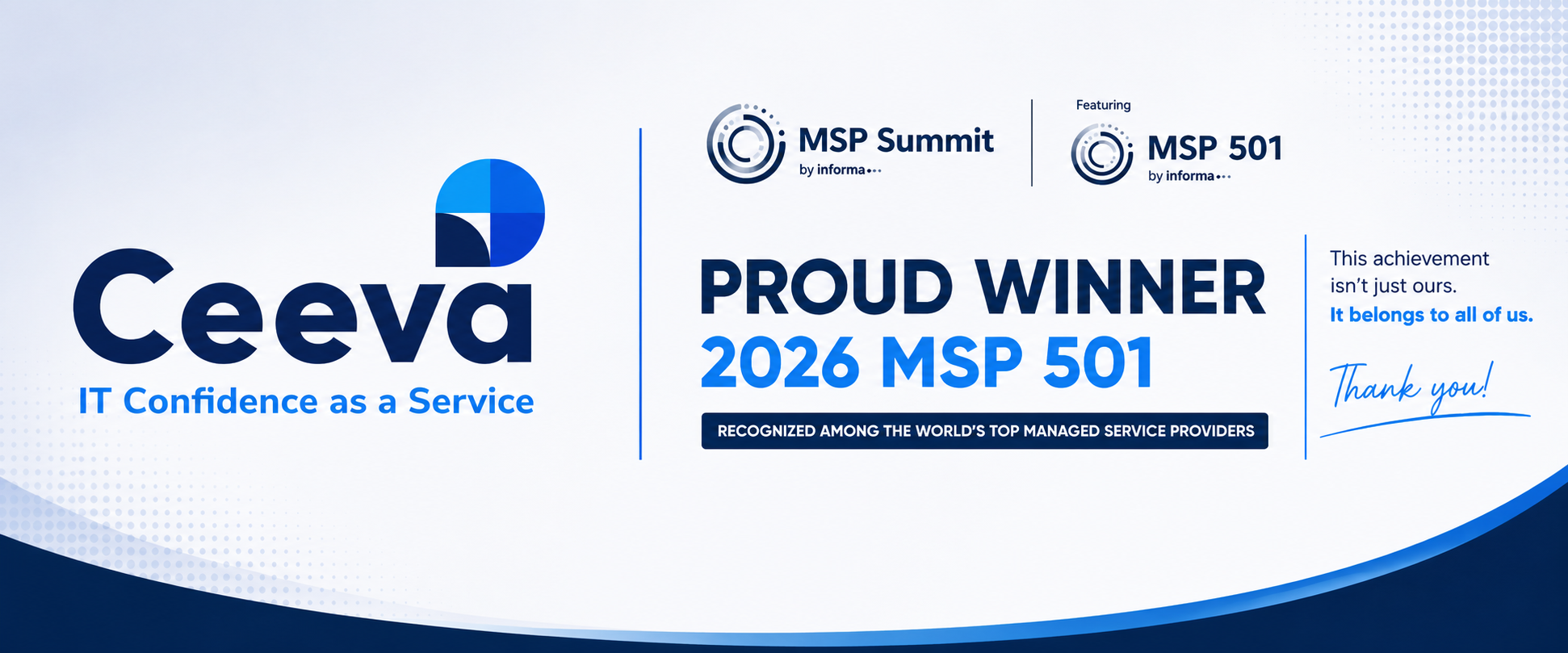
Press Release: Ceeva named as MSP 501 Winner
Ceeva Recognized on the 2026 MSP 501 List Pittsburgh, PA — June 2026 — Ceeva is proud to announce that we have been named to the prestigious 2026 MSP 501 list, the technology industry's most comprehensive ranking of the world's top-performing managed service providers.
Ceeva Recognized on the 2026 MSP 501 List Pittsburgh, PA — June 2026 — Ceeva is proud to announce that we have been named to the prestigious 2026 MSP 501 list, the technology industry's most comprehensive ranking of the world's top-performing managed service providers.
Read full post on ceeva.com
Securing Microsoft 365 for Pittsburgh SMBs in 2026
Microsoft 365 powers daily operations for thousands of Pittsburgh small businesses. From email and file sharing to collaboration and scheduling, it has become the digital backbone of local professional services firms, healthcare practices, manufacturers, and nonprofits alike. But with this reliance comes risk.
Microsoft 365 powers daily operations for thousands of Pittsburgh small businesses. From email and file sharing to collaboration and scheduling, it has become the digital backbone of local professional services firms, healthcare practices, manufacturers, and nonprofits alike. But with this reliance comes risk.
Read full post on ceeva.com

Why the Best IT Relationships Are Built on Partnership, Not Just Support
Why the Best IT Relationships Are Built on Partnership, Not Just Support
Why the Best IT Relationships Are Built on Partnership, Not Just Support
Read full post on ceeva.com
Failed to load more articles
You're all caught up!
Check back later for more profile news.
By remaining at the forefront of technological advancements and cybersecurity, Ceeva has empowered 180+ clients to optimize their own operations, maximize productivity, improve stakeholder engagement, and affordably achieve technical maturity.
Ceeva has earned elite accreditations with Microsoft, Cisco, Dell, Datto and several other tech brands, and the company is known for helping clients make the most of the technologies they choose to use.
Founded in 1992 by a serial tech entrepreneur and Ernst & Young (EY) Entrepreneur of the Year nominee, Ceeva has been recognized as a leader in managed services, an innovator in cybersecurity, and a top employer in western Pennsylvania.
Cybersecurity Is Personal: 5 Simple Habits to Protect Your Digital Life
Cybersecurity is Personal 5 Simple Habits to Protect Your Digital Life October is Cybersecurity Awareness Month, but protecting yourself online isn't something that only matters once a year. Cybersecurity isn't just an IT issue, and it isn't something that only impacts businesses. Today, our lives are deeply connected to technology. Our banking, email, photos, social media, shopping accounts, work information, and personal conversations all live online. The good news is that you don't need to be a cybersecurity expert to better protect yourself. A few simple habits can go a
Cybersecurity is Personal 5 Simple Habits to Protect Your Digital Life October is Cybersecurity Awareness Month, but protecting yourself online isn't something that only matters once a year. Cybersecurity isn't just an IT issue, and it isn't something that only impacts businesses. Today, our lives are deeply connected to technology. Our banking, email, photos, social media, shopping accounts, work information, and personal conversations all live online. The good news is that you don't need to be a cybersecurity expert to better protect yourself. A few simple habits can go a long way toward reducing risk and keeping your digital life secure. 1. Slow Down Before You Click Most cyberattacks don't start with sophisticated technology. They start with someone being rushed. Whether it's an email claiming your account has been compromised, a text message about an undelivered package, or a request for immediate payment, attackers often create a sense of urgency to encourage quick action. Before clicking a link, downloading a file, approving a login request, or sharing personal information, ask yourself: Was I expecting this? Does this make sense? Can I verify this another way? A few extra seconds of caution can prevent a major headache. 2. Verify Requests, Even When They Look Real Artificial intelligence has made it easier than ever to create convincing emails, text messages, images, voice recordings, and videos. A message may be professionally written. A voice may sound familiar. A video may appear authentic. That doesn't mean it's legitimate. If a request involves sensitive information, money, account access, or anything unusual, verify it through a trusted channel before taking action. Call the person directly, use a known contact method, or confirm the request through an established business process. The new cybersecurity motto for the AI era is simple: Pause. Verify. Then act. 3. Protect Your Accounts with Strong Authentication Passwords still matter, but strong account security goes beyond creating a complicated password. A few best practices include: Use unique passwords for important accounts. Store passwords in a trusted password manager. Enable multifactor authentication (MFA) whenever available. Consider using passkeys or authenticator apps for even stronger protection. And don't blindly approve login prompts. If you receive an authentication request you didn't initiate, deny it and investigate further. 4. Keep Devices and Apps Updated Software updates do more than add new features. They often contain important security fixes designed to protect against newly discovered vulnerabilities. Make it a habit to: Keep your computer and smartphone updated. Update web browsers and applications regularly. Enable automatic updates whenever possible. These simple steps help close security gaps before attackers can exploit them. 5. Speak Up Quickly When Something Doesn't Feel Right Nobody is perfect. You might click the wrong link, open a suspicious attachment, or realize after the fact that something doesn't seem right. What matters most is how quickly you respond. If you believe an account may be compromised, change passwords immediately, enable stronger security measures, and notify the appropriate people or organizations. If the situation involves work resources, contact your IT or security team as soon as possible. The earlier an issue is reported, the easier it is to contain. Cybersecurity Is About Protecting People Technology will continue to evolve. New threats will emerge. Artificial intelligence will make some scams more convincing than ever before. But the fundamentals remain remarkably consistent. Take a moment before you click. Verify before you trust. Protect your accounts. Ask questions when you're unsure. Because cybersecurity isn't really about protecting technology. It's about protecting people, their information, and the things that matter most. Need Help Improving Your Cybersecurity? Whether you're protecting a business, nonprofit organization, or your personal information, the strongest security strategies combine technology, training, and good habits. At Ceeva, we help organizations reduce risk through practical cybersecurity solutions, user awareness training, proactive monitoring, and expert guidance. If you'd like to learn more about strengthening your security posture, we're here to help. Contact Us today to start the conversation.
Read full post on ceeva.com
Your Employees Just Hired AI Assistants. Is Your Business Ready?
Your Employees Just Hired AI Assistants. Is Your Business Ready? For years, most AI conversations focused on chatbots that answered questions. That is changing rapidly. The next wave of artificial intelligence is personal AI agents. Tools like Meta's new Muse and OpenAI's Dots are designed to do far more than generate content. They can actively take action on behalf of users, manage ongoing projects, access connected systems, complete multi-step tasks, and continue working even after the user closes the application. This shift is exciting, but it introduces a new challenge for busi
Your Employees Just Hired AI Assistants. Is Your Business Ready? For years, most AI conversations focused on chatbots that answered questions. That is changing rapidly. The next wave of artificial intelligence is personal AI agents. Tools like Meta's new Muse and OpenAI's Dots are designed to do far more than generate content. They can actively take action on behalf of users, manage ongoing projects, access connected systems, complete multi-step tasks, and continue working even after the user closes the application. This shift is exciting, but it introduces a new challenge for businesses. Employees are no longer just using AI to write emails. They are beginning to delegate work to AI systems that can access calendars, documents, business applications, customer data, and cloud services. The question is no longer whether AI will be used. The question is whether your organization will adopt it safely and strategically. The New Reality: Shadow AI Agents Most organizations spent the last two years trying to understand ChatGPT, Copilot, Claude, and Gemini. Now employees can download an AI agent in minutes, connect it to personal and business applications, and start automating tasks immediately. Without governance, organizations may face: AI agents accessing sensitive company information Multiple AI platforms being used without approval Duplicate licensing costs Unclear ownership of AI-generated work Compliance and data retention risks Uncontrolled integrations with business systems These are the same concerns Ceeva has been helping customers address with AI governance, security reviews, identity management, and license oversight. Organizations are often surprised to discover that AI adoption is happening faster than their policies or controls can keep up with. Why IT Needs a Seat at the Table Many business leaders worry that involving IT will slow innovation. The opposite is usually true. The right IT strategy enables faster adoption by creating a secure framework that employees can confidently operate within. Before employees begin connecting AI agents to business systems, organizations should evaluate: Identity & Access Management Who can use AI agents?What systems can they access?How are permissions being managed?AI should never become a shortcut around existing security controls. Data Governance What information can AI access?What information should be restricted? Many organizations discover that long-standing permission issues become visible the moment AI starts searching across company data. Vendor Evaluation Not all AI platforms are built the same. Business leaders should understand: Where data is stored How information is used for training Available audit logs Security certifications Administrative controls Integration capabilities Cost Management The AI market is moving quickly. It is easy for organizations to accumulate: Multiple AI subscriptions Credit over-utilization Departmental purchases Underutilized licenses Redundant platforms A centralized strategy can help ensure AI investments produce measurable business value. Build an AI Governance Program Before You Need One The organizations seeing the greatest success with AI are not necessarily the ones adopting the most tools. They are the ones adopting intentionally. A practical AI governance program should include: AI acceptable use policies Security and compliance standards Approved AI platforms User training Licensing oversight Data protection requirements Ongoing review and optimization This mirrors the AI readiness and governance approach many organizations are now implementing before expanding AI usage across departments. The Opportunity Is Real Personal AI agents are likely to become as common as email, smartphones, and collaboration platforms. They will help employees automate research, manage schedules, coordinate projects, draft communications, analyze information, and execute routine tasks at a scale we've never seen before. Organizations that embrace these tools thoughtfully will gain significant productivity advantages. Organizations that allow adoption to happen without governance may find themselves managing unnecessary risk, cost, and complexity. The best approach is not to block AI. It's to build a secure, managed, and scalable path for using it. Before your employees start hiring AI assistants, make sure your business has a plan for managing them.
Read full post on ceeva.com
Ceeva Partners with Bitwarden to Deliver Secure, Centralized Password Management
Announcement: Ceeva Partners with Bitwarden to Add Enterprise Password Management to the Ceeva Shield Stack Cybersecurity is no longer just about deploying the right tools. It's about ensuring employees have secure, easy ways to access the systems they rely on every day. That's why we're excited to announce our partnership with Bitwarden, bringing Bitwarden Enterprise Password Management to the Ceeva Shield cybersecurity stack. Password-related threats remain one of the most common ways organizations are compromised. With Bitwarden Enterprise, businesses can securely store password
Announcement: Ceeva Partners with Bitwarden to Add Enterprise Password Management to the Ceeva Shield Stack Cybersecurity is no longer just about deploying the right tools. It's about ensuring employees have secure, easy ways to access the systems they rely on every day. That's why we're excited to announce our partnership with Bitwarden, bringing Bitwarden Enterprise Password Management to the Ceeva Shield cybersecurity stack. Password-related threats remain one of the most common ways organizations are compromised. With Bitwarden Enterprise, businesses can securely store passwords, passkeys, and other sensitive information in a centralized platform while reducing password reuse and improving access controls across the organization. The solution also makes it easier for teams to securely share credentials when appropriate, maintain visibility into who has access to critical systems, and improve the user experience across desktops, browsers, and mobile devices. As part of our Ceeva Shield approach, we continue to evaluate and deliver technologies that strengthen security without creating unnecessary complexity. Bitwarden is a natural addition to that strategy, helping organizations improve their cybersecurity posture while simplifying day-to-day operations. If you're interested in learning how enterprise password management can help protect your business, contact the Ceeva team to schedule a demo, discuss pricing, or request a trial. Protecting your business starts with protecting access.
Read full post on ceeva.com
Top 10 Cybersecurity Priorities for Financial Services Orgs in 2026
Top 10 Cybersecurity Priorities for Financial Services Organizations in 2026 Why Financial Services Firms Remain a Prime Target Banks, wealth management firms, mortgage companies, insurance agencies, accounting firms, credit unions, and financial advisors continue to be among the most targeted organizations for cybercrime. They manage sensitive financial data, personally identifiable information (PII), payment systems, and regulatory obligations, making them attractive targets for ransomware groups, business email compromise attacks, credential theft, and third-party supply chain attacks
Top 10 Cybersecurity Priorities for Financial Services Organizations in 2026 Why Financial Services Firms Remain a Prime Target Banks, wealth management firms, mortgage companies, insurance agencies, accounting firms, credit unions, and financial advisors continue to be among the most targeted organizations for cybercrime. They manage sensitive financial data, personally identifiable information (PII), payment systems, and regulatory obligations, making them attractive targets for ransomware groups, business email compromise attacks, credential theft, and third-party supply chain attacks. Financial regulators continue to emphasize cybersecurity, resilience, and vendor oversight as foundational business requirements rather than optional technology initiatives. At Ceeva, we believe cybersecurity is no longer just an IT concern. It is a business risk management function that must align with organizational strategy, compliance requirements, operational resilience, and customer trust. 1. Strengthen Identity Security and Multi-Factor Authentication Most breaches still begin with compromised credentials. Financial institutions should focus on protecting identities through Multi-Factor Authentication (MFA), Conditional Access policies, passwordless technologies, privileged account management, and continuous monitoring of account activity. Identity has become the new security perimeter. Ask yourself: Would a stolen password alone allow an attacker into your environment? 2. Implement Continuous Security Monitoring Cyber threats don't operate on business hours. Organizations need 24x7 monitoring of endpoints, servers, cloud environments, and Microsoft 365 environments. Modern Managed Detection and Response (MDR) services provide human-validated threat detection and rapid containment before small incidents become major business disruptions. Ceeva's approach emphasizes ongoing visibility rather than annual security reviews. 3. Prepare for Ransomware Before It Happens Ransomware remains one of the biggest threats facing the financial sector, with recent reports showing both ransomware activity and vendor-related attacks increasing across financial services organizations. Effective preparation includes: Immutable backups Disaster recovery planning Incident response procedures Security awareness training Recovery testing The question is no longer "Will we be targeted?" but "How quickly can we recover?" 4. Focus on Third-Party and Vendor Risk Many financial institutions have strong internal controls yet remain vulnerable through external vendors, software providers, consultants, and managed service providers. Recent financial-sector incidents demonstrate how one compromised vendor can impact dozens of organizations simultaneously. Vendor risk management should be part of every cybersecurity program. Evaluate: Vendor security practices Cyber insurance coverage Business continuity planning Regulatory compliance Access permissions 5. Align Cybersecurity with Compliance Requirements Whether you're subject to FFIEC guidance, SEC requirements, GLBA, FINRA, PCI, state privacy laws, cyber insurance requirements, or client security questionnaires, compliance expectations continue to rise. Organizations that treat compliance as a once-a-year project often struggle. The most successful firms build compliance into daily operations through documented policies, regular assessments, and ongoing governance. 6. Train Employees Continuously Technology alone cannot stop phishing, social engineering, and business email compromise. Employees remain both the greatest vulnerability and the strongest defense. Effective security awareness programs should include: Phishing simulations Ongoing education Executive training Incident reporting procedures Real-world threat examples Ceeva consistently sees employee training deliver one of the strongest returns on cybersecurity investment. 7. Protect Microsoft 365 and Cloud Platforms Financial organizations increasingly rely on Microsoft 365, cloud productivity tools, and SaaS applications. Unfortunately, many firms assume Microsoft automatically secures everything. Cybersecurity best practices should include: Conditional Access MFA Security monitoring Data retention policies Backup solutions Privileged access controls As cloud adoption grows, cloud security maturity must grow with it. 8. Develop and Test an Incident Response Plan The middle of a breach is not the time to figure out responsibilities. Organizations should have documented incident response plans covering: Detection Containment Communication Recovery Regulatory reporting Post-incident review Tabletop exercises and leadership participation are critical components of an effective response program. 9. Connect Cybersecurity to Business Continuity Cybersecurity is not solely about prevention. It is also about maintaining operations when disruptions occur. Financial firms should regularly evaluate: Backup integrity Recovery objectives System dependencies Client communication procedures Operational resilience The organizations that recover fastest are typically those that planned long before an incident occurred. 10. Make Cybersecurity Part of Strategic Planning The highest-performing financial organizations treat cybersecurity as a leadership initiative. It belongs in strategic planning discussions, board meetings, budgeting conversations, merger evaluations, and growth planning. At Ceeva, this is where our vCIO and strategic advisory services provide the greatest value. We help organizations align technology, cybersecurity, compliance, and business goals into a practical roadmap that reduces risk while supporting future growth. Cybersecurity should never be reactive. It should be part of how your organization plans for success. Final Thought Financial services leaders face an increasingly complex threat landscape. Ransomware, credential theft, regulatory pressure, vendor risk, and evolving cyber insurance requirements are creating challenges that can no longer be solved with technology alone. The organizations best positioned for the future are those that approach cybersecurity strategically, align it with business objectives, and invest in the right combination of people, processes, and technology. That's exactly where Ceeva helps our clients succeed.
Read full post on ceeva.com
Modern Microsoft 365 Security for Pittsburgh Small Businesses
Modern Microsoft 365 Security for Pittsburgh Small Businesses Most Pittsburgh businesses run on Microsoft 365. Email, Teams, SharePoint, OneDrive, and business applications all rely on a single thing: user identity. That's why Microsoft's security strategy has evolved. Protecting the network is no longer enough. Today, identity is the new security perimeter. The good news is that many small businesses already own powerful security tools through Microsoft 365 Business Premium. The challenge is that these tools are often underutilized, leaving gaps that attackers can exploit. At Ceeva, w
Modern Microsoft 365 Security for Pittsburgh Small Businesses Most Pittsburgh businesses run on Microsoft 365. Email, Teams, SharePoint, OneDrive, and business applications all rely on a single thing: user identity. That's why Microsoft's security strategy has evolved. Protecting the network is no longer enough. Today, identity is the new security perimeter. The good news is that many small businesses already own powerful security tools through Microsoft 365 Business Premium. The challenge is that these tools are often underutilized, leaving gaps that attackers can exploit. At Ceeva, we help organizations strengthen Microsoft 365 security by focusing on modern identity protection, threat detection, data security, and employee awareness. Why Small Businesses Are Being Targeted Cybercriminals aren't just targeting large enterprises. Small and mid-sized businesses are often viewed as easier targets because they typically have fewer security resources and less mature security controls. Attackers know that compromising a single Microsoft 365 account can provide access to: Business email Financial information Customer data Shared files Internal communications Cloud applications Many successful attacks begin with a stolen password or a phishing email. Once an account is compromised, attackers can move quickly throughout an organization. Identity Security Comes First For years, enabling multi-factor authentication (MFA) was considered the most important security improvement a business could make. While MFA remains essential, Microsoft now recommends a broader identity-first security approach using Microsoft Entra ID and Conditional Access. Modern security focuses on evaluating every sign-in attempt and applying security controls based on risk rather than simply requiring a password and a text message. Think of Microsoft Entra ID as the control center for your organization's identity security. With the right policies in place, access decisions can take into account: User identity Device health Geographic location Sign-in risk Application being accessed Security posture of the endpoint This creates a security model that is significantly more effective than passwords alone. Why SMS-Based MFA Is No Longer the Goal Many businesses still use text messages or phone calls for MFA verification. While these methods are better than passwords alone, Microsoft has increasingly shifted toward stronger authentication methods designed to resist phishing attacks and SIM-swapping scams. Microsoft has announced plans to move away from Microsoft-provided phone-based authentication services and further emphasize passkeys and passwordless authentication. Today, Microsoft's recommended authentication methods include: Microsoft Authenticator Passkeys Windows Hello for Business FIDO2 Security Keys These technologies provide stronger protection because they are far more difficult for attackers to intercept or bypass. For administrator accounts, phishing-resistant authentication should be considered a requirement rather than a recommendation. Conditional Access: The Most Important Microsoft 365 Security Control If there is one Microsoft 365 feature that small businesses should understand, it is Conditional Access. Conditional Access allows organizations to control when and how users can access business resources. Examples include: Requiring MFA for all sign-ins Blocking legacy authentication protocols Restricting access from risky locations Requiring company-managed devices Preventing high-risk sign-ins Enforcing stronger authentication for administrators Rather than trusting every login attempt equally, Conditional Access evaluates risk in real time and applies security policies accordingly. For many organizations, this is where the biggest security gains can be achieved. Protecting Your Business from Phishing Phishing remains one of the most common ways attackers gain access to Microsoft 365 environments. Modern phishing attacks often appear legitimate and can impersonate: Microsoft Vendors Customers Bank representatives Internal executives Microsoft Defender for Office 365 includes protections designed to detect: Credential harvesting attacks Business email compromise attempts Malicious links Malicious attachments Executive impersonation attacks When properly configured, these protections help stop threats before users interact with them. Device Security Matters Too Identity and endpoint security work together. Even the strongest authentication controls can be undermined if users access company data from unmanaged or compromised devices. Organizations using Microsoft Intune can enforce security standards such as: Disk encryption Operating system updates Antivirus protection Screen lock requirements Device compliance policies Conditional Access can then ensure that only compliant devices are allowed to access company resources. This significantly reduces risk while supporting remote and hybrid work. Security Awareness Remains Essential Technology can block many threats, but employees remain a critical part of every security strategy. Regular security awareness training helps users identify: Phishing attempts Social engineering attacks Suspicious attachments Credential theft attempts Business email compromise scams Organizations that combine employee education with modern Microsoft security controls are far better positioned to prevent cyber incidents before they occur. Don't Forget About Backup and Recovery One of the biggest misconceptions about Microsoft 365 is that Microsoft provides a complete backup solution. Microsoft delivers excellent platform resilience, but organizations are still responsible for protecting against: Accidental deletion Insider threats Malicious activity Long-term retention requirements Ransomware recovery scenarios A dedicated Microsoft 365 backup solution adds another layer of protection for Exchange, OneDrive, SharePoint, and Teams data. How Ceeva Helps Pittsburgh Businesses Secure Microsoft 365 Most businesses already own many of the security tools they need. The challenge is knowing which controls to implement first and ensuring they are configured correctly. Ceeva helps organizations: Assess Microsoft 365 security posture Implement Microsoft Entra security controls Deploy Conditional Access policies Strengthen administrator account protection Improve email security Secure endpoints with Intune Conduct cybersecurity awareness training Implement backup and recovery strategies Our goal is simple: help Pittsburgh businesses reduce risk while getting more value from the Microsoft licenses they already own. Key Takeaways Identity is the new security perimeter. Microsoft Entra ID should be the foundation of your Microsoft 365 security strategy. Conditional Access is one of the most effective security controls available to Microsoft 365 organizations. Passkeys, Microsoft Authenticator, Windows Hello for Business, and FIDO2 security keys provide stronger protection than traditional SMS-based verification methods. Email security, endpoint protection, and employee awareness must work together. Many of the security features small businesses need are already included in Microsoft 365 Business Premium.
Read full post on ceeva.com
15 Questions Every Business Should Ask Before Turning On AI
AI adoption is happening fast. In many organizations, employees are already experimenting with tools like Microsoft Copilot, ChatGPT, and Claude, whether an official rollout has happened or not. Ceeva's recent AI readiness and governance materials emphasize the importance of preparing your Microsoft 365 environment, establishing governance, and understanding security implications before deployment. The promise of AI is exciting. Increased productivity, better collaboration, faster decision-making, and less administrative work are all realistic outcomes. But organizations that rush into AI w
AI adoption is happening fast. In many organizations, employees are already experimenting with tools like Microsoft Copilot, ChatGPT, and Claude, whether an official rollout has happened or not. Ceeva's recent AI readiness and governance materials emphasize the importance of preparing your Microsoft 365 environment, establishing governance, and understanding security implications before deployment. The promise of AI is exciting. Increased productivity, better collaboration, faster decision-making, and less administrative work are all realistic outcomes. But organizations that rush into AI without preparation often discover hidden risks, unexpected costs, and security concerns. Before purchasing licenses or enabling AI tools for your team, ask these 15 important questions. 1. Who Can Access What Information Today? AI can only work with the information users already have permission to access. If permissions are overly broad, AI may surface information employees were technically able to access but never knew existed. Now is the time to evaluate SharePoint, Teams, OneDrive, and file-sharing permissions. 2. Is Multi-Factor Authentication Enabled for Every User? One stolen password can become far more impactful when AI tools have access to large volumes of business information. Strong authentication should be considered a prerequisite for any AI deployment. 3. Are Former Employees Still Connected to Company Resources? Many organizations discover legacy accounts, shared credentials, and lingering permissions long after an employee leaves. Before introducing AI, verify your onboarding and offboarding processes are consistently enforced. 4. Where Is Our Business Data Stored? You cannot govern what you cannot locate. Identify where critical company information resides, who owns it, and whether it is appropriately secured. 5. Do We Have a Written AI Usage Policy? Employees need clear guidance regarding: Approved AI platforms Acceptable business use Confidential information restrictions Data retention expectations Security and compliance requirements A policy provides consistency and helps reduce risk. 6. Are Employees Already Using Personal AI Accounts for Work? In many businesses, AI adoption starts long before leadership realizes it. Understanding existing usage patterns helps identify opportunities, security concerns, and training requirements. 7. Have We Reviewed Our SharePoint and Teams Permissions Recently? Organizations often accumulate years of permission changes, shared folders, and inherited access rights. Cleaning up permissions before AI deployment is one of the most impactful steps you can take. 8. What Information Should Never Be Entered Into AI? Not every piece of information belongs in every AI platform. Examples may include: Protected client information Financial records Legal documents Proprietary business information Personally identifiable information Establish guardrails before employees begin experimentation. 9. Does Leadership Understand the Risks as Well as the Benefits? Most executives understand the upside of AI. Fewer understand governance, security responsibilities, compliance implications, and long-term administration requirements. Successful deployments begin with informed leadership. 10. Are We Solving a Business Problem or Chasing a Trend? AI alone is not a strategy. Define the outcomes you want to improve, such as: Reducing administrative work Enhancing customer service Improving document creation Accelerating research Increasing employee productivity Start with business goals rather than technology. 11. How Will We Measure Success? Before implementation, determine how success will be evaluated. Common metrics include: Time saved per employee Increased productivity Faster project completion Reduced manual effort Higher employee satisfaction Without measurable goals, ROI becomes difficult to demonstrate. 12. Which AI Platform Best Fits Our Organization? Microsoft Copilot, ChatGPT Business, Claude Team, and industry-specific tools each serve different purposes. The right platform depends on your data, workflows, security requirements, regulatory obligations, and business objectives. 13. Who Will Own Governance and Administration? AI requires ongoing management. Someone must be responsible for: Licensing Policies Access controls User adoption Security reviews Governance updates Ownership should be established before deployment begins. 14. How Will Employees Be Trained? Providing licenses does not guarantee adoption. Employees need practical guidance on: Effective prompting Security best practices Approved use cases Productivity techniques Responsible AI usage Organizations that invest in training consistently achieve better outcomes. 15. What Happens If We Do Nothing? AI is rapidly becoming a standard business tool. Organizations that ignore it completely may fall behind competitors who successfully combine technology with sound governance and employee enablement. The goal is not to adopt AI recklessly. The goal is to adopt it responsibly. Final Thought The businesses seeing the greatest return from AI are not necessarily the first to deploy it. They are the organizations that take time to prepare their environment, understand their risks, establish governance, and create a roadmap for long-term success. AI is a powerful tool. Like any powerful tool, its value depends on how thoughtfully it is implemented. At Ceeva, we help organizations prepare for AI adoption through readiness assessments, Microsoft 365 optimization, governance planning, security reviews, and employee enablement strategies so they can realize the benefits of AI without introducing unnecessary risk. Looking to plan for AI use cases, planning, governance and security for your organization? Contact us here and we can help.
Read full post on ceeva.com
How to Manage IT Service Complexity as You Grow
How to Manage IT Complexity as Your Business Grows: Internal IT vs. Managed IT vs. Co-Managed IT As businesses grow, technology becomes more difficult to manage. More employees, more software, cloud platforms, cybersecurity requirements, and compliance obligations all add layers of complexity. What worked when your company had 20 employees may no longer work at 75 or 150 employees. The challenge is not simply having more technology. It's ensuring that technology continues to support business growth without creating security risks, downtime, or operational bottlenecks. Key Takeaways
How to Manage IT Complexity as Your Business Grows: Internal IT vs. Managed IT vs. Co-Managed IT As businesses grow, technology becomes more difficult to manage. More employees, more software, cloud platforms, cybersecurity requirements, and compliance obligations all add layers of complexity. What worked when your company had 20 employees may no longer work at 75 or 150 employees. The challenge is not simply having more technology. It's ensuring that technology continues to support business growth without creating security risks, downtime, or operational bottlenecks. Key Takeaways IT complexity increases as organizations grow. More users, devices, applications, and compliance requirements create management challenges. Businesses typically choose between internal IT, managed IT, or co-managed IT. The right model depends on business goals, budget, and internal capabilities. Proactive planning reduces costs and improves business outcomes. What Causes IT Complexity? IT complexity rarely appears overnight. It grows gradually as organizations add new technology, employees, and business processes. Growing User and Device Counts Every new employee requires: A computer Software licenses Security controls User accounts Ongoing support As headcount increases, so does the workload required to maintain these systems. Cloud Application Expansion Most organizations now operate across multiple cloud platforms. Microsoft 365, CRM systems, accounting software, HR applications, collaboration tools, and industry-specific applications all require administration and security oversight. The more systems involved, the more difficult integrations, troubleshooting, and visibility become. Increasing Cybersecurity Requirements Modern cybersecurity demands continue to grow. Organizations are expected to implement: Multi-factor authentication Endpoint protection Security awareness training Backup and disaster recovery Compliance documentation Many growing businesses find these requirements exceed the capabilities of a single IT generalist. Vendor Sprawl As technology stacks expand, so do vendor relationships. Internet providers, cloud platforms, phone systems, software vendors, and cybersecurity providers all play a role. When issues occur, determining ownership can become a challenge. IT Challenges by Business Size Business Stage Typical Challenge 10-50 Employees Limited internal IT expertise 50-200 Employees IT resources become stretched thin 200+ Employees Governance, security, and scalability challenges No matter the size of the organization, IT must evolve alongside business growth. Internal IT vs. Managed IT vs. Co-Managed IT Most growing organizations choose one of three support models. Option 1: Internal IT An internal IT team provides direct access and deep familiarity with your business. Advantages Direct control In-house business knowledge Immediate access to staff Challenges Limited specialized expertise Hiring and retention costs Vacation and coverage gaps Ongoing training requirements For small organizations, a single IT professional often struggles to cover networking, cybersecurity, cloud services, compliance, and strategic planning simultaneously. Option 2: Managed IT Services Managed IT services outsource day-to-day technology management to a dedicated partner. Advantages Access to specialized expertise Predictable monthly costs Enhanced cybersecurity capabilities Greater scalability Challenges Less direct day-to-day control Dependence on service agreements and provider processes For many growing businesses, managed services provide broader expertise than they could reasonably build internally. Option 3: Co-Managed IT Co-managed IT combines internal staff with external support. Your internal team continues leading business strategy and user relationships while a partner provides specialized expertise, project support, cybersecurity resources, and additional bandwidth. Advantages Keeps internal IT leadership in place Expands available expertise Provides backup coverage Supports larger projects Challenges Requires clearly defined responsibilities Depends on effective collaboration between teams For organizations that already have IT personnel but need additional capabilities, co-managed IT often provides the best balance of control and support. How to Choose the Right IT Model Before making a decision, evaluate four factors. 1. Current Pain Points Identify what's preventing IT from supporting the business effectively. Examples include: Slow response times Security concerns Recurring outages Difficulty supporting growth 2. Growth Plans Consider where your organization will be in the next three to five years. Opening locations, increasing headcount, pursuing compliance requirements, or adopting new technology all impact support needs. 3. Budget Compare the full cost of hiring, training, tools, and turnover against managed service investments. Many organizations discover that outsourced expertise costs less than building equivalent capabilities internally. 4. Business Goals Technology should support: Operational efficiency Business growth Security Employee productivity Strategic initiatives Your chosen IT model should align with those goals. What to Look for in an IT Partner Not all IT providers are the same. Strategic Guidance Your provider should understand your business goals, not just your hardware inventory. Accountability Clear ownership, transparent communication, and defined escalation paths reduce frustration when issues occur. Cybersecurity Expertise Security is no longer optional. Your partner should bring practical experience in risk management, monitoring, backup, recovery, and compliance. Local Relationships When business-critical issues arise, accessibility matters. Organizations often benefit from working with a partner whose leadership team remains visible and engaged. How AI Is Reducing IT Complexity Artificial intelligence is helping IT teams work more efficiently. Modern platforms can: Detect threats faster Automate repetitive tasks Improve monitoring Reduce administrative workload Tools such as Microsoft Copilot can also improve productivity across departments by simplifying information access, collaboration, and routine workflows. The key is implementing AI strategically rather than adding another disconnected tool to manage. Final Thoughts IT complexity is a natural result of business growth. More employees, applications, security requirements, and business demands will continue to challenge organizations that rely on outdated support models. The good news is that businesses have options. Whether you choose internal IT, managed services, or a co-managed approach, the right strategy can reduce complexity, improve security, and create a stronger foundation for growth. At Ceeva, we help organizations throughout Western Pennsylvania align technology with business objectives through managed and co-managed IT services designed to scale as they grow. Looking to figure out the sweet spot for your organization? Contact us here and we can help guide you to the right place.
Read full post on ceeva.com
Press Release: Ceeva named as MSP 501 Winner
Ceeva Recognized on the 2026 MSP 501 List Pittsburgh, PA — June 2026 — Ceeva is proud to announce that we have been named to the prestigious 2026 MSP 501 list, the technology industry's most comprehensive ranking of the world's top-performing managed service providers.
Ceeva Recognized on the 2026 MSP 501 List Pittsburgh, PA — June 2026 — Ceeva is proud to announce that we have been named to the prestigious 2026 MSP 501 list, the technology industry's most comprehensive ranking of the world's top-performing managed service providers.
Read full post on ceeva.com
Securing Microsoft 365 for Pittsburgh SMBs in 2026
Microsoft 365 powers daily operations for thousands of Pittsburgh small businesses. From email and file sharing to collaboration and scheduling, it has become the digital backbone of local professional services firms, healthcare practices, manufacturers, and nonprofits alike. But with this reliance comes risk.
Microsoft 365 powers daily operations for thousands of Pittsburgh small businesses. From email and file sharing to collaboration and scheduling, it has become the digital backbone of local professional services firms, healthcare practices, manufacturers, and nonprofits alike. But with this reliance comes risk.
Read full post on ceeva.com
Why the Best IT Relationships Are Built on Partnership, Not Just Support
Why the Best IT Relationships Are Built on Partnership, Not Just Support
Why the Best IT Relationships Are Built on Partnership, Not Just Support
Read full post on ceeva.com
Failed to load more articles
You're all caught up!
Check back later for more profile news.