Talk to an MSP today.
Discover leading Managed IT Service Providers across USA, Canada & the United Kingdom.
- 100s of leading MSPs
- Find a MSP near you
- Latest IT news for SMBs

How to Migrate to the Cloud Without Disrupting Operations
Migration to the cloud is necessary if you want to build a business with scalability and affordable IT costs. Any large change to your network environment brings risks of downtime,... read more
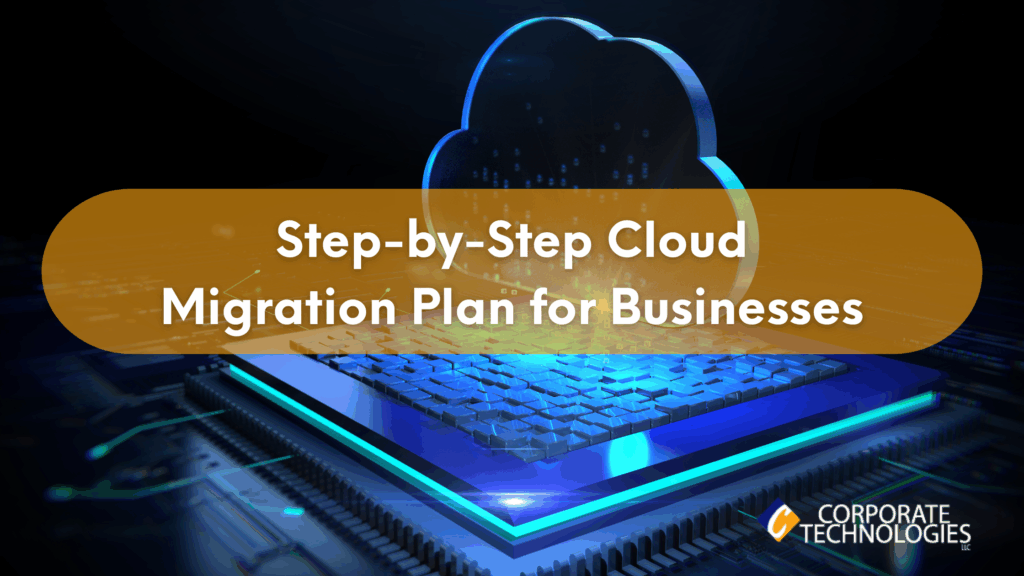
How to Migrate to the Cloud Without Disrupting Operations
Migration to the cloud is necessary if you want to build a business with scalability and affordable IT costs. Any large change to your network environment brings risks of downtime, data loss, and data corruption. Data migration requires a plan, and with that plan a step-by-step guide on the data to migrate, how it should be done, and testing afterward to ensure that your staff can continue production. The main goal of a migration plan is to limit disruptions, so here are some steps for protecting your data and productivity. Create an IT Roadmap An IT roadmap is the first step to data migration
Migration to the cloud is necessary if you want to build a business with scalability and affordable IT costs. Any large change to your network environment brings risks of downtime, data loss, and data corruption. Data migration requires a plan, and with that plan a step-by-step guide on the data to migrate, how it should be done, and testing afterward to ensure that your staff can continue production. The main goal of a migration plan is to limit disruptions, so here are some steps for protecting your data and productivity. Create an IT Roadmap An IT roadmap is the first step to data migration. The IT roadmap will include all steps to new infrastructure integration including your cloud infrastructure. To integrate cloud infrastructure with your local environment, you need to move data with a plan. The plan includes migration steps, the applications using the data, where the data will be located in the cloud, and what steps are necessary for testing the move. It’s likely that you won’t move all data to the cloud. You will have some local data and applications, so the IT roadmap should cover how local applications will work with cloud data. For example, you might decide to migrate your database activity to the cloud and store files on an AWS S3 bucket. The roadmap includes migration of data to the bucket and cloud database and the applications that will connect to it. Use Tested Automation Tools Instead of manually migrating data, the steps to migrate it can be configured into automation tools. Automation tools aren’t for convenience alone. They are also to avoid mistakes. Let’s say that you need to configure a cloud component before moving data. You don’t want to forget this step, so you use automation tools to ensure that every step in the migration process is covered during the move. Reducing human error using automation will make the entire migration process far less buggy and cause far less downtime. Still, automation must first be programmed by professionals. Automation tools configured incorrectly will still cause migration errors and bugs, so it’s best to have professionals manage your cloud infrastructure, automation process, and migration of critical corporate data. Determine the Virtual Machines for Server Migration If you have servers on-premise, you will probably use virtual machines to replace them in the cloud. Virtual machines act like dedicated servers, but you’re using resources on a shared server. You might be able to consolidate servers into a single virtual machine to save on IT costs. All of these decisions can be done when you audit your environment and determine what you need in the cloud to support your organization. The migration plan must include the infrastructure to connect virtual machines with other servers in your environment. You might have several virtual machines in the cloud connected to applications and they might connect to local servers for private applications. However you decide to architect your hybrid cloud, you must include it in your migration plan. In addition to deploying virtual machines, you must also determine resources necessary to run applications. Memory, disk space, and CPU are three resources that determine productivity and speed. Too few resources and your applications will run extremely slow and reduce productivity and performance. Too many resources and you waste IT budgets. A professional can help assess the right resources without wasting money. Migrate During Off-Peak Hours Unforeseen downtime can be limited, but you will need to take down some resources while performing the cutover. Cutover might be a weekend or the middle of the night. Some businesses prefer to perform a cutover on a Friday night so that they have the weekend to smooth out any bugs and test the current setup. Don’t forget to let users and employees know that systems will be down. Data migration can interfere with public-facing web applications, mobile applications, and possibly phone systems. You want to ensure that customers are aware of the potential downtime and performance issues. The same notice should be sent to employees, especially if these employees work from remote locations. If the migration process doesn’t cause any downtime, the data transfer to the cloud will eat up bandwidth and cause performance degradation. Migrate a Test Environment and Sync Production Data To know if your new cloud environment can support your business, a subset of data is sent to the cloud and a mirrored environment runs alongside the production environment. This step uncovers unforeseen bugs and potential pitfalls. At this step in the process, you can discover inefficiencies to add resources or add infrastructure that could eliminate issues. A test environment will run several weeks alongside the production environment. Stakeholders can choose to test the new environment during production hours. By testing it during production hours, professionals in charge of your cloud migration can identify any issues before the final cutover. Create a Rollback Strategy Rollback is the final strategy should a critical error happen during data migration. You don’t want to perform a rollback, but it’s important for business continuity should an unforeseen issue cause permanent disruption of your production environment. A rollback plan usually involves a copy of data and previous configurations. Most rollbacks require permission from executives, so if you are leading a data migration you’ll need to know who to contact to reverse the data migration.Initiating rollbacks can be a stressful situation, so the process should be well documented. Some businesses choose to test a rollback plan as well as test the new production environment. Finding the Right Professional Help Data migration to the cloud is much more difficult than a simple data transfer. You need professionals who can create a plan, follow the plan, and monitor your network environment after the migration is finished. These professionals will greatly reduce your risk of downtime and long-term bugs that could plague your applications and production environments. To find out how Corporate Technologies can help with your data migration plan, contact us today. FAQs
Read full post on gocorptech.comMSPdb™ News
Just Added to MSPdb™



MSP Jobs
All Jobs
MSP Marketplace
View All


Popular MSPs
View All