99 problems but IT ain't one.
Discover leading Managed IT Service Providers across USA, Canada & the United Kingdom.
- 100s of leading MSPs
- Find a MSP near you
- Latest IT news for SMBs

AI Guardrails for Franchise Systems: How to Set Policy
Quick answer: Franchise systems should set AI governance before location-level adoption outpaces corporate policy. That means publishing an approved-tools list, defining what data can and cannot be entered into AI tools, requiring access controls and audit logs, training every operator on the rules, and naming a single governance owner at the franchisor level. Otherwise, every new franchisee writes their own AI policy by accident. Why Do Franchise Systems Need AI Guardrails Right Now? Because your franchisees are already using AI, whether you wrote a policy or not. By late 2025, work-rela
Quick answer: Franchise systems should set AI governance before location-level adoption outpaces corporate policy. That means publishing an approved-tools list, defining what data can and cannot be entered into AI tools, requiring access controls and audit logs, training every operator on the rules, and naming a single governance owner at the franchisor level. Otherwise, every new franchisee writes their own AI policy by accident. Why Do Franchise Systems Need AI Guardrails Right Now? Because your franchisees are already using AI, whether you wrote a policy or not. By late 2025, work-related generative AI adoption among individual employees reached roughly 41 percent and was still climbing, according to St. Louis Fed analysis of national survey data1. In a July 2025 WalkMe survey, 78 percent of employees admitted to using AI tools their employer had not approved2. Across a 30-location franchise system, the math says dozens of operators are already feeding customer data, sales numbers, employee records, or corporate playbooks into tools nobody at corporate has reviewed. Franchise systems are particularly exposed because they combine three risk factors that compound each other: distributed decision-making (each location can pick its own software), shared brand reputation (one breach hits every other location in the press), and concentrated data (customer lists, loyalty records, and payment data flow back to corporate). The window to set policy before chaos sets in is closing fast. Once a franchise operator has been using a free AI tool for six months to run marketing or schedule staff, asking them to stop without offering an approved alternative will fail. What Is “Shadow AI” and Why Is It a Franchise Problem? Shadow AI is any AI tool an employee or operator uses without IT or corporate approval. Think free ChatGPT accounts on personal email, AI features baked into apps nobody reviewed, or browser extensions that summarize emails and customer chats. IBM’s 2025 Cost of a Data Breach Report quantified the damage. One in five breached organizations now report shadow AI as a contributor, and those breaches cost an average of $670,000 more than breaches without shadow AI involvement3. Sixty-three percent of breached organizations had no AI governance policy at all, and 97 percent of organizations that suffered AI-related breaches lacked proper access controls3. For a franchise system, that risk multiplies. A single operator pasting a customer list into a public AI chatbot to “draft a re-engagement campaign” can expose the data of every customer at that location, with brand consequences hitting every other location in the system. (For more on this risk pattern, see Cybersecurity for Franchises: Protecting Your Multi-Location Business.) What Should an AI Governance Policy for Franchises Actually Cover? A useful franchise AI policy is not 40 pages of legal language. It is a short, enforceable document covering six areas: Approved tools list. Name the specific AI products operators may use (for example, Microsoft 365 Copilot inside your corporate tenant, or a vetted marketing AI). Everything else is off-limits unless reviewed and added. Data classification. Spell out what data can and cannot be entered into AI tools. Customer PII, payment data, employee records, supplier contracts, and unreleased marketing plans typically belong on the prohibited list. Access controls. Require single sign-on, multi-factor authentication, and role-based permissions for any AI tool integrated with location systems. The 97 percent statistic above traces back to this exact gap. Audit and logging. Choose tools that produce a log of who accessed what and when. If a regulator or a corporate auditor asks how AI handled customer data last quarter, you need a real answer. Training and acknowledgment. Every operator and every employee with AI access signs an acknowledgment after a short training. Updated annually. Incident reporting. Define what counts as an AI-related incident (data leak, false output that affected a customer, suspected account compromise) and how operators report it within 24 hours. This policy is not the goal in itself. It is the artifact that lets you train, audit, and improve. Without it, every franchisee writes their own. Who Owns AI Governance in a Franchise System? This is the question that derails most franchise AI rollouts. The right answer is split ownership with a single named decision-maker. At the franchisor level, a designated AI governance owner (often the CIO, COO, or Director of Operations) holds responsibility for the approved-tools list, training content, and policy updates. They convene a small review group quarterly to evaluate new tools and incidents. At the location level, each franchisee designates an “AI lead” responsible for ensuring local compliance, completing training, and reporting incidents. This mirrors how strong franchise systems already handle PCI compliance and brand standards (see Why IT Brand Standards Are Critical for Franchise Success). The danger pattern: making AI governance “everyone’s job” by writing it into the operations manual and never naming an owner. That is how you end up with a policy nobody enforces and an inbox full of “is this allowed?” questions that go unanswered for weeks. How Do You Roll Out AI Policy Across Locations Without Killing Adoption? A policy that bans AI usage outright fails immediately. Operators will route around it because the productivity gains are too real to ignore. The better approach borrows from how Sentry runs the Technology Maturity Model (TMM) with franchise clients: Operate, Secure, Integrate, Innovate. Treat AI rollout as a Secure-to-Integrate progression, not a single launch. Phase one is replacement. Give every operator access to approved AI tools (most commonly an enterprise Copilot license) so the free tools they were sneaking become unnecessary. This single move pulls 70 to 80 percent of shadow AI back inside the perimeter. Phase two is enablement. Train operators on the high-value use cases that are already approved: drafting customer communications, summarizing reports, generating shift schedules from constraints. Show them what to do, not just what to avoid. Phase three is integration. Connect AI tools to your franchise data sources (point of sale, scheduling, marketing) through governed connectors, not screen-scraping. This is where measurable productivity gains start and where the audit trail becomes invaluable. See 7 Essential Steps for Successful Franchise AI Deployment for a deeper walk-through. Phase four is review. Quarterly governance check-ins where the franchisor team reviews usage patterns, incidents, and requests for new tools. Some get approved, some get declined, and the rationale gets shared so every franchisee sees the same playbook. What Happens When Franchise Systems Skip AI Governance? Three predictable failures. First, the breach. The IBM data is unambiguous: a shadow AI incident at one location now extends the breach lifecycle to 247 days and raises customer PII exposure to 65 percent of breaches3. For a franchise brand, that is months of customer notification letters and reputational damage across every location. Second, the regulatory miss. State privacy laws (Texas, California, Colorado, and a growing list) increasingly treat AI-driven decisions about customers as regulated activity. A franchise system without documented AI governance has no defense when a regulator asks how the decision was made. Third, the franchisee revolt. When one location gets ahead with AI and another stays behind, you create competitive friction inside your own system. Your top operators feel held back; your bottom operators feel exposed. Centralized governance solves both. How Does This Connect to Sentry’s Technology Maturity Model? AI governance is a Secure-stage capability in the TMM. You cannot Integrate AI safely across a franchise system if you have not first Secured the foundation: identity, access controls, data classification, and incident response. And you cannot Innovate with AI (autonomous agents, predictive analytics, generative customer experiences) if the governance plumbing for the prior stage is still missing. This is the order of operations Sentry walks franchise clients through, and it is the reason the conversation starts with policy rather than product selection. FAQ: Franchise AI Governance Questions Answered Do we need an AI policy if only a few of our franchisees are using AI? Yes, and right now is the cheapest moment to write it. Policy is harder to enforce after adoption is widespread. Can we just adopt a generic AI policy template? Templates are a fine starting point, but franchise systems have unique structural questions (franchisor vs. franchisee responsibility, data ownership, brand standards) that generic templates do not solve. How long should our AI policy be? Three to six pages is usually right. Longer than that and operators will not read it. What is the single most important rule to write down first? “No customer or employee personal data goes into a non-approved AI tool.” That one rule prevents the most common and most expensive incidents. Does this apply to franchisor employees too? Yes. Corporate staff are typically the heaviest AI users in any organization. Your policy should be uniform across corporate and locations. Where does training fit? Every AI policy should be paired with a 20 to 30 minute training that operators complete annually, with a short quiz to confirm understanding. Tie it to your existing security awareness program. Where to Start Most franchise systems we work with start with a one-page AI governance baseline: approved tools, prohibited data, who to ask. That document buys you 90 percent of the protection while the longer policy gets written. If you want help drafting a baseline policy your franchisees will actually follow, Sentry Technology Solutions helps franchise systems put AI governance in place as part of the Secure stage of the Technology Maturity Model. We have done this work with franchisors across the country, and we know the patterns that work and the ones that fail. Your operators are already using AI. The question is whether you are guiding them or chasing them. References 1. Federal Reserve Bank of St. Louis, “The State of Generative AI Adoption in 2025,” November 2025. https://www.stlouisfed.org/on-the-economy/2025/nov/state-generative-ai-adoption-2025 2. WalkMe / SAP News, “New WalkMe Survey Shows Shadow AI Is Rampant; Training Gaps Undermine AI ROI,” August 2025. https://news.sap.com/2025/08/new-walkme-survey-shadow-ai-rampant-training-gaps-undermine-roi/ 3. IBM, “Cost of a Data Breach Report 2025,” July 2025. https://newsroom.ibm.com/2025-07-30-ibm-report-13-of-organizations-reported-breaches-of-ai-models-or-applications,-97-of-which-reported-lacking-proper-ai-access-controls
Read full post on sentrytechsolutions.com
MSPdb™ News

Celera Networks Launches Website Updates Focused on Strategic Technology Ownership
For 23 years, Celera Networks has grown alongside the businesses we serve. As technology has changed, so has the role it plays in how organizations operate, grow, and protect themselves. That evolution has shaped Celera, too. We recently took a step back to look at who we are today, what we value, and how we
For 23 years, Celera Networks has grown alongside the businesses we serve. As technology has changed, so has the role it plays in how organizations operate, grow, and protect themselves. That evolution has shaped Celera, too. We recently took a step back to look at who we are today, what we value, and how we
Read full post on celeranetworks.com


Managed Web Hosting: The Path to Mid-Market Growth
Web hosting is one of the few line items in a mid-market IT budget that almost never gets re-evaluated. It
Web hosting is one of the few line items in a mid-market IT budget that almost never gets re-evaluated. It
Read full post on netrio.com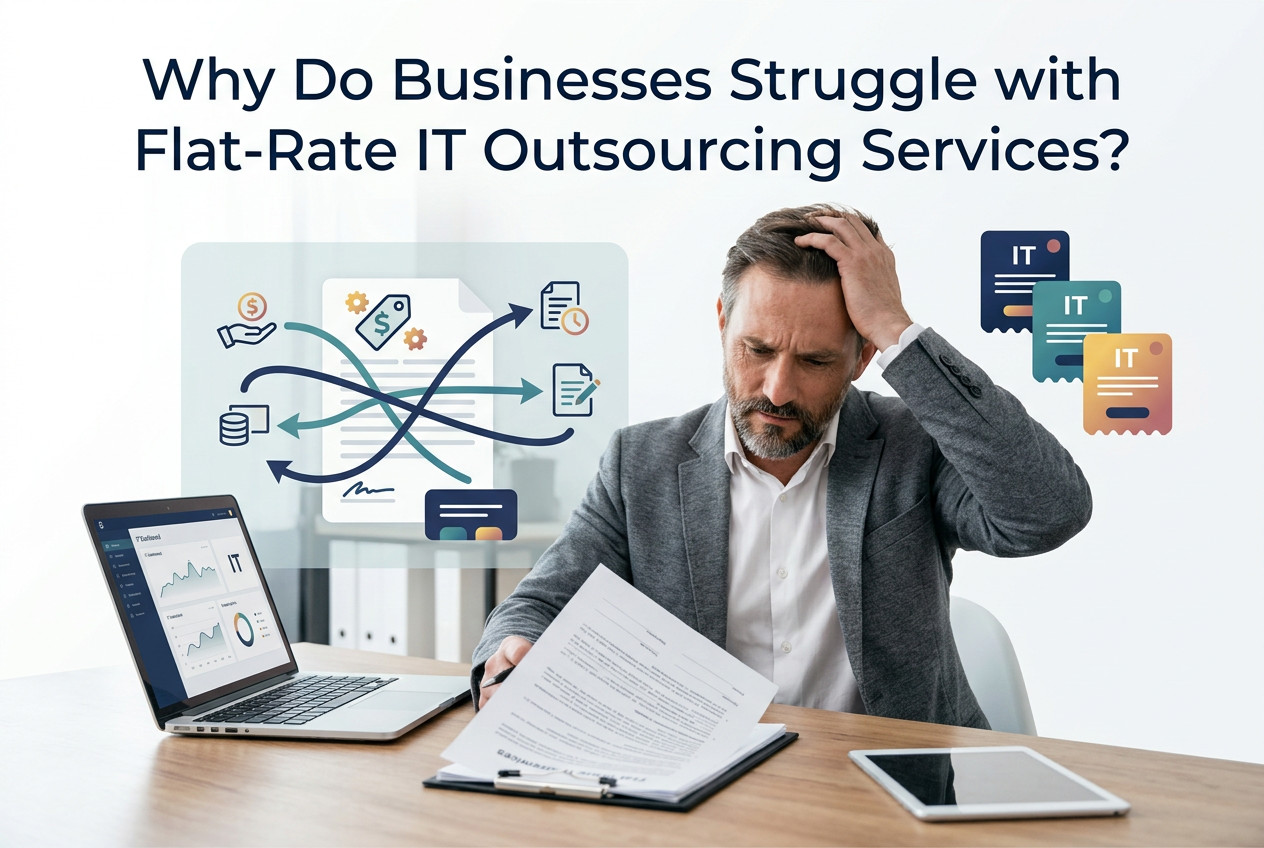
Why Do Businesses Struggle with Flat-Rate IT Outsourcing Services?
Why Do Businesses Struggle with Flat-Rate IT Outsourcing Services? Flat-rate IT outsourcing is often marketed as a simple solution: pay one predictable monthly fee and let an outside provider handle your technology. For some businesses, that model works well. But many organizations eventually discover that a flat monthly price does not always mean predictable service,
Why Do Businesses Struggle with Flat-Rate IT Outsourcing Services? Flat-rate IT outsourcing is often marketed as a simple solution: pay one predictable monthly fee and let an outside provider handle your technology. For some businesses, that model works well. But many organizations eventually discover that a flat monthly price does not always mean predictable service,
Read full post on trutech.com

CAL IT Group Announces SOC 2 Type II Certification

Why Businesses Are Consolidating Data Security Tools — and What GenAI Changes
Western I.T. Group Why Businesses Are Consolidating Data Security Tools — and What GenAI Changes Most organizations aren’t struggling with data security because they lack tools — they’re struggling because they have too many of them, none of which talk to each other. That’s the core finding of Microsoft’s 2026 Data Security Index, a survey of 1,725 data security leaders across 10 countries: security teams are drowning in disconnected dashboards
Western I.T. Group Why Businesses Are Consolidating Data Security Tools — and What GenAI Changes Most organizations aren’t struggling with data security because they lack tools — they’re struggling because they have too many of them, none of which talk to each other. That’s the core finding of Microsoft’s 2026 Data Security Index, a survey of 1,725 data security leaders across 10 countries: security teams are drowning in disconnected dashboards
Read full post on westernit.com


What Is IaaS? A Guide to Infrastructure as a Service for Modern Businesses
IaaS definition: Infrastructure as a Service (IaaS) is a cloud computing model that gives businesses access to computing power, storage, networking, and other core IT infrastructure over the internet instead of requiring them to buy, maintain, and replace physical servers themselves. What Is Infrastructure as a Service (IaaS)? IaaS lets businesses rent computing power, storage,
IaaS definition: Infrastructure as a Service (IaaS) is a cloud computing model that gives businesses access to computing power, storage, networking, and other core IT infrastructure over the internet instead of requiring them to buy, maintain, and replace physical servers themselves. What Is Infrastructure as a Service (IaaS)? IaaS lets businesses rent computing power, storage,
Read full post on f12.net
Data Privacy Compliance in Logistics
Data Privacy Compliance in Logistics | LG Networks Did you know that every shipment your company moves comes with a data trail? Addresses, customer accounts, billing records, carrier contracts, and so on. That information needs to move as reliably as the freight itself and has to stay protected the entire way. For logistics and warehousing
Data Privacy Compliance in Logistics | LG Networks Did you know that every shipment your company moves comes with a data trail? Addresses, customer accounts, billing records, carrier contracts, and so on. That information needs to move as reliably as the freight itself and has to stay protected the entire way. For logistics and warehousing
Read full post on lgnetworksinc.com

AI Advisors: A Practical Advantage for Manufacturing Leaders
Manufacturing leaders make decisions all day with incomplete information.
Manufacturing leaders make decisions all day with incomplete information.
Read full post on andromeda.tech


How Mid-Market Organizations Can Build a Smarter AI Strategy
The next phase of AI is about making smarter decisions about where, when, and how to use it.
The next phase of AI is about making smarter decisions about where, when, and how to use it.
Read full post on resources.compugen.com
What a Recent AI Database Deletion Incident Teaches Businesses About IT Governance
Artificial intelligence is rapidly transforming the way businesses develop software, automate workflows, and improve productivity. AI-powered coding assistants and autonomous agents can complete complex tasks
Artificial intelligence is rapidly transforming the way businesses develop software, automate workflows, and improve productivity. AI-powered coding assistants and autonomous agents can complete complex tasks
Read full post on pc-net.com
Just Added to MSPdb™



MSP Jobs
All Jobs

MSP Marketplace
View All


Popular MSPs
View All