
Sourcepass
Overview
Businesses are often held back by lackluster technology vendors that leave them underserved and overcharged for IT services.
An opportunity existed for innovation through leveraging Software-as-a-Service (SaaS) technologies such as Artificial Intelligence (AI) and Robotic Process Automation (RPA) married with premier managed services to provide a revolutionary client experience.
As a result, Sourcepass was born with the vision to provide businesses of all sizes a technology experience that elevates their company.
Sourcepass puts you in control of your digital universe, so you have the power to transform your business.
With Sourcepass, you have a team of guardians that maintains data networks, manages cloud and security monitoring, and guides productivity and digital transformation. The right blend of technologies work seamlessly and powerfully, backed and boosted by our tech smarts and business savvy.
Melville, New York
USA 11747

Businesses are often held back by lackluster technology vendors that leave them underserved and overcharged for IT services.
An opportunity existed for innovation through leveraging Software-as-a-Service (SaaS) technologies such as Artificial Intelligence (AI) and Robotic Process Automation (RPA) married with premier managed services to provide a revolutionary client experience.
As a result, Sourcepass was born with the vision to provide businesses of all sizes a technology experience that elevates their company.
Sourcepass puts you in control of your digital universe, so you have the power to transform your business.
With Sourcepass, you have a team of guardians that maintains data networks, manages cloud and security monitoring, and guides productivity and digital transformation. The right blend of technologies work seamlessly and powerfully, backed and boosted by our tech smarts and business savvy.

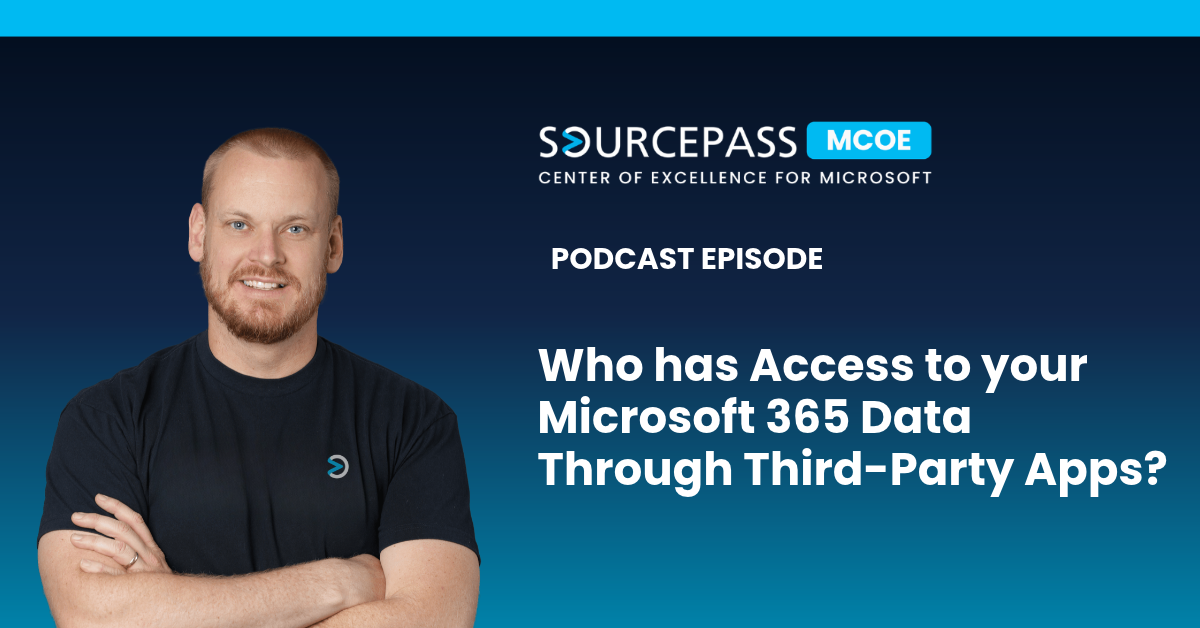
Who has Access to your Microsoft 365 Data? | Sourcepass MCOE
Your backup provider, scheduling tool, and reporting platform can all reach into your Microsoft 365 environment. Few organizations can say which of those connections are still active, what permissions they hold, or who approved them. When one of those vendors is compromised, the attacker gets the same access the vendor had. The risk is rising because AI has changed how quickly vulnerabilities are found and exploited. Many small businesses have more than 200 enterprise apps connected to their tenant, and each one is another possible way in. Third-party apps are a major Microsoft 365 securi
Your backup provider, scheduling tool, and reporting platform can all reach into your Microsoft 365 environment. Few organizations can say which of those connections are still active, what permissions they hold, or who approved them. When one of those vendors is compromised, the attacker gets the same access the vendor had. The risk is rising because AI has changed how quickly vulnerabilities are found and exploited. Many small businesses have more than 200 enterprise apps connected to their tenant, and each one is another possible way in. Third-party apps are a major Microsoft 365 security risk, how to audit and restrict app permissions in Microsoft Entra ID, how AI is changing vulnerability exploitation, and which security controls still give SMBs the strongest protection. In this episode of the Demystifying Microsoft podcast, host Nathan Taylor talks with cybersecurity leader Matt Lee about the SkyKick and ConnectWise cloud backup incident, the risk of over-privileged enterprise apps, and what AI-assisted attacks mean for IT leaders who are already stretched thin. Why are Backup and Other Third-Party Apps a Risk to Microsoft 365 Data? OAuth-based enterprise apps are a better option than handing vendors stored passwords. They tie access back to your own identities and support Conditional Access policies. The problem is how much access some of these apps need. A cloud backup service has to read all of your data, and to restore files it often needs to write data too. If an app with that level of access is compromised, all three parts of the CIA triad are exposed: Confidentiality: the attacker can read sensitive data. Integrity: the attacker can change records and files. Availability: the attacker can delete data, including the backups you would use to recover. How do you Audit Enterprise App Permissions in Microsoft Entra ID? Start by listing every enterprise application and service principal in your tenant, and check the permissions each one holds. Look closely at apps left behind by former vendors or a previous MSP. Organizations often find active credentials for tools nobody has used in years. Consumer apps turn up more often than you would expect. Security assessments of small business tenants regularly find apps like Amazon Alexa connected to corporate environments. For each app, ask: Is it still in use, and does anyone own it? Does it need write or delete access, or would read-only access work? Could elevated permissions be granted only when needed, such as during a restore? How do you Stop Users from Approving Third-Party Apps in Microsoft 365? Many tenants still let users consent to apps themselves. That is how unreviewed tools end up with access to company data. Restrict user consent in Microsoft Entra ID and send requests through the admin consent workflow, so IT reviews each app before it connects. This slows down access to new tools, but it means nothing gets into your environment without someone approving it. What to Do When a Third-Party Vendor with Microsoft 365 Access is Breached Check for the indicators of compromise (IOCs) the vendor or researchers have published. Do not assume you were not affected because you have not noticed anything unusual. If an MSP manages your environment, confirm they have a defined process for deciding when an event becomes an incident and for telling you about it. It is also worth asking the vendors that hold privileged access how they protect it: How often are access keys rotated, and are they separated for each customer tenant? Do they monitor sign-ins by their own service principal inside customer tenants? Would they detect their credentials being used from unfamiliar IP addresses before an outside party reported it? How is AI Changing the Way Vulnerabilities are Found and Exploited? AI tools can now spend large amounts of computing power searching for software flaws. Some in the security community call the predicted surge a "vuln apocalypse." The worst-case scenarios have not happened yet, but the early signs are clear: unusually large Microsoft Patch Tuesday releases, and far more AI-assisted findings than vendors can fix. Why can IT Teams not Patch Every Vulnerability Attackers only face technical obstacles. Defenders also must work around budgets, competing priorities, internal politics, and getting people to agree. Development teams rarely have spare sprint capacity for a growing backlog of bugs, and bug fixes don't drive sales the way new features do. Even vendors with good intentions end up triaging and fixing only the most severe issues first. Are Hard-to-Exploit Vulnerabilities Still Low Risk? Not anymore. Two patterns are worth planning around: One vulnerability in the wild usually means more will follow. Once attackers know a product fails in a certain way, AI tools can keep probing for related flaws of the same type or impact. Complexity no longer protects you. Flaws once rated lower because they required precise race conditions or memory manipulation can now be worked out in hours instead of weeks. Severity scores based on how hard a flaw is to exploit deserve a second look before you postpone a patch. How do Attackers use AI to Chain Vulnerabilities Together? Most attackers used to go through the first open door they found and stop there. AI-driven tools do not stop. They map every weakness they can find, connect them, and learn the pattern of mistakes an organization tends to make. AI is not thinking on its own. People are directing it. But it greatly increases how much ground a single attacker can cover. Defenders can use the same tools, and attackers adapt just as fast. In one recent case, a small group of security practitioners used AI-assisted analysis to decompile malware behind a hijacked Discord account and got the attacker's infrastructure taken down. Within hours, the attacker had relaunched on new hosting with repackaged code. What Cybersecurity Controls Protect Against AI-Driven Attacks? No IT leader can follow every new AI tool and threat while also running daily operations. The more sustainable approach is to strengthen the controls that make new threats less relevant to your environment. Why is Asset Inventory the First Security Control? You can not protect, patch, or monitor systems you do not know about. A complete inventory covers devices, BYOD endpoints with email access, websites and their patch status, and underlying technologies like PHP or Node.js. Recognized frameworks such as the CIS Controls and ENISA's NIS2 guidance give you a structure for building and maintaining that inventory. How does Reducing your Attack Surface Lower Risk? Attackers cannot exploit technology you do not run. A few examples: Legacy SSL VPN appliances have been a constant target. Cloud-based, identity-centered access removes the exposed public-facing device. Self-hosted CMS platforms like WordPress bring a whole set of plugin and PHP vulnerabilities. Static sites avoid most of them. Microsoft Entra ID–joined devices without hybrid identity, combined with blocking outbound SMB (Server Message Block) traffic, make some credential-theft attacks ineffective because there are no on-premises credentials to steal. How does a Defined Patching Process Improve Defensibility? Legal standards often depend on whether an organization acted reasonably. Following a recognized framework and keeping a documented patching policy, with set timelines for business-critical and non-critical systems, shows that diligence. It also means a larger patch volume is just more routine work, not a crisis. How can IT Teams Use AI to Strengthen Security Controls? The most reliable use of AI right now is building repeatable outputs, such as scripts, reports, and asset inventory programs that run the same way every time. That way you are not relying on a model to give the right answer on every run. Fewer tools also helps. Every vendor, API key, and platform adds its own code base and supply chain dependencies, so consolidating reporting and automation onto a well-structured data platform shrinks your exposure. Should Businesses Allow Employees to Use AI Tools? Employees are already using AI, approved or not, sometimes by moving files to personal devices to get work done faster. Blocking it completely takes a lot of tooling and a tightly configured environment, and it rarely works. A better approach is to provide approved, properly configured AI tools, train people to use them, and set up a clear path for requesting new ones. Early steam boilers were dangerous, but the businesses that waited for every risk to be solved fell behind. The goal is controlled adoption: deciding where the risk sits so a failure stays contained. Find Out Who has Access to your Microsoft 365 Data Before an Attacker Does AI-assisted attacks will keep getting faster, but they still need a way in. Organizations that know every app and asset in their environment, and limit what each one can access, leave attackers far fewer options. If you're unsure which third-party apps can access your Microsoft 365 tenant, or how your environment would hold up against AI-assisted attacks, contact the Sourcepass MCOE team. Our experts can review your app permissions, identify unnecessary exposure, and help you put controls in place that hold up as threats change.
Read full post on blog.sourcepass.com
How FIDO2 Protects Microsoft 365 from Token Theft | Sourcepass MCOE
Security teams often assume that once MFA is enabled, the biggest identity risks are behind them. Unfortunately, that is no longer how many Microsoft 365 attacks work. Today's attackers frequently target authenticated sessions rather than credentials themselves. By stealing or relaying session tokens after a successful sign-in, they can gain access without knowing the user's password or triggering many of the traditional indicators associated with account compromise. FIDO2 addresses this problem differently. Instead of adding another code or approval step, it uses phishing-resistant auth
Security teams often assume that once MFA is enabled, the biggest identity risks are behind them. Unfortunately, that is no longer how many Microsoft 365 attacks work. Today's attackers frequently target authenticated sessions rather than credentials themselves. By stealing or relaying session tokens after a successful sign-in, they can gain access without knowing the user's password or triggering many of the traditional indicators associated with account compromise. FIDO2 addresses this problem differently. Instead of adding another code or approval step, it uses phishing-resistant authentication that prevents attackers from capturing or replaying credentials in the first place. Why MFA Does Not Stop Token Theft Not all MFA methods are created equal. SMS codes, one-time passwords, and push approvals all share the same weakness: they pass a secret through the browser that an attacker can capture and reuse. That is the line between standard MFA and phishing-resistant MFA. The reason comes down to what happens after you prove who you are. Once you authenticate, Microsoft hands your browser a session token. That token is what the attacker is after. It is a bearer credential. Whoever holds it is treated as you, no questions asked. Think of a hotel key card: you show ID at the front desk once, and after that the key opens the door without anyone re-checking who is holding it. Steal the token and you inherit the session. The password stays unknown. MFA is already satisfied. For a deeper look at session theft, OAuth abuse, and other post-authentication attack techniques, see our article on how MFA is being bypassed in Microsoft 365. Which MFA Methods Qualify as Phishing-Resistant MFA? Attack SMS / Email Code Authenticator Push or OTP FIDO2 / Passkey Windows Hello for Business Phishing (fake login page) Stolen Stolen Blocked Blocked SIM swap Stolen Not affected Blocked Blocked MFA fatigue (push bombing) Not applicable User can approve Blocked Blocked Adversary-in-the-middle proxy Relayed Relayed Blocked Blocked Session token theft (post sign-in) No protection No protection Limits exposure* Limits exposure* *Token theft happens after authentication succeeds, so it is contained through device binding and compliant-device policies rather than by the authenticator alone. How Attackers Steal Microsoft 365 Session Tokens The common method is adversary-in-the-middle (AiTM). The attacker stands up a reverse proxy and gets a user to click a link. The page looks and behaves like the real Microsoft sign-in, down to your company branding, and it carries a valid TLS certificate on a domain the attacker owns. The user signs in and completes MFA against the real Microsoft servers through that proxy. On the way back, the proxy quietly copies the session cookie. Tooling like Evilginx and EvilProxy has turned this into a point-and-click attack sold as a service. The tell, if you catch it, is the address bar. The domain will be wrong, and your password manager will not offer to fill credentials on a site it does not recognize. What makes this dangerous after the fact is how quiet it is. Every sign-in in the log looks successful and shows MFA satisfied. There are no bursts of failures and no push bombing. You are left correlating faint signals like a new IP appearing seconds after a legitimate one, which means watching the cloud session and the endpoint at the same time. What is FIDO2 in Microsoft 365? FIDO2 is a phishing-resistant authentication standard supported natively by Microsoft Entra ID. Instead of relying on passwords, text-message codes, or push notifications, FIDO2 uses public-key cryptography stored on a trusted device. Microsoft Entra ID uses FIDO2 as the foundation for passkeys and passwordless authentication, and supports credentials stored on security keys, Windows Hello for Business devices, and mobile passkey providers. How FIDO2 Prevents Token Theft and Phishing The defense rests on one design choice: the private key never leaves your device, and only the matching public key is registered with Microsoft Entra ID. FIDO2 protects Microsoft 365 accounts in two important ways: Why Fake Microsoft Login Pages Stop Working Every FIDO2 credential is bound to the legitimate service it was created for. A passkey or security key registered to login.microsoftonline.com will not authenticate a user on a look-alike domain, even if the page appears identical. Because the domain does not match, the sign-in fails automatically. Why Attackers Cannot Relay FIDO2 Credentials Adversary-in-the-middle attacks depend on capturing and relaying authentication data between the user and the legitimate service. FIDO2 removes that opportunity. The signed authentication response is tied to the legitimate origin and cannot be reused on another site, leaving the attacker with nothing that can be replayed to Microsoft 365. This is why FIDO2 is considered phishing-resistant MFA rather than simply a stronger MFA method. Can Passkeys be Phished? No, not in the way passwords and one-time codes can. The difference is where the user sits in the process. With a push notification or rotating code, the user is the last line of defense, and a convincing enough page can persuade them to approve. A passkey removes that decision entirely. There is no code to hand over and no prompt to socially engineer, because the verification happens between the device and the legitimate service rather than through the person. FIDO2 Authentication Options in Microsoft 365 All three use the same FIDO2 standard. They differ only in how the credential is stored and what hardware it needs. Option How the key is stored Best fit Trade-off to plan for FIDO2 security keys (for example, YubiKeys) On a dedicated physical device, non-exportable Global admins, privileged accounts, shared and high-risk devices Roughly 50 dollars per user for two keys, plus spares when one is lost Windows Hello for Business Sealed in the device TPM, unlocked by PIN or biometric Knowledge workers on managed Windows devices Requires a TPM; enforced through Conditional Access Microsoft Authenticator (passkey mode) Device-bound passkey on the phone; synced passkeys in preview Broad rollout where hardware keys do not scale Bluetooth and QR handshakes can be flaky; syncable passkeys are a risk-management call One point that trips people up: Windows Hello for Business counts as multi-factor because it combines device possession with a local PIN or biometric. The PIN is not your password and never syncs to the cloud, which is exactly why it holds up. FIDO2 Works Best as Part of a Layered Security Strategy FIDO2 stops the credential from being phished at sign-in. Two things close what remains once a session exists: Compliant or managed device policies. Requiring a trusted device forces the browser to interact with the local system, which a headless proxy cannot do. Be aware that a few apps honor a token without re-checking it, so treat this as a layer, not a guarantee. Real incident response. A password reset is no longer enough. You need to revoke session and refresh tokens, review registered enterprise apps and OAuth grants, and remove any authentication methods the attacker added. A sophisticated actor will enroll their own MFA to hold the account. How to Deploy FIDO2 Without Disrupting Users Treat this as a staged migration, not a switch you flip. Sort users into tiers. Privileged accounts get physical security keys. Managed-device users get Windows Hello for Business. Everyone else gets Authenticator passkeys. Passkey profiles in Entra let you set different rules for admins and frontline staff. Register methods before you enforce. Turning on a phishing-resistant policy before admins have registered a passkey is the fastest way to lock yourself out. Keep a break-glass account excluded from the policy. Pilot, then expand in waves. Start with security and admin cohorts, then finance, HR, and executives, then the rest. Validate browser and SSO behavior first, since some legacy and embedded mobile browsers fall back to push. Do not forget public personas. Executives who speak on stage and anyone with authority in your industry are prime impersonation targets. They belong in the top tier. Microsoft 365 FIDO2 Licensing Requirements Passkeys (FIDO2) come with every Microsoft Entra ID edition, including the free tier, at no extra cost. Enforcing them through Conditional Access authentication strength calls for Entra ID P1, already bundled in Business Premium and Microsoft 365 E3. Two moves to make now: In the Entra admin center, confirm your authentication methods are on the modern policy and that Passkeys (FIDO2) is enabled. Many tenants still carry legacy settings. Put one non-critical account behind a policy that requires phishing-resistant MFA, set a break-glass account aside, and live with it for a week. You will find where the QR handshake stalls before it reaches anyone who matters. This timeline is now urgent. Microsoft-provided SMS and voice authentication will be retired for most users on February 1, 2027, just over three months away, and affected users who have no other method will face a blocking passkey-registration prompt. Email one-time passcodes are not part of this announced retirement, so organizations should focus this migration on SMS and voice users. AiTM is a small share of attacks today, but it is climbing, and it now ships as a service to people with no skill of their own. FIDO2 removes the stolen token from the equation, and it is already available in your tenant. Why FIDO2 is Becoming the New MFA Standard AiTM attacks are a growing percentage of phishing attacks, and they continue to grow because the tooling is widely available and requires little technical expertise to operate. FIDO2 and passkeys give Microsoft 365 organizations a path to phishing-resistant MFA. As token theft, adversary-in-the-middle attacks, and MFA bypass techniques continue to evolve, FIDO2 helps eliminate the credential theft risks that traditional authentication methods still leave behind. Microsoft has already built the capability into Microsoft Entra ID. The challenge for most organizations is no longer access to the technology. It is deciding to make phishing-resistant authentication the new baseline. Not sure which users should get security keys, Windows Hello for Business, or mobile passkeys? The Sourcepass MCOE can help you assess your Microsoft 365 environment, identify high-risk accounts, and build a phishing-resistant MFA strategy that fits your business.
Read full post on blog.sourcepass.com
How to Control Shadow AI with Microsoft Purview DLP | Sourcepass MCOE
Generative AI adoption is happening faster than many organizations can govern it. While security teams are still evaluating acceptable use policies and data handling requirements, employees are already using AI tools to analyze spreadsheets, summarize documents, review contracts, generate code, and create business content. The challenge is not necessarily the AI applications themselves. The bigger concern is that sensitive data may be copied, pasted, uploaded, or shared with AI services that have not been reviewed through established security, privacy, or compliance processes. Without visi
Generative AI adoption is happening faster than many organizations can govern it. While security teams are still evaluating acceptable use policies and data handling requirements, employees are already using AI tools to analyze spreadsheets, summarize documents, review contracts, generate code, and create business content. The challenge is not necessarily the AI applications themselves. The bigger concern is that sensitive data may be copied, pasted, uploaded, or shared with AI services that have not been reviewed through established security, privacy, or compliance processes. Without visibility into how AI is being used and what information is being shared, organizations can quickly find themselves exposed to data protection, regulatory, and governance risks. For organizations invested in Microsoft 365, Microsoft Purview provides a framework for discovering AI usage, understanding data exposure risks, and enforcing controls that protect sensitive information. The goal is not to slow AI adoption. The goal is to ensure employees can use AI productively without putting organizational data at risk. Why Shadow AI has Become a Data Protection Challenge Many organizations initially view shadow AI through the lens of application governance. The first questions are typically straightforward: Which AI tools are employees using? Have those tools been approved? Should specific applications be blocked? Does the vendor meet security and compliance requirements? These questions are important, but they only address part of the problem. Consider a few common scenarios: A user pastes customer information into ChatGPT to generate a report. A developer uploads proprietary source code to an AI coding assistant. A salesperson submits confidential pricing information to create a presentation. A legal professional uploads contract language for summarization and review. In each case, the primary risk is not necessarily the application itself. The risk is the information being shared. Effective AI governance requires organizations to answer two separate questions: Which AI applications are permitted? What information can be shared with those applications? Without both controls in place, organizations are only addressing half of the risk. Understanding the Difference Between Application Governance and Data Governance One of the most effective ways to approach shadow AI is to separate application governance from data governance. Application Governance Determines Whether the AI Tool is Allowed Application governance focuses on evaluating the AI service itself. This includes assessing how the provider handles data, whether the platform meets security requirements, how information is retained, and whether the application should be approved, restricted, or blocked. Organizations commonly evaluate factors such as: Vendor security controls Data retention policies Training data usage Regulatory compliance Contractual protections Data Governance Determines Whether the Information is Allowed Data governance focuses on the content users are sharing. Key questions include: Does the prompt contain confidential information? Is regulated data being uploaded? Does the activity involve intellectual property? Should the interaction be monitored, warned, or blocked? Application governance determines whether the platform is acceptable. Data governance determines whether the information being shared is acceptable. Organizations need both. Which Microsoft Security Tools Help Manage Shadow AI Microsoft provides several overlapping security capabilities, but three services play the most significant role in detecting and controlling shadow AI activity. Solution Primary Purpose Key Question Answered Microsoft Defender for Cloud Apps AI discovery and governance Which AI applications are being used? Microsoft Purview DSPM for AI Visibility and risk analysis How are users interacting with AI? Microsoft Purview Endpoint DLP Data protection enforcement What sensitive data should be monitored or blocked? Microsoft Defender for Cloud Apps Microsoft Defender for Cloud Apps helps organizations discover generative AI applications being accessed across the environment. Security teams can evaluate usage patterns, review risk information, and classify AI services as sanctioned or unsanctioned. A discovery-first approach provides visibility into existing AI adoption before enforcement controls are introduced. Microsoft Purview DSPM for AI Microsoft Purview Data Security Posture Management for AI helps organizations understand how AI interacts with business data. It provides visibility into AI activity, oversharing risks, missing controls, and potentially sensitive interactions. Rather than serving as an enforcement tool, DSPM for AI helps organizations understand where risk exists and where additional controls may be necessary. Microsoft Purview Endpoint DLP Endpoint Data Loss Prevention extends Microsoft Purview policies directly to managed endpoints. It can identify sensitive information being copied, pasted, uploaded, or transferred to supported AI applications and websites, allowing organizations to audit, warn, or block activity based on business risk. Together, these technologies allow organizations to discover AI usage, assess risk, and enforce controls where necessary. Common Shadow AI Risks Organizations are Discovering Many discussions around shadow AI focus exclusively on apps like ChatGPT. In reality, organizations are encountering several different categories of AI-related risk. Sensitive Information Shared Through AI Prompts Employees frequently use AI to speed up research, writing, and analysis. In doing so, they may unintentionally submit: Customer information Financial data Internal project details Contract language Employee records Source Code Exposure Developers often use AI assistants to troubleshoot issues, document applications, or improve code quality. Without appropriate controls, proprietary code can leave approved development environments and be submitted to external services. Unapproved AI Applications Business units frequently adopt AI tools without involving security, compliance, legal, or IT stakeholders. This creates visibility gaps and makes governance more difficult. Personal AI Accounts Even when approved enterprise AI tools are available, employees may continue using personal AI accounts because they are familiar or convenient. These environments often lack organizational controls and administrative oversight. AI Browser Extensions AI-powered browser extensions may appear low risk, but many can process copied text, uploaded files, webpage content, and user interactions. Without proper visibility, organizations may not realize how business information is being handled. The challenge is rarely a single application. The challenge is maintaining visibility as AI adoption continues to expand. How Microsoft Endpoint DLP Protects Sensitive Data in AI Applications One of the biggest advantages of Endpoint DLP is that it shifts the conversation from controlling applications to protecting data. Rather than attempting to block every AI tool, Endpoint DLP evaluates the information being shared and applies policy controls based on risk. Organizations can create policies based on: Sensitive information types Sensitivity labels Credential detection Financial data Personal information Custom classifications User risk indicators Device conditions Depending on policy configuration, organizations can: Audit activity Generate alerts Display policy tips Require business justification Block the action entirely An example might look like this: Scenario Recommended Action User submits public information to an AI tool Allow User uploads an internal business document Audit User submits regulated customer information Warn User uploads a highly confidential file Block This creates a far more flexible governance model than relying exclusively on application blocking. What to Validate Before Deploying Shadow AI Controls Before implementing policies, organizations should validate several foundational requirements. Devices are onboarded to Microsoft Purview Endpoint telemetry is reporting correctly Supported browsers are configured Required browser extensions are deployed Sensitive data classifications are defined DLP policies are running in audit mode Licensing requirements have been reviewed Skipping these validation steps often leads to incomplete visibility, inconsistent enforcement, and significant troubleshooting later in the deployment process. How to Take a Structured Approach to Controlling Shadow AI Organizations that successfully govern AI adoption typically follow a phased approach. Start by Discovering AI Usage Before deploying controls, establish a baseline understanding of: Which AI tools are being used Who is using them Which departments rely on them Whether sensitive information is involved Visibility should always come before enforcement. Identify and Classify Sensitive Information Determine which data categories require protection. Common examples include: Customer information Intellectual property Financial records Source code Credentials Legal documents Employee data Not every category requires the same level of enforcement. Deploy Policies in Audit Mode Audit mode allows organizations to understand user behavior before interrupting workflows. During this phase, review: False positives User activity Business impact Sensitive interactions This is typically where policy tuning occurs. Introduce User Education Through Policy Tips Many organizations find success by educating users before blocking activity. Policy tips create awareness, reinforce acceptable use guidelines, and reduce accidental policy violations. Enforce High-Risk Controls Once policies have been tested and refined, organizations can begin enforcing controls for the highest-risk scenarios. This commonly includes: Credential exposure Sensitive customer information Highly confidential documents Unauthorized uploads to AI applications Regulated information At this stage, controls become measurable, enforceable, and aligned with business risk. Common Mistakes Organizations Make When Managing Shadow AI Several challenges appear consistently across shadow AI initiatives. Treating AI Governance as Only an Application Problem Blocking AI websites alone does not prevent sensitive information exposure. Data protection should remain the primary objective. Moving Directly to Enforcement Organizations that skip auditing often create unnecessary friction and generate avoidable user frustration. Overlooking Browser Activity Not every browser, extension, or AI client behaves the same way. Validation is critical before assuming complete visibility. Overclassifying Data Broad classifications can generate excessive alerts and administrative overhead. Focus first on the information that creates the greatest business risk. Treating Governance as a One-Time Project AI adoption continues to evolve rapidly. Discovery, monitoring, and policy refinement should be ongoing operational processes rather than one-time implementation efforts. How Microsoft Purview Helps Organizations Govern Shadow AI Shadow AI is ultimately a data protection challenge, not simply an application governance challenge. While understanding which AI tools are in use remains important, the larger concern is knowing what information users are sharing and whether those interactions align with organizational policies. Microsoft Defender for Cloud Apps helps organizations identify AI usage. Microsoft Purview DSPM for AI provides visibility into how business data interacts with AI services. Microsoft Purview Endpoint DLP adds enforcement by monitoring and controlling sensitive information at the point of interaction. When combined, these capabilities provide an effective framework for adopting AI while maintaining visibility, governance, and control over the data that matters most. Find Out Where Shadow AI Already Exists in your Environment Most organizations already have employees using AI tools that security and IT teams have not reviewed. The question is how much sensitive information is reaching those tools today, and whether your current Microsoft 365 licensing already includes the controls to manage it. Sourcepass MCOE helps organizations find and govern shadow AI using Microsoft Purview, Defender for Cloud Apps, and Endpoint DLP. We can assess current AI usage, define which data needs protection, run policies in audit mode, and move to enforcement without disrupting how your teams work. Ready to get visibility into how AI is being used across your organization? Schedule a shadow AI assessment with Sourcepass MCOE to see which tools employees are using, what data is at risk, and which controls to put in place first.
Read full post on blog.sourcepass.com

How ITDR Detects Compromised Microsoft 365 Accounts | MCOE Sourcepass
An attacker does not need your password if they already have your session token. After they get in, they rarely make noise. They read email quietly, set up inbox rules to hide replies, and wait for an invoice or wire request worth intercepting. Many organizations does not find out until weeks later, often when a vendor asks why a payment never arrived.
An attacker does not need your password if they already have your session token. After they get in, they rarely make noise. They read email quietly, set up inbox rules to hide replies, and wait for an invoice or wire request worth intercepting. Many organizations does not find out until weeks later, often when a vendor asks why a payment never arrived.
Read full post on blog.sourcepass.com
Defender Passive Mode with a Third-Party EDR | Sourcepass MCOE
Many organizations already have access to Microsoft Defender through Microsoft 365 Business Premium, E3, or E5 licensing. At the same time, they are running CrowdStrike, SentinelOne, Sophos, or another endpoint detection and response platform they trust. If another EDR platform is already providing endpoint protection, is there any value in enabling Microsoft Defender? The answer depends on what you expect Defender to do. Many security teams assume enabling Defender means replacing their existing security platform or introducing conflicts between multiple endpoint protection tools. Mi
Many organizations already have access to Microsoft Defender through Microsoft 365 Business Premium, E3, or E5 licensing. At the same time, they are running CrowdStrike, SentinelOne, Sophos, or another endpoint detection and response platform they trust. If another EDR platform is already providing endpoint protection, is there any value in enabling Microsoft Defender? The answer depends on what you expect Defender to do. Many security teams assume enabling Defender means replacing their existing security platform or introducing conflicts between multiple endpoint protection tools. Microsoft Defender passive mode changes that conversation. Rather than competing with an existing EDR platform, it allows organizations to collect additional security telemetry, gain broader visibility across the Microsoft security ecosystem, and support initiatives such as vulnerability management, threat hunting, and data protection without replacing their current endpoint security investment. For organizations heavily invested in Microsoft 365, the opportunity is often less about adding another antivirus engine and more about unlocking security capabilities that may already be included in their licensing. What is Microsoft Defender Passive Mode and How Does it Work? Microsoft Defender Antivirus operating in passive mode allows another antivirus or endpoint protection platform to remain responsible for real-time detection, prevention, and remediation activities. Instead of functioning as the primary protection engine, Defender remains active in the background and continues providing security telemetry to Microsoft Defender for Endpoint and Microsoft Defender XDR. Passive mode is best viewed as a visibility layer. Your existing EDR platform continues to protect endpoints, while Defender contributes additional data that can be used for investigations, threat hunting, vulnerability management, data protection initiatives, and cross-platform security analysis. Why Organizations Run Microsoft Defender Alongside CrowdStrike, SentinelOne, and Other EDR Platforms Most organizations considering passive mode fall into one of three categories. They Want to Keep Their Existing EDR Platform Many organizations have spent years building security operations processes around solutions such as CrowdStrike, SentinelOne, Sophos, or Trend Micro. Replacing a platform that is performing well is rarely high on the priority list. Passive mode allows organizations to continue using their preferred EDR solution while gaining additional value from Microsoft security capabilities they may already own through existing licensing agreements. They Need Better Visibility across Microsoft Security Tools One of Microsoft's strengths is its ability to correlate signals from multiple security controls. During an investigation, Microsoft can connect information from email, identity, endpoint, and data protection sources to create a broader picture of an attack. Security teams may be able to correlate phishing activity, risky sign-ins, downloaded files, endpoint behavior, and data movement across applications within a single investigation workflow. The more endpoint telemetry available to Microsoft security services, the more context analysts typically have during incident response activities. They are Expanding Data Protection Programs Organizations implementing Microsoft Purview often discover that endpoint visibility becomes increasingly important. Capabilities such as Endpoint Data Loss Prevention rely on Defender sensors to understand how sensitive information moves between devices, applications, web browsers, cloud services, and removable media. For organizations focused on data governance and compliance, endpoint visibility often becomes as important as malware detection. The value of this data will continue to grow in the age of AI. What Security Benefits does Microsoft Defender Passive Mode Provide? The value of passive mode does not only come from adding another layer of antivirus protection. The value comes from the additional visibility, telemetry, and security intelligence it contributes to the broader Microsoft security ecosystem. Threat and Vulnerability Management For many organizations, threat and vulnerability management becomes one of the most valuable benefits of passive mode. Microsoft can continuously assess devices for: Vulnerable software Missing security updates Known CVEs Security recommendations Exposure risks This visibility helps security teams identify weaknesses before they become active security incidents. Microsoft Defender XDR Visibility Even while operating in passive mode, endpoint telemetry continues flowing into Microsoft Defender. This can provide: Device timelines Security investigation data Advanced hunting capabilities Cross-workload correlation Additional context during incident response For organizations already using Microsoft security products, this added visibility can significantly improve investigations. Endpoint DLP Support Organizations using Microsoft Purview can continue leveraging Endpoint DLP capabilities to monitor and protect sensitive information. Common use cases include: Monitoring USB transfers Controlling browser uploads Managing personal cloud storage usage Tracking sensitive file movement Supporting oversight of generative AI interactions These capabilities often make passive mode attractive even when another EDR remains the primary endpoint protection platform. EDR in Block Mode Passive mode can also be paired with EDR in Block Mode. This configuration allows Microsoft Defender to take remediation actions for certain qualifying detections that may not be addressed by the primary antivirus platform. Rather than functioning as a second fully active antivirus engine, EDR in Block Mode acts as an additional layer of protection that can help catch specific threats that might otherwise be missed. What Microsoft Defender Passive Mode Does Not Provide This is where many organizations become confused during planning and deployment. Passive mode does not provide the complete Microsoft Defender protection stack. Several important capabilities require Defender Antivirus to operate in active mode. Features Not Available in Passive Mode Real-time antivirus scanning Standard malware quarantine and remediation Attack Surface Reduction rule enforcement Network Protection Web Content Filtering URL and IP blocking through Defender indicators Controlled Folder Access Scheduled antivirus scans If these protections are critical components of your security strategy, they must either be delivered through your third-party platform or Defender must become the primary endpoint protection solution. Understanding the Difference Between Passive Mode and EDR in Block Mode Passive mode and EDR in Block Mode are frequently confused because they can operate together. Capability Passive Mode EDR in Block Mode Third-party antivirus remains primary ✔ ✔ Defender collects endpoint telemetry ✔ ✔ Defender performs real-time scanning ✖ ✖ Defender can remediate qualifying detections ✖ ✔ The simplest way to think about the difference is that passive mode focuses on visibility, while EDR in Block Mode adds limited remediation capability. Although they complement each other, they solve different security challenges. Common Microsoft Defender Passive Mode Deployment Mistakes Most deployment issues occur because organizations assume passive mode provides more protection than it actually does. Define Platform Ownership Before Deployment Security responsibilities should be clearly assigned before rollout. Teams should identify which platform owns: Malware prevention Device isolation Threat remediation Vulnerability management Data protection Threat hunting When ownership is unclear, investigations become slower and operational complexity increases. Establish Alert Management Processes Running multiple security platforms often means multiple alerts. Organizations should decide: Which platform creates the primary incident Which platform drives remediation activities Which platform serves as the source of record Without these decisions, security teams can spend valuable time reconciling duplicate information during active investigations. Validate Configurations and Telemetry Many organizations assume a configuration is functioning simply because settings appear correctly configured in a management portal. Before moving into production, validate that: Devices report passive mode correctly Endpoint telemetry is reaching Microsoft Defender Endpoint DLP policies function as expected EDR in Block Mode behaves properly Endpoint performance remains acceptable Testing helps identify configuration gaps before they become operational problems. When Microsoft Defender Passive Mode Makes Sense Passive mode is often worth evaluating when: You already use a third-party EDR platform Microsoft Defender licensing is already included in your Microsoft 365 subscription You want additional visibility within Microsoft Defender XDR You use Microsoft Purview or Endpoint DLP You want to evaluate Microsoft security capabilities without replacing your existing endpoint protection platform When Microsoft Defender Passive Mode May Not Deliver Much Value Passive mode typically provides less value when: You want a second actively scanning antivirus solution. Your security strategy depends on Defender-only features like Attack Surface Reduction (ASR) or Network Protection. Microsoft Defender telemetry and alerts are not actively monitored. You expect both security platforms to provide the same prevention and remediation capabilities. Evaluating Whether Passive Mode is the Right Fit Running Microsoft Defender in passive mode allows you to enhance the protection of CrowdStrike, SentinelOne, Sophos, or another established endpoint security platform. Its primary value comes from expanding visibility across the Microsoft security ecosystem and helping organizations get more value from security capabilities they may already own. For organizations invested in Microsoft 365, passive mode can provide vulnerability insights, Defender XDR telemetry, Endpoint DLP support, advanced hunting capabilities, and optional EDR-based remediation without requiring a full endpoint security migration. The key is understanding what passive mode actually delivers. It adds context, telemetry, and security intelligence that strengthen investigations and visibility across Microsoft security tools. It does not provide the complete protection stack available when Defender operates as the primary antivirus engine. Organizations that approach passive mode with clear ownership, proper testing, and realistic expectations are often able to extend their security visibility while continuing to use the endpoint security platform they already trust. Get More from the Microsoft Security Tools You Already Own Many organizations pay for Microsoft Defender capabilities they never turn on, while their security teams work with less visibility than they could have. Passive mode can close part of that gap, but only when it is configured correctly, monitored, and aligned with the EDR platform already protecting your endpoints. Sourcepass MCOE helps organizations review their Microsoft 365 licensing, find unused security capabilities, and plan how Defender should work alongside existing tools such as CrowdStrike, SentinelOne, or Sophos. That includes defining which platform owns each security function, validating telemetry and Endpoint DLP policies, and setting up alert processes that do not create duplicate work for your team. Not sure whether passive mode fits your environment? Schedule a Microsoft security review with Sourcepass MCOE to see what your current licensing includes and where Defender can add visibility without disrupting the endpoint protection you rely on.
Read full post on blog.sourcepass.com
Why M365 Copilot Adoption Stalls after Deployment | Sourcepass MCOE
Many organizations have already invested in Microsoft 365 Copilot, completed deployment, and assigned licenses across the business. Yet despite a successful technical rollout, adoption often stalls after the initial excitement wears off. Users try it a few times, experiment with a handful of prompts, and then return to familiar ways of working. The challenge is rarely the technology itself. More often, the problem is that employees never discover where Copilot creates meaningful value in their day-to-day work. Without a clear connection to business outcomes, productivity gains, and workf
Many organizations have already invested in Microsoft 365 Copilot, completed deployment, and assigned licenses across the business. Yet despite a successful technical rollout, adoption often stalls after the initial excitement wears off. Users try it a few times, experiment with a handful of prompts, and then return to familiar ways of working. The challenge is rarely the technology itself. More often, the problem is that employees never discover where Copilot creates meaningful value in their day-to-day work. Without a clear connection to business outcomes, productivity gains, and workflow improvements, even the most powerful AI tools can become underutilized. Understanding why Copilot adoption stalls is the first step toward realizing the value organizations expected when they invested in Microsoft 365 AI capabilities. Why Microsoft 365 Copilot Adoption often Stalls after Deployment When organizations evaluate Copilot, the conversation typically starts with capabilities. Teams see demonstrations of meeting summaries, email drafting, presentation creation, spreadsheet analysis, and organizational search. These features are impressive, but features alone rarely change behavior. Successful adoption happens when users discover a repeatable workflow that saves meaningful time every week. Someone who saves a few minutes once may never use Copilot again. Someone who consistently eliminates thirty minutes of repetitive work each day quickly incorporates it into their routine. The difference between those two experiences often determines whether a Copilot rollout accelerates or stagnates. Why Copilot Licenses Alone do not Create Value One of the most common misconceptions is that Copilot automatically creates value once licenses are assigned. In reality, many employees understand what Copilot can do but struggle to recognize where it fits naturally into their workday. They know the technology is powerful, but they are unsure how to apply it to their specific responsibilities. Activity Traditional Approach Copilot-Assisted Approach Reviewing a lengthy email conversation Read every message individually Generate a summary and identify action items Preparing for a meeting Gather notes manually Request a meeting briefing Creating a document Start from a blank page Generate a structured first draft Reviewing Teams conversations Read through every message Summarize key decisions and next steps Without examples tied to real workflows, users often see Copilot as interesting rather than necessary. Why Outcome-Based Copilot Training Outperforms Feature-Based Training Many organizations spend significant time teaching users what Copilot can do. Far fewer explain why employees should use it. Most professionals are focused on outcomes, not features. They want to know whether Copilot will help them save time, reduce administrative work, improve decision-making, simplify information gathering, or eliminate repetitive tasks. When training centers on menus, buttons, and prompts without connecting those capabilities to real business challenges, adoption tends to plateau. The most successful Copilot programs start with business problems and demonstrate how AI can help solve them. Why Demonstrating Immediate Value is Critical for Microsoft 365 Copilot Adoption One of the strongest predictors of long-term adoption is whether users experience a meaningful "aha" moment early in their journey. That moment typically occurs when someone solves a real problem faster than they thought possible. They may discover that a report that normally takes an hour can be completed in fifteen minutes, a meeting recap appears automatically, an email response can be drafted in seconds, or research that once required extensive manual effort can be summarized almost instantly. Before that experience, Copilot often feels like another software tool. After it happens, users begin actively looking for additional ways to incorporate AI into their work. Organizations that create opportunities for employees to experience these moments early tend to achieve significantly stronger adoption outcomes. Why Data Governance Impacts Microsoft 365 Copilot Success Many Copilot initiatives encounter resistance not because of AI concerns, but because of questions about data access and governance. Copilot surfaces information users already have permission to access. While that sounds straightforward, many organizations discover that years of unmanaged sharing, inconsistent permissions, and outdated content become much more visible once AI begins surfacing information across Microsoft 365. Common issues include: Overly permissive SharePoint sites Legacy shared folders with excessive access Unused Teams workspaces Unclassified sensitive information Inconsistent permission structures Copilot does not create these problems. It simply exposes them. Organizations that address data governance, permissions, security controls, and information classification before deployment are often able to avoid many of the roadblocks that emerge during broader adoption efforts. Why Traditional Software Training Does Not Work for AI Historically, software adoption relied heavily on classroom training, lengthy documentation, and one-time onboarding sessions. That approach is proving less effective with generative AI. The challenge is that Copilot usage is highly individualized. Two employees with similar roles may use Copilot in completely different ways depending on their responsibilities, work habits, and priorities. As a result, organizations are finding greater success with learning approaches such as: Role-based use cases Short learning sessions Internal champion programs Peer-led knowledge sharing Curated prompt libraries Ongoing adoption support The goal is not to teach every feature available in Copilot. The goal is to help employees discover real ways to solve problems and improve the work they already perform every day. What Successful Microsoft 365 Copilot Deployments do Differently Organizations achieving strong Copilot adoption tend to follow several common practices. They Start with High-Impact User Groups Rather than deploying broadly from the start, many successful organizations begin with teams that have a clear opportunity to benefit from AI-assisted workflows. Common examples include: Sales teams Project managers Executive assistants Marketing departments Knowledge workers who spend significant time in meetings This approach allows organizations to develop measurable success stories and examples before expanding deployment across the broader business. They Build Internal AI Champions Employees often trust recommendations from peers more than formal training programs. Internal champions help accelerate adoption by sharing best practices, demonstrating real-world use cases, answering questions, and helping colleagues develop prompting skills. These programs create momentum and credibility that formal training alone often struggles to achieve. They Measure Business Impact Instead of License Usage Many organizations focus heavily on utilization metrics such as monthly active users or prompt volume. While those metrics can be useful, they do not necessarily indicate business value. More meaningful measurements often include: Time saved on administrative tasks Faster document creation Reduced meeting follow-up effort Faster information gathering Improved responsiveness Increased productivity in routine workflows License utilization measures activity. Business outcomes measure value. How AI Agents will Change Microsoft 365 Copilot Adoption As Microsoft continues expanding Copilot with AI agents, workflow automation, and deeper Microsoft Graph integration, the conversation is beginning to move beyond content generation and productivity assistance. Organizations are increasingly evaluating how AI can support workflows proactively rather than simply responding to prompts. This shift has the potential to move Copilot from being a helpful productivity tool to becoming a more integrated part of everyday business operations. As AI capabilities continue to evolve, one lesson remains consistent: successful adoption is ultimately about changing work habits, not deploying software. What Organizations Should Know about Driving Copilot Adoption The organizations realizing the greatest value from Microsoft 365 Copilot are not necessarily those with the largest deployments. They are the organizations that help employees discover repeatable ways to work more effectively. If your Copilot rollout is struggling, the issue is often not the platform itself. The most common barriers include unclear use cases, users failing to experience meaningful value, governance concerns, feature-focused training, and an overreliance on utilization metrics instead of business outcomes. Organizations that address these challenges early are far more likely to achieve sustained adoption, stronger return on investment, and measurable productivity improvements from their Microsoft 365 Copilot investment. Turn your Copilot Investment into Measurable Results with Sourcepass If Copilot licenses are assigned but usage has leveled off, the gap is usually in how employees connect AI to their daily work, not in the technology. Closing that gap takes clear use cases, a secure data foundation, and ongoing support that builds lasting habits. Sourcepass helps organizations get more from Microsoft 365 Copilot through readiness assessments, permissions and data governance reviews, role-based training, and adoption programs focused on business outcomes, not just license activity. Ready to get more value from Microsoft 365 Copilot? Talk with a Sourcepass MCOE Copilot specialist to find where adoption is stalling and build a plan that turns early use into lasting productivity gains.
Read full post on blog.sourcepass.com
How is Agentic AI Different from Microsoft Copilot? | Sourcepass MCOE
If your organization is already using Microsoft 365 Copilot, you have likely discovered that generating content is only part of the productivity equation. The bigger challenge is everything that happens after the output is created. Tasks still need to be assigned, approvals still need to move, and projects still need to be coordinated. That is where agentic AI differs from traditional generative AI. Artificial intelligence has become a standard part of the modern workplace. From summarizing meetings to drafting emails and creating reports, tools like Microsoft 365 Copilot are helping emplo
If your organization is already using Microsoft 365 Copilot, you have likely discovered that generating content is only part of the productivity equation. The bigger challenge is everything that happens after the output is created. Tasks still need to be assigned, approvals still need to move, and projects still need to be coordinated. That is where agentic AI differs from traditional generative AI. Artificial intelligence has become a standard part of the modern workplace. From summarizing meetings to drafting emails and creating reports, tools like Microsoft 365 Copilot are helping employees complete tasks faster than ever. Rather than simply helping users generate content, agentic AI is designed to help move work forward by coordinating actions across business processes, applications, and workflows. Microsoft's agent strategy focuses on AI systems that can reason, plan, use tools, and take actions while remaining grounded in organizational data and governance controls. For organizations evaluating the next phase of Microsoft 365 Copilot, understanding this shift is becoming increasingly important. Why Generative AI Alone is Not Solving Productivity Challenges Employees are not losing hours each week because writing an email or creating a presentation takes too long. They are losing time coordinating work across meetings, approvals, projects, and conversations. Even with AI helping create content faster, many business processes still rely on people to gather information, update documentation, assign tasks, communicate status updates, and keep work moving forward. Consider a project manager receives feedback from stakeholders, updates project documentation, assigns action items, schedules follow-up meetings, and communicates progress to leadership. Traditional AI can assist with each of those individual tasks. The project manager still acts as the coordinator responsible for connecting all the moving pieces and ensuring work progresses from one step to the next. As organizations look for additional productivity gains, reducing that coordination burden is becoming a growing area of focus. What is Agentic AI? Agentic AI refers to AI systems that can help coordinate and execute multi-step workflows rather than simply responding to prompts. Instead of waiting for instructions at every step, agents can gather context, use organizational data, interact with connected systems, and assist in driving a process forward. Microsoft describes agents as AI capabilities that can interpret intent, plan work, use tools, and automate tasks on behalf of users. Generative AI helps create content faster, but agentic AI is designed to help move work forward by coordinating the people, information, and actions required to turn outputs into outcomes. Why are Organizations Adopting Agentic AI in Microsoft 365? Several trends are pushing organizations toward agent-based automation: Microsoft 365 now contains vast amounts of business knowledge spread across Teams, SharePoint, Outlook, OneDrive, and Planner. Employees spend significant time managing work rather than completing work. Copilot adoption has revealed that content generation is only one step in a larger workflow. Organizations want productivity improvements without adding administrative complexity. Business leaders are looking for ways to reduce process friction rather than simply automate individual tasks. Organizations are already seeing real value from AI through faster content creation, quicker access to information, and reduced time spent on routine tasks. As those gains become more common, the conversation is beginning to shift from how AI can help individuals complete a task faster to how AI can help entire business processes run more efficiently, with less manual coordination and fewer handoffs between people and systems. Where Agentic AI Fits into Microsoft 365 Microsoft's approach is unique because agents operate within the tools employees already use every day. Rather than introducing another platform, agents can leverage context from: Outlook Teams SharePoint OneDrive Planner Microsoft 365 Copilot This allows agents to work with existing organizational knowledge rather than relying solely on information provided within a single prompt. Microsoft highlights agents that can conduct research, analyze data, automate workflows, support project management, and provide organizational insights directly within Microsoft 365 experiences. For example: A research-focused agent can gather information from organizational content and approved web sources. A data-focused agent can analyze datasets and surface trends. A workflow-focused agent can automate activities across Microsoft 365 applications. A project-focused agent can help manage tasks and status updates. The goal is not simply generating information. The goal is reducing the effort required to coordinate work. Traditional AI vs. Agentic AI Traditional AI Use Case Agentic AI Use Case Summarize a meeting Capture action items, assign owners, and monitor follow-ups Draft an email Draft communications and support workflow-driven responses Analyze a spreadsheet Analyze data and notify stakeholders when conditions are met Create a status report Generate reports and support distribution workflows Find information Gather information from multiple sources and assemble findings The value is not necessarily that the output itself is better. The value comes from reducing the number of manual steps required between creating an output and achieving a business outcome. By helping coordinate tasks, information, approvals, and follow-up actions, agentic AI can reduce process friction, eliminate repetitive administrative work, and help keep projects moving forward with less manual intervention. How Organizations are Using Agentic AI in Microsoft 365 Today Organizations evaluating agentic AI often begin with highly repetitive processes where employees spend more time coordinating than executing. Meeting Follow-Up After a project meeting, an agent could: Summarize key discussions Capture action items Identify responsible stakeholders Create follow-up tasks Monitor completion status Knowledge Discovery Finding information is often more difficult than creating it. Agents can help surface: Relevant documents Subject matter experts Related projects Historical discussions Existing knowledge resources Project Coordination Project teams frequently spend significant time updating stakeholders. Agents can support: Progress tracking Status reporting Deadline monitoring Risk identification Task management workflows Employee Productivity Many employees spend hours each week managing communications. Agents can help prioritize: Important emails Required actions Upcoming commitments Critical conversations Pending approvals How to Assess Your Organization's Readiness for Agentic AI in Microsoft 365 The success of agentic AI has less to do with the technology itself and more to do with the foundation it is built on. Organizations often focus on what agents can automate, but the more important question is whether the underlying data, processes, and workflows are mature enough to support automation in the first place. Organizations that see the greatest value from agentic AI typically already have strong adoption of Microsoft 365 collaboration tools, well-defined business processes, clear ownership of workflows, and established data governance practices. These foundations make it easier for agents to access the right information, understand the context of a process, and help move work forward in a consistent and predictable way. Readiness should be evaluated through the lens of operational maturity rather than AI readiness alone. If information is scattered across disconnected systems, permissions are inconsistent, or critical processes exist only in employees' heads, introducing agents will likely expose those issues rather than solve them. Agentic AI can accelerate a well-designed process and reduce the manual effort required to execute it, but it cannot create structure where none exists. Before scaling agents across the organization, it is often worth ensuring that the workflows you want to automate are documented, repeatable, and supported by reliable data. Challenges Organizations Still Need to Solve Despite growing interest, there are still real challenges to address. Trust Most employees are comfortable allowing AI to summarize information, but there is understandably more caution when AI begins taking actions autonomously. Organizations should establish clear governance models that define what agents are permitted to do, where human review is required, and when decisions should remain under human control. Permissions and Data Access Agents are only as effective as the information they can access. Poorly managed permissions, fragmented data, and information silos can limit their ability to retrieve the right context and support reliable workflows, making strong data governance and access management an important foundation for agentic AI. Process Maturity High-performing agents depend on well-defined, repeatable workflows. When the same process is handled differently each time, it becomes much harder to automate reliably, making process standardization an important step before deploying agentic AI at scale. Governance As agents gain access to organizational data and take actions across business systems, governance becomes critical. Risks such as agent sprawl, excessive permissions, tool misuse, prompt injection, and data leakage make it important to know which agents exist, what they can access, who owns them, and how they are being used. Governance should be established before agents are deployed at scale. Microsoft Agent 365 works with Microsoft Entra, Purview, Defender, and SharePoint to support identity and access controls, data protection, threat protection, auditing, compliance, and agent lifecycle management. Organizations should define approved agents, assign owners, apply least-privilege access, maintain audit visibility, and determine where human oversight is required. The goal is to give agents enough access to do their jobs without creating unnecessary security or compliance risk. Take the Next Step Toward Agentic AI with Sourcepass MCOE Agentic AI delivers the most value when it is built on clean data, sound permissions, and workflows your teams already follow consistently. Most organizations already have some of those pieces but not all of them, and the gaps usually show up only after agents are deployed. Sourcepass MCOE helps organizations find those gaps first. Our team works with you to assess your Microsoft 365 environment, review permissions and data governance, find the workflows best suited for agents, and build a rollout and adoption plan that keeps security and compliance in place. Ready to see where agentic AI fits in your organization? Schedule a Microsoft 365 Copilot readiness consultation with Sourcepass MCOE to identify your highest-value use cases and the foundation needed to support them.
Read full post on blog.sourcepass.com

Microsoft Secure Score for SMBs: Turn Findings Into Action | Sourcepass
Microsoft Secure Score gives small and mid-sized businesses a way to review security settings across their Microsoft environment. It can identify recommended improvements involving identity, devices, applications, and data while helping IT teams monitor changes in security posture over time. For SMB leaders, however, the value of Microsoft Secure Score is not the percentage alone. What matters is how the business responds to the findings. A Microsoft 365 security assessment should put those recommendations into context. Which weaknesses pose the most risk? Which changes depend on licensing
Microsoft Secure Score gives small and mid-sized businesses a way to review security settings across their Microsoft environment. It can identify recommended improvements involving identity, devices, applications, and data while helping IT teams monitor changes in security posture over time. For SMB leaders, however, the value of Microsoft Secure Score is not the percentage alone. What matters is how the business responds to the findings. A Microsoft 365 security assessment should put those recommendations into context. Which weaknesses pose the most risk? Which changes depend on licensing or another IT project? Which could disrupt employees or business applications? Who is responsible for completing the work? And how will the organization confirm that the control is working? Answering those questions turns Secure Score into an organized security improvement plan instead of another dashboard for IT to monitor. What Is Microsoft Secure Score? Microsoft Secure Score measures security posture within supported Microsoft services and provides recommended actions organizations can review as they work to improve security. For SMBs, it can help identify areas that deserve closer attention across identity, devices, applications, and data. But Secure Score does not represent every cybersecurity issue a business may face. An organization may also need to address third-party applications, vendor access, unsupported technology, backup and recovery, security awareness, incident response, and infrastructure outside the Microsoft environment. Secure Score works best when it contributes to those conversations rather than becoming the only measure leadership sees. Use Microsoft Secure Score to Set Security Priorities The goal should not be to earn points as quickly as possible. A recommendation that improves protection around privileged identities may deserve attention before several smaller configuration changes. Another recommendation could require application testing, additional licensing, employee communication, or identity cleanup before it can be implemented safely. Evaluate recommendations based on factors such as: Security risk addressed Systems and users affected Licensing requirements Implementation effort Employee impact Application compatibility Existing security controls Dependencies on other IT projects This keeps the team focused on the changes that matter most rather than simply working from the top of a dashboard. Organize Secure Score Recommendations Into Clear Workstreams A long list of recommendations can quickly turn into another IT backlog. Grouping the work makes it easier to assign responsibility and understand how individual changes relate to one another. Common categories include: Identity and access Device and endpoint security Email and collaboration Data protection Application security Administrative controls From there, IT and security teams can decide which recommendations should move first and which depend on other work. Start With Identity and Access Identity deserves close attention because Microsoft 365 connects employees to email, documents, applications, collaboration tools, and other business resources. An identity review may include multifactor authentication, administrator roles, Conditional Access, privileged access, legacy authentication, and emergency access accounts. Rather than simply enabling another setting, determine which users and applications will be affected and how the control will be tested. Review Device and Endpoint Security Device recommendations may uncover differences in how endpoints are enrolled, configured, updated, or monitored. If certain devices are outside the organization's normal management process, the work may involve more than changing a setting. IT may first need to determine why those devices are unmanaged and who owns them. That gives the organization a chance to address the underlying process instead of fixing one recommendation at a time. Evaluate Email, Application, and Data Controls Email, collaboration tools, applications, and organizational data should also be included in the review. Changes affecting these services need to account for how employees work. A control that blocks a legitimate business process without providing another approved method can contribute to support issues and workarounds. Security controls should protect the environment while still supporting normal business operations. Give Every Security Improvement an Owner A Secure Score recommendation does not reduce risk until someone is responsible for deciding what happens next. For each recommendation the organization chooses to address, record: Owner Reason for the change Target date Dependencies Licensing requirements Affected users or applications Testing requirements Validation method Exception decision, when needed This creates accountability beyond the Secure Score dashboard. If a recommendation cannot be implemented, document why. The business may already have another control in place, the change may create application problems, or licensing may need to be addressed first. If leadership accepts the risk temporarily, set a date to revisit the decision. Otherwise, a temporary exception can easily remain in place longer than intended. Test Microsoft 365 Security Changes Before Broad Deployment Some security changes are nearly invisible to employees. Others directly affect sign-in, devices, email, applications, or collaboration. Changes with greater user impact should be tested before they are broadly enforced. A pilot group can include representative employees, remote users, executives, service accounts, and users of business-critical applications as appropriate to the change. Testing helps IT identify authentication problems, application dependencies, access issues, and support needs before a new control affects the entire organization. Communication is part of the change as well. Employees should understand what is changing, why it matters, and what they should do if they run into a problem. This reduces confusion and makes new security requirements easier to adopt. For organizations using managed Microsoft security, administration, monitoring, user support, and remediation should be coordinated rather than handled as unrelated activities. Secure Score Is Not a Complete Microsoft 365 Security Assessment Secure Score can point IT toward areas that deserve attention, but a higher score does not answer every security question. A full Microsoft 365 security assessment may also examine: Whether administrative privileges are appropriate Whether devices are consistently covered by security controls Whether old exceptions still need to exist Whether third-party applications introduce additional exposure Whether security policies create recurring support problems Whether controls continue working after implementation Whether incident response and recovery processes reflect the current environment Secure Score can help identify where to look. The assessment determines how those findings relate to the organization's specific risks and operating requirements. Do Not Make a Perfect Secure Score the Goal A security percentage can be useful because it gives leadership an easy way to see movement over time. It can also become distracting when raising the percentage becomes more important than reducing risk. An SMB could spend time addressing lower-priority recommendations while a more important identity, endpoint, or access problem remains unresolved. Instead of asking, "How do we increase the score?" ask: Which recommendation addresses the greatest risk? What needs to happen before we can make this change safely? How will we confirm the control is working? Which security concerns are not represented in Secure Score? That keeps the conversation centered on security decisions rather than points. Measure Security Progress Beyond the Secure Score Percentage Score trends are useful, but leadership should see what changed underneath the number. Consider tracking: High-priority recommendations completed Recommendations awaiting action Identity and endpoint coverage Open security exceptions Aging risk-acceptance decisions Controls awaiting validation Changes that caused support issues Projects delayed by licensing or application dependencies These measures help separate a higher score from lower cybersecurity risk. For example, the Secure Score percentage may rise while an important identity control remains unfinished. Leadership should see both pieces of information rather than assuming that a higher number tells the entire story. Review Secure Score as Your Microsoft Environment Changes Microsoft environments change constantly. New employees join. Others leave. Devices are replaced. Applications are added. Administrators change roles. Licensing changes. Acquisitions can bring new accounts, systems, and security requirements into the environment. Security controls should be revisited as those changes occur. Review Secure Score recommendations regularly, then bring larger priorities and unresolved decisions to leadership on an established schedule. A monthly operational review and quarterly leadership review can work well for some SMBs, but the frequency should reflect the organization's risk, resources, and rate of technology change. The conversation should focus on what changed underneath the score, which issues remain open, and what decisions are needed next. Keep Evidence of Completed Microsoft Security Improvements When a security improvement is completed, retain enough information to show what changed and how it was checked. Depending on the control, that may include: Configuration records Test results Implementation records Policy documentation Approval records Exception decisions Validation results Keeping these records can make future audits, insurance questionnaires, client security reviews, and internal assessments easier to support. The same discipline should apply when a recommendation is not implemented. Document why the organization made the decision, whether another control addresses the risk, who approved the exception, and when the decision should be reviewed again. Make Secure Score Part of an Ongoing Security Process Microsoft Secure Score is most useful when it supports a repeatable process rather than a one-time effort to increase the percentage. That process should include: Review recommended actions. Put each recommendation into business context. Prioritize changes based on risk. Assign ownership. Identify licensing and technical dependencies. Test changes that could affect employees or applications. Implement the selected controls. Confirm that the controls work as intended. Document exceptions and risk decisions. Review priorities as the Microsoft environment changes. For SMBs, this creates a manageable way to improve Microsoft security without treating every recommendation as equally urgent. Success should show up in fewer unresolved high-priority issues, clearer ownership, stronger control coverage, and fewer security decisions sitting indefinitely without action. FAQ What is Microsoft Secure Score? Microsoft Secure Score measures an organization's security posture across supported Microsoft services and provides recommended actions that can help IT and security teams identify areas for improvement. What is a good Microsoft Secure Score for an SMB? There is no single Secure Score percentage that determines whether an SMB is secure. Businesses should focus on recommendations that address their most important risks rather than targeting an arbitrary number. Does a higher Microsoft Secure Score mean my business is secure? Not necessarily. Secure Score reflects security posture across supported Microsoft services, but businesses can have risks outside the score, including third-party applications, unsupported technology, vendor access, backup weaknesses, or gaps in incident response. How can an SMB improve Microsoft Secure Score? Start by reviewing the recommended actions, grouping related findings, and prioritizing them based on security risk, user impact, licensing, application compatibility, and other dependencies. Assign an owner and validation method to each change the organization decides to implement. Should an SMB try to reach a 100 percent Microsoft Secure Score? A 100 percent score should not be the primary goal. Addressing high-priority risks and maintaining effective controls is more important than implementing lower-value changes solely to gain additional points. What should an SMB review first in Microsoft Secure Score? Identity and access recommendations are often a good place to begin, particularly controls involving administrator accounts, multifactor authentication, Conditional Access, privileged access, and older authentication methods. Priorities should still reflect the organization's environment and business risks. Is Microsoft Secure Score a full Microsoft 365 security assessment? No. Secure Score provides useful information about security posture within supported Microsoft services, but a Microsoft 365 security assessment should also consider the organization's configurations, users, endpoints, applications, business processes, exceptions, and risks outside the score. How often should Microsoft Secure Score be reviewed? The right frequency depends on the organization's environment. Some SMBs may choose to review recommendations monthly and discuss larger security priorities quarterly. Higher-risk issues should be addressed according to their urgency rather than waiting for a scheduled review. How should Microsoft Secure Score be reported to executives? Executive reporting should pair the Secure Score trend with the issues behind it. Highlight high-priority improvements completed, unresolved risks, exceptions, control coverage, dependencies, and decisions that require leadership involvement. Can managed Microsoft security support Secure Score improvements? Yes. Managed Microsoft security services can support areas such as configuration review, identity security, endpoint management, implementation, monitoring, remediation, validation, and reporting. Business leaders should remain involved in decisions involving operating impact, investment priorities, and risk acceptance.
Read full post on blog.sourcepass.com

Can Microsoft 365 Backup Protect your Business Data? | Sourcepass MCOE
Moving email, files, and collaboration into Microsoft 365 can make it easy to assume that data protection is already taken care of. After all, Microsoft hosts the environment. But keeping cloud services available and being able to recover the exact information your business needs after deletion, corruption, or another incident are different requirements. Microsoft provides resiliency and recovery capabilities across Microsoft 365 and offers Microsoft 365 Backup for Exchange, OneDrive, and SharePoint. The service is specifically designed to support recovery following malicious or accidental
Moving email, files, and collaboration into Microsoft 365 can make it easy to assume that data protection is already taken care of. After all, Microsoft hosts the environment. But keeping cloud services available and being able to recover the exact information your business needs after deletion, corruption, or another incident are different requirements. Microsoft provides resiliency and recovery capabilities across Microsoft 365 and offers Microsoft 365 Backup for Exchange, OneDrive, and SharePoint. The service is specifically designed to support recovery following malicious or accidental data deletion. That leaves businesses with an important question: What Microsoft 365 data needs to be recoverable, how quickly do you need it back, and does your current data protection strategy meet those requirements? Does Microsoft 365 Automatically Back Up your Data? Microsoft provides built-in resiliency, retention, and recovery capabilities, while Microsoft 365 Backup is available as a separate pay-as-you-go service. Microsoft says the service can protect all or selected SharePoint sites, OneDrive accounts, and Exchange mailboxes. Rather than asking only whether Microsoft 365 is backed up, businesses should determine whether their current protection matches their actual recovery needs. Consider: Which Microsoft 365 workloads contain critical business data? What happens when important information is accidentally deleted? How far back might data need to be recovered? Does protection need to extend to Teams or identity data? How quickly must information be restored? Microsoft 365 Backup provides configurable recovery windows of three months, six months, one year, or two years for supported workloads. Businesses should compare those options against their own operational, security, and compliance requirements. In this episode of the Demystifying Microsoft Podcast, Sourcepass host Nathan Taylor is joined by Steve Brining, Cybersecurity Evangelist at Acronis, to discuss Microsoft 365 backup, recovery, retention, archiving, Teams data, identity protection, and the role third-party backup can play in a broader Microsoft 365 data protection strategy. What is the Difference Between Microsoft 365 Backup and Retention? Backup and retention can both preserve information, but they serve different purposes. What does Microsoft 365 Retention do? Microsoft Purview retention policies help organizations retain content, delete content, or retain it for a defined period before deletion. Depending on the configuration, policies can apply across supported Microsoft 365 locations and specific content. Retention is primarily about managing the information lifecycle and supporting governance requirements. What does Microsoft 365 Backup do? Backup focuses on recoverability. The simpler question is: "If something happens to this data, can we recover the version we need?" Microsoft 365 Backup provides restoration capabilities for supported Exchange, SharePoint, and OneDrive data. An organization may therefore have strong retention policies and still need a separate backup strategy if its operational recovery requirements go beyond what those policies are designed to address. How is Microsoft 365 Backup Different from Archiving? Backup and archiving address another important distinction in data protection. Backup focuses on recovery. It provides a way to restore data following deletion, corruption, unwanted changes, or other incidents. Archiving focuses on long-term preservation. Organizations may preserve information to meet legal, regulatory, governance, or historical requirements. A straightforward way to distinguish them is: Backup: How do we recover the data we need? Archive: How do we preserve information for as long as required? Organizations may need both, but their requirements and intended outcomes should be defined separately. When does Third-Party Microsoft 365 Backup make sense? Microsoft's native capabilities are one option for protecting Microsoft 365 data. Organizations can also evaluate independent third-party backup platforms based on their specific requirements. A third-party solution may be worth considering when the organization requires: Protection for additional Microsoft 365 workloads Independent backup storage Different retention options Granular recovery capabilities Centralized protection across multiple workloads Additional security controls around backed-up data For example, Acronis Backup for Microsoft 365 provides protection across Exchange Online, OneDrive for Business, SharePoint, supported Microsoft Teams content, and Microsoft Entra ID. The goal should not be choosing native or third-party backup by default. Instead, compare workload coverage, restoration capabilities, storage, security, administration, and cost against the organization's recovery requirements. Does Microsoft 365 Backup Protect Teams Data? Microsoft Teams deserves specific consideration because businesses increasingly use it for collaboration and information sharing. Microsoft's native Microsoft 365 Backup documentation currently identifies Exchange Online, OneDrive, and SharePoint as protected workloads. Acronis documents protection for Teams content including teams, channels, channel files, team mailboxes, meetings, and sites. However, its current documentation also identifies limitations, including the exclusion of private one-to-one and group chats and limitations around restoring channel conversations directly into Teams. Why does Granular Recovery Matter for Microsoft 365? Not every data-loss incident requires restoring an entire workload. An employee may delete an important email. A specific folder may need to be recovered. Information belonging to a former employee may be required later. Granular recovery helps administrators restore the affected information without treating every incident as a complete workload recovery. Microsoft 365 Backup supports full restoration for SharePoint sites and OneDrive accounts, along with Exchange mailbox item restoration capabilities. Acronis also offers recovery of individual emails, files, and supported collaboration data. This is why organizations should evaluate more than whether a platform successfully creates backups. Recovery should be tested to confirm that the specific information the business relies on can be located and restored. Should Microsoft Entra ID be part of your Backup Strategy? Microsoft 365 data protection increasingly extends beyond files and communications to identity. Microsoft Entra ID contains users, groups, policies, configurations, and other identity information that supports access to business resources. Organizations should consider what would need to be recovered if important identity information were accidentally deleted, misconfigured, or otherwise affected. Acronis offers Microsoft Entra ID backup capabilities covering identity information such as users, groups, policies, and configurations. As cloud identities become more central to business operations, identity recovery should be considered alongside email, files, and collaboration data when defining a Microsoft 365 recovery strategy. How should you Evaluate a Microsoft 365 Backup Solution? Start with your organization's recovery requirements rather than the product. Use these six questions to guide the evaluation: 1. What Microsoft 365 Data is Business-Critical? Identify the workloads and information employees rely on, including Exchange, OneDrive, SharePoint, Teams, and relevant identity data. 2. How Far Back Might you Need to Recover Data? Set recovery requirements based on operational, legal, regulatory, and business needs rather than relying solely on platform defaults. 3. How Quickly Must Data be Recoverable? Determine how long critical workloads and information can realistically be unavailable following an incident. 4. What Level of Recovery do you Need? Identify whether the business needs to restore complete workloads or individual files, emails, folders, mailboxes, sites, and other specific items. 5. How is the Backup Protected? Review where backups are stored, who can administer them, how access is controlled, and whether the architecture provides appropriate separation from the primary environment. 6. Has Recovery Been Tested? A successful backup job does not automatically prove that important information can be recovered when needed. Test restoration periodically to verify that the recovery process meets business requirements. How much does Microsoft 365 Backup Cost? Cost should be evaluated alongside workload coverage and recovery requirements. Microsoft currently lists Microsoft 365 Backup at $0.15 per GB per month of protected content using a consumption-based pricing model. Its pricing calculation can include live protected content as well as certain deleted and versioned content held for recovery. For example, 5 TB would equal approximately $768 per month if calculating 5,120 GB at $0.15 per GB, before considering how Microsoft determines the actual amount of billable protected content. Third-party products may use different licensing structures, including per-user models. A meaningful cost comparison should account for more than the initial price and consider workload coverage, storage, retention, recovery capabilities, administration, security, and expected data growth. Build a Microsoft 365 Recovery Strategy Around your Business Microsoft 365 already provides substantial resiliency and recovery functionality, but that does not eliminate the need to define your organization's own recovery requirements. The right strategy depends on what data matters, how long it needs to remain recoverable, how quickly it needs to come back, and which Microsoft 365 workloads your business relies on. If you are unsure whether your current Microsoft 365 backup, retention, and recovery strategy provides the protection your organization needs, contact the Sourcepass team. We can help evaluate your Microsoft 365 environment and identify where additional data protection or recovery capabilities may make sense. For more conversations about Microsoft 365, cybersecurity, cloud management, and the technology decisions facing businesses today, subscribe to the Demystifying Microsoft podcast.
Read full post on blog.sourcepass.com
Vulnerability Management for SMBs: Reduce Cybersecurity Risk
Cybersecurity teams cannot protect systems they do not know exist. For small and mid-sized businesses, that can become difficult as the technology environment grows across Microsoft 365, employee devices, servers, cloud workloads, network infrastructure, business applications, and vendor-managed systems. That is where vulnerability management matters. It gives SMBs a repeatable way to understand their exposure, decide which weaknesses need attention first, assign responsibility, and confirm that remediation has reduced risk. Vulnerability management also goes beyond SMB patch management. I
Cybersecurity teams cannot protect systems they do not know exist. For small and mid-sized businesses, that can become difficult as the technology environment grows across Microsoft 365, employee devices, servers, cloud workloads, network infrastructure, business applications, and vendor-managed systems. That is where vulnerability management matters. It gives SMBs a repeatable way to understand their exposure, decide which weaknesses need attention first, assign responsibility, and confirm that remediation has reduced risk. Vulnerability management also goes beyond SMB patch management. Installing an update may resolve one issue, but another may require a configuration change, software upgrade, access restriction, compensating control, or replacement of an unsupported system. The goal is not to patch every vulnerability at the same speed. It is to understand which exposures pose the greatest risk to the business and use limited IT and security resources accordingly. What Is Vulnerability Management? Vulnerability management is the ongoing process of identifying security weaknesses, assessing their risk, prioritizing them, completing remediation, and confirming that the exposure has been addressed. For an SMB, the process should provide clear answers to a few fundamental questions: What systems, devices, applications, and cloud services do we have? Which vulnerabilities affect them? Which vulnerabilities create the greatest risk to the business? Who is responsible for addressing them? How do we know remediation succeeded? Patching is one part of this process, not the entire strategy. The NIST Enterprise Patch Management Planning framework treats patching as a form of preventive maintenance. That distinction is important because successful vulnerability management depends on a repeatable operating process, not simply responding to a long list of scanner findings. Start Vulnerability Management With Asset Visibility Before an organization can prioritize vulnerabilities, it needs a dependable picture of what it is protecting. For an SMB, that inventory could include: Laptops and workstations Physical and virtual servers Network infrastructure Cloud workloads Internet-facing applications Business-critical software Microsoft 365 services Remote access systems Backup infrastructure Vendor-managed technology Legacy or unsupported systems Simply knowing that a device exists is not enough. IT and security teams also need to understand what it does. A server supporting a customer-facing application, for example, carries different business considerations than a test system with no sensitive information. That context helps turn an asset inventory into something leadership and security teams can use to make better remediation decisions. Look for Gaps in Security Coverage Vulnerability scanners and endpoint-management platforms provide important visibility, but organizations should not assume that every business asset will appear in one system. Compare vulnerability and endpoint information with other available records, including directories, procurement records, network inventories, cloud environments, and configuration data. Pay particular attention to systems that stop reporting. A device disappearing from a security dashboard does not necessarily mean its vulnerabilities were resolved. The endpoint agent might have stopped reporting, the device may have changed ownership, or it might have moved outside the expected management process. That is why asset coverage deserves attention alongside vulnerability counts. Prioritize Vulnerabilities Based on Business Risk A vulnerability report can contain more findings than an SMB team can reasonably address at once. Sorting that list by severity score alone does not solve the problem. Effective cybersecurity risk prioritization should consider several factors together: Technical severity Evidence of exploitation Internet exposure Importance of the affected asset Sensitivity of the information involved Business functions that depend on the system Existing security controls Operational impact of remediation Consider two findings. One has a higher severity score but affects an isolated test device. The other has a lower score but affects an internet-facing system that supports an important business function. The second finding may deserve attention first. This is why vulnerability management works best when technical information is paired with business context. Make Known Exploitation Part of the Decision Severity tells you something about a vulnerability. It does not tell you everything about how urgently your organization should respond. The CISA Known Exploited Vulnerabilities Catalog identifies vulnerabilities with evidence of exploitation in the wild and can be used as an input when prioritizing remediation. That information gives IT and security teams another way to separate vulnerabilities requiring closer attention from findings that may reasonably fall later in the remediation queue. The decision should still account for the affected system, exposure, business importance, and existing controls. Turn Vulnerability Priorities Into Clear Risk Tiers Once vulnerabilities have been assessed, teams need a consistent way to determine what happens next. Define risk tiers that reflect both the vulnerability and the importance of the affected system. Systems that may call for closer attention include: Identity infrastructure Internet-facing applications Backup systems Domain controllers Remote access services Systems containing sensitive information Systems supporting critical business operations Each organization should establish remediation expectations that fit its technology environment, regulatory obligations, operating requirements, and tolerance for risk. Consistency is the objective. Similar vulnerabilities affecting similar systems should receive similar treatment instead of depending on who reviewed the finding. Give Every Vulnerability Remediation Decision an Owner Identifying a vulnerability does not reduce exposure. Someone needs to own the next step. Each meaningful finding should have a person or team responsible for determining how it will be addressed and following the issue through to resolution. Remediation Does Not Always Mean Installing a Patch Depending on the issue, vulnerability remediation could involve: Installing a security update Upgrading an application Removing unsupported software Disabling an unnecessary service Correcting a configuration Restricting network access Isolating a system Applying a compensating security control Replacing outdated technology Temporarily accepting documented risk The choice should be recorded along with the owner, target date, and method that will be used to verify the change. Risk exceptions deserve the same discipline. If an immediate fix would interfere with an important business system, leadership may decide to accept the exposure temporarily while another solution is developed. That decision should have a documented reason and a defined point for review. Otherwise, a temporary exception can quietly become permanent.x Coordinate SMB Patch Management With Business Operations Patching can create its own operational considerations. A security update affecting a line-of-business application might require testing, confirmation from a software provider, backup validation, or a scheduled maintenance window. That does not mean security concerns should be left unresolved indefinitely. It means the conversation needs to go beyond sending a vulnerability report to an application owner. Security and IT teams should be able to explain: What is exposed? Why does the exposure matter? What options are available to address it? What are the operational considerations for each option? What can reduce risk until the preferred fix is completed? This changes the conversation from "IT needs to patch something" to a clear business decision about cybersecurity risk. When internal IT teams do not have dedicated vulnerability resources, managed IT and cybersecurity services can support asset discovery, assessment, patch coordination, remediation tracking, validation, and reporting. The SMB should still maintain ownership of business priorities and risk-acceptance decisions. Connect Vulnerability Management With Microsoft Security For businesses built around Microsoft technologies, vulnerability management should connect with the broader security environment rather than operate as a separate technical report. Microsoft 365 environments involve more than software updates. Identity, endpoints, applications, cloud workloads, permissions, and access controls all influence exposure. That means vulnerability reviews should consider areas such as: Microsoft Entra identity security Endpoint security and management Microsoft 365 access controls Privileged access Application lifecycle management Unsupported operating systems and applications Cloud configuration Security monitoring The question is not simply whether a vulnerable system exists. IT teams should also understand what the system connects to, what information it handles, who can access it, and how exposed it is. That context leads to stronger remediation decisions. Measure Whether Vulnerability Risk Is Declining Installing more patches does not necessarily mean the business is becoming less exposed. Leadership needs measures that show whether the organization can identify weaknesses, address meaningful risk, and verify remediation. Useful measures can include: Percentage of known assets covered by vulnerability assessments Vulnerability assessment freshness High-risk vulnerabilities past their remediation targets Known-exploited vulnerabilities that remain open Average remediation time by risk tier Number and age of risk exceptions Percentage of remediations successfully validated Unmanaged assets identified Vulnerabilities that repeatedly return These metrics shift the focus from activity to results. They also give leadership a better set of questions to ask: Do we know what we need to protect? Are the highest-risk exposures being addressed? Are remediation delays growing or declining? Are exceptions being reviewed rather than forgotten? Can we confirm that completed work reduced exposure? That tells leadership far more about the health of a vulnerability management program than the number of patches installed during a reporting period. Verify Remediation Before Closing a Vulnerability Closing a ticket is not the same as confirming that the exposure is gone. After remediation, teams should verify the change that was supposed to occur. Depending on the issue, that may mean confirming: The required software version is installed An insecure configuration has been corrected A vulnerable service is no longer exposed Unsupported software has been removed An endpoint security agent is functioning A compensating control remains in place The distinction may seem small, but it changes how teams measure success. Instead of asking whether the work was completed, ask whether the risk was reduced. Use Recurring Vulnerabilities to Find Larger Problems Some of the most useful information in a vulnerability program comes from findings that keep returning. If the same application repeatedly falls behind on updates, the underlying issue may be application ownership, maintenance windows, packaging, or vendor support. If unsupported systems repeatedly require exceptions, broader modernization may be needed. If security agents frequently stop reporting, endpoint management or asset inventory processes may require attention. If internet-facing services continually produce high-risk findings, the organization may need to reconsider architecture, segmentation, or remote access. These patterns should feed technology planning and budgeting. Vulnerability management can show leadership where years of technical debt or inconsistent processes are creating continuing security work. Prepare for High-Priority Vulnerabilities Before They Appear Some vulnerabilities will require decisions faster than normal maintenance processes allow. Organizations should establish who can approve emergency changes, how application owners are contacted, and how technical teams will coordinate when a high-priority vulnerability affects an important system. Security exercises can help determine whether: Emergency remediation ownership is clear Necessary backups are available Systems can be isolated when required Security monitoring covers critical assets Business owners understand escalation responsibilities Remediation can be validated after changes are made The purpose is to remove uncertainty from the response process. When an urgent issue appears, teams should already know who owns the decision and what needs to happen next. Bring Vulnerability Risk Into Leadership Conversations Executives do not need a monthly spreadsheet containing every vulnerability in the environment. They need to understand what remains exposed and where business decisions are preventing or delaying remediation. An executive vulnerability review should focus on areas such as: Highest remaining exposures Known-exploited vulnerabilities that remain unresolved Critical systems outside expected monitoring coverage Overdue remediation Aging risk exceptions Unsupported systems Recurring remediation blockers Technology investments or decisions requiring leadership action This keeps leadership focused on decisions rather than raw security data. Over time, the organization should develop a consistent cycle: discover assets, identify vulnerabilities, prioritize exposure, assign remediation, validate the result, and address recurring problems. The value of vulnerability management is not the size of the vulnerability report. It is whether the organization can steadily reduce meaningful exposure without overwhelming the people responsible for keeping systems running. FAQ What is vulnerability management? Vulnerability management is the ongoing process of identifying security weaknesses, assessing their business risk, prioritizing action, assigning remediation, and confirming that exposure has been reduced. It includes patching but can also involve configuration changes, upgrades, access restrictions, compensating controls, system replacement, and documented risk acceptance. What is the difference between vulnerability management and patch management? Patch management focuses on applying and verifying software patches, updates, and upgrades. Vulnerability management covers the broader process of finding security weaknesses, determining which ones matter most, selecting a response, assigning ownership, and confirming the exposure has been addressed. How should SMBs prioritize vulnerabilities? SMBs should consider technical severity along with evidence of exploitation, internet exposure, asset importance, sensitive data, business impact, and existing security controls. This helps limited IT and security resources focus first on vulnerabilities that create the greatest risk to the organization. What is the CISA Known Exploited Vulnerabilities Catalog? The CISA Known Exploited Vulnerabilities Catalog identifies vulnerabilities with evidence of exploitation in the wild. Organizations can use the catalog alongside severity, asset importance, exposure, and other risk factors when deciding which vulnerabilities warrant faster remediation. What should SMB patch management measure? SMBs should look beyond the number of patches installed. Measures such as asset coverage, overdue high-risk vulnerabilities, open known-exploited vulnerabilities, remediation time, aging exceptions, and validated fixes provide a clearer view of whether cybersecurity exposure is declining. How does Microsoft 365 fit into vulnerability management? For Microsoft-focused SMBs, vulnerability management should be considered alongside Microsoft Entra identity security, endpoint management, privileged access, Microsoft 365 security controls, application lifecycle management, cloud configuration, and security monitoring. Looking at these areas together helps teams understand the broader exposure surrounding a vulnerable system. When is a vulnerability considered remediated? A vulnerability should be considered remediated after the corrective action has been verified. Closing a work ticket alone does not confirm that the exposure has been addressed. Teams should validate the affected software version, configuration, service exposure, or compensating control as appropriate. How can an SMB improve vulnerability remediation? Start with complete asset visibility, establish clear risk tiers, assign an owner to meaningful findings, document remediation decisions, and verify fixes before closing them. Recurring vulnerabilities should also be reviewed for underlying issues such as outdated technology, poor application ownership, limited maintenance windows, or inconsistent endpoint management. Can a managed security provider support vulnerability management? Yes. Managed IT and cybersecurity services can support asset discovery, vulnerability assessment, patch coordination, remediation tracking, validation, and reporting. Business leaders should still own decisions involving operational priorities, remediation trade-offs, and risk acceptance. How should vulnerability management be reported to executives? Executive reporting should focus on remaining exposure and required decisions rather than every scanner finding. Useful areas include overdue high-risk vulnerabilities, known-exploited vulnerabilities, aging exceptions, monitoring gaps, unsupported systems, remediation blockers, and trends showing whether exposure is improving.
Read full post on blog.sourcepass.com
Failed to load more articles
You're all caught up!
Check back later for more profile news.