What IT project are you working on?
Discover leading Managed IT Service Providers across USA, Canada & the United Kingdom.
- 100s of leading MSPs
- Find a MSP near you
- Latest IT news for SMBs

How is Agentic AI Different from Microsoft Copilot? | Sourcepass MCOE
If your organization is already using Microsoft 365 Copilot, you have likely discovered that generating content is only part of the productivity equation. The bigger challenge is everything that happens after the output is created. Tasks still need to be assigned, approvals still need to move, and projects still need to be coordinated. That is where agentic AI differs from traditional generative AI. Artificial intelligence has become a standard part of the modern workplace. From summarizing meetings to drafting emails and creating reports, tools like Microsoft 365 Copilot are helping emplo
If your organization is already using Microsoft 365 Copilot, you have likely discovered that generating content is only part of the productivity equation. The bigger challenge is everything that happens after the output is created. Tasks still need to be assigned, approvals still need to move, and projects still need to be coordinated. That is where agentic AI differs from traditional generative AI. Artificial intelligence has become a standard part of the modern workplace. From summarizing meetings to drafting emails and creating reports, tools like Microsoft 365 Copilot are helping employees complete tasks faster than ever. Rather than simply helping users generate content, agentic AI is designed to help move work forward by coordinating actions across business processes, applications, and workflows. Microsoft's agent strategy focuses on AI systems that can reason, plan, use tools, and take actions while remaining grounded in organizational data and governance controls. For organizations evaluating the next phase of Microsoft 365 Copilot, understanding this shift is becoming increasingly important. Why Generative AI Alone is Not Solving Productivity Challenges Employees are not losing hours each week because writing an email or creating a presentation takes too long. They are losing time coordinating work across meetings, approvals, projects, and conversations. Even with AI helping create content faster, many business processes still rely on people to gather information, update documentation, assign tasks, communicate status updates, and keep work moving forward. Consider a project manager receives feedback from stakeholders, updates project documentation, assigns action items, schedules follow-up meetings, and communicates progress to leadership. Traditional AI can assist with each of those individual tasks. The project manager still acts as the coordinator responsible for connecting all the moving pieces and ensuring work progresses from one step to the next. As organizations look for additional productivity gains, reducing that coordination burden is becoming a growing area of focus. What is Agentic AI? Agentic AI refers to AI systems that can help coordinate and execute multi-step workflows rather than simply responding to prompts. Instead of waiting for instructions at every step, agents can gather context, use organizational data, interact with connected systems, and assist in driving a process forward. Microsoft describes agents as AI capabilities that can interpret intent, plan work, use tools, and automate tasks on behalf of users. Generative AI helps create content faster, but agentic AI is designed to help move work forward by coordinating the people, information, and actions required to turn outputs into outcomes. Why are Organizations Adopting Agentic AI in Microsoft 365? Several trends are pushing organizations toward agent-based automation: Microsoft 365 now contains vast amounts of business knowledge spread across Teams, SharePoint, Outlook, OneDrive, and Planner. Employees spend significant time managing work rather than completing work. Copilot adoption has revealed that content generation is only one step in a larger workflow. Organizations want productivity improvements without adding administrative complexity. Business leaders are looking for ways to reduce process friction rather than simply automate individual tasks. Organizations are already seeing real value from AI through faster content creation, quicker access to information, and reduced time spent on routine tasks. As those gains become more common, the conversation is beginning to shift from how AI can help individuals complete a task faster to how AI can help entire business processes run more efficiently, with less manual coordination and fewer handoffs between people and systems. Where Agentic AI Fits into Microsoft 365 Microsoft's approach is unique because agents operate within the tools employees already use every day. Rather than introducing another platform, agents can leverage context from: Outlook Teams SharePoint OneDrive Planner Microsoft 365 Copilot This allows agents to work with existing organizational knowledge rather than relying solely on information provided within a single prompt. Microsoft highlights agents that can conduct research, analyze data, automate workflows, support project management, and provide organizational insights directly within Microsoft 365 experiences. For example: A research-focused agent can gather information from organizational content and approved web sources. A data-focused agent can analyze datasets and surface trends. A workflow-focused agent can automate activities across Microsoft 365 applications. A project-focused agent can help manage tasks and status updates. The goal is not simply generating information. The goal is reducing the effort required to coordinate work. Traditional AI vs. Agentic AI Traditional AI Use Case Agentic AI Use Case Summarize a meeting Capture action items, assign owners, and monitor follow-ups Draft an email Draft communications and support workflow-driven responses Analyze a spreadsheet Analyze data and notify stakeholders when conditions are met Create a status report Generate reports and support distribution workflows Find information Gather information from multiple sources and assemble findings The value is not necessarily that the output itself is better. The value comes from reducing the number of manual steps required between creating an output and achieving a business outcome. By helping coordinate tasks, information, approvals, and follow-up actions, agentic AI can reduce process friction, eliminate repetitive administrative work, and help keep projects moving forward with less manual intervention. How Organizations are Using Agentic AI in Microsoft 365 Today Organizations evaluating agentic AI often begin with highly repetitive processes where employees spend more time coordinating than executing. Meeting Follow-Up After a project meeting, an agent could: Summarize key discussions Capture action items Identify responsible stakeholders Create follow-up tasks Monitor completion status Knowledge Discovery Finding information is often more difficult than creating it. Agents can help surface: Relevant documents Subject matter experts Related projects Historical discussions Existing knowledge resources Project Coordination Project teams frequently spend significant time updating stakeholders. Agents can support: Progress tracking Status reporting Deadline monitoring Risk identification Task management workflows Employee Productivity Many employees spend hours each week managing communications. Agents can help prioritize: Important emails Required actions Upcoming commitments Critical conversations Pending approvals How to Assess Your Organization's Readiness for Agentic AI in Microsoft 365 The success of agentic AI has less to do with the technology itself and more to do with the foundation it is built on. Organizations often focus on what agents can automate, but the more important question is whether the underlying data, processes, and workflows are mature enough to support automation in the first place. Organizations that see the greatest value from agentic AI typically already have strong adoption of Microsoft 365 collaboration tools, well-defined business processes, clear ownership of workflows, and established data governance practices. These foundations make it easier for agents to access the right information, understand the context of a process, and help move work forward in a consistent and predictable way. Readiness should be evaluated through the lens of operational maturity rather than AI readiness alone. If information is scattered across disconnected systems, permissions are inconsistent, or critical processes exist only in employees' heads, introducing agents will likely expose those issues rather than solve them. Agentic AI can accelerate a well-designed process and reduce the manual effort required to execute it, but it cannot create structure where none exists. Before scaling agents across the organization, it is often worth ensuring that the workflows you want to automate are documented, repeatable, and supported by reliable data. Challenges Organizations Still Need to Solve Despite growing interest, there are still real challenges to address. Trust Most employees are comfortable allowing AI to summarize information, but there is understandably more caution when AI begins taking actions autonomously. Organizations should establish clear governance models that define what agents are permitted to do, where human review is required, and when decisions should remain under human control. Permissions and Data Access Agents are only as effective as the information they can access. Poorly managed permissions, fragmented data, and information silos can limit their ability to retrieve the right context and support reliable workflows, making strong data governance and access management an important foundation for agentic AI. Process Maturity High-performing agents depend on well-defined, repeatable workflows. When the same process is handled differently each time, it becomes much harder to automate reliably, making process standardization an important step before deploying agentic AI at scale. Governance As agents gain access to organizational data and take actions across business systems, governance becomes critical. Risks such as agent sprawl, excessive permissions, tool misuse, prompt injection, and data leakage make it important to know which agents exist, what they can access, who owns them, and how they are being used. Governance should be established before agents are deployed at scale. Microsoft Agent 365 works with Microsoft Entra, Purview, Defender, and SharePoint to support identity and access controls, data protection, threat protection, auditing, compliance, and agent lifecycle management. Organizations should define approved agents, assign owners, apply least-privilege access, maintain audit visibility, and determine where human oversight is required. The goal is to give agents enough access to do their jobs without creating unnecessary security or compliance risk. Take the Next Step Toward Agentic AI with Sourcepass MCOE Agentic AI delivers the most value when it is built on clean data, sound permissions, and workflows your teams already follow consistently. Most organizations already have some of those pieces but not all of them, and the gaps usually show up only after agents are deployed. Sourcepass MCOE helps organizations find those gaps first. Our team works with you to assess your Microsoft 365 environment, review permissions and data governance, find the workflows best suited for agents, and build a rollout and adoption plan that keeps security and compliance in place. Ready to see where agentic AI fits in your organization? Schedule a Microsoft 365 Copilot readiness consultation with Sourcepass MCOE to identify your highest-value use cases and the foundation needed to support them.
Read full post on blog.sourcepass.com
MSPdb™ News
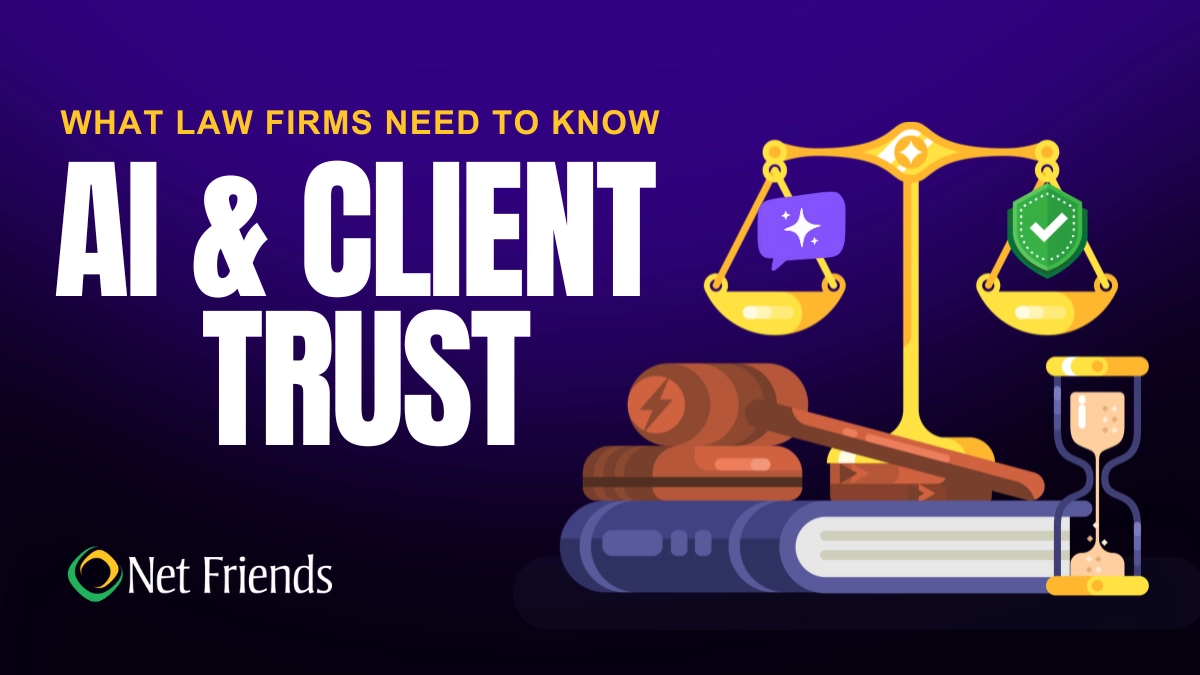
What Law Firms Need to Know About AI and Client Trust
Can AI keep client secrets? A practical guide to AI for North Carolina law firms, covering the ethics rules, safe uses, vendor vetting, and where attorneys must stay in charge.
Can AI keep client secrets? A practical guide to AI for North Carolina law firms, covering the ethics rules, safe uses, vendor vetting, and where attorneys must stay in charge.
Read full post on netfriends.com


Protecting Customer Outcomes in Volatile Times
In the AI Economy, technology value is shifting from what gets delivered to the measurable business outcomes those investments create.
In the AI Economy, technology value is shifting from what gets delivered to the measurable business outcomes those investments create.
Read full post on resources.compugen.com

AI Consulting in Chicago: What It Does and When You Need It

How Healthcare Data Privacy Changed, and What Security Risks Matter Most Today?
Healthcare data privacy has evolved from protecting physical medical records to securing electronic protected health information (ePHI) across a highly connected environment. While electronic health records made patient information easier to access and share for care, but digitization also expanded the number of systems where sensitive information can be exposed. The 2026 Verizon Data Breach Investigations Report found from 1,492 healthcare security incidents, including 1,438 confirmed disclosuresthat system intrusion accounted for 61% of healthcare breaches in its dataset, up from 53% in 202
Healthcare data privacy has evolved from protecting physical medical records to securing electronic protected health information (ePHI) across a highly connected environment. While electronic health records made patient information easier to access and share for care, but digitization also expanded the number of systems where sensitive information can be exposed. The 2026 Verizon Data Breach Investigations Report found from 1,492 healthcare security incidents, including 1,438 confirmed disclosuresthat system intrusion accounted for 61% of healthcare breaches in its dataset, up from 53% in 2025's report. Today, understanding how healthcare reached this point helps explain why protecting patient data now requires both HIPAA compliance and an active cybersecurity strategy.
Read full post on blog.centretechnologies.com

What Is Shadow AI? Where It Hides in a Small Business
Shadow AI is AI being used for work that the business never approved. Here are the four places it hides in a small business - personal sign-ups, features inside software you already own, meeting recorders and browser add-ons - and what to do about it, in order.
Shadow AI is AI being used for work that the business never approved. Here are the four places it hides in a small business - personal sign-ups, features inside software you already own, meeting recorders and browser add-ons - and what to do about it, in order.
Read full post on tvgconsulting.com

AI-Powered Sentiment and Priority Scoring: Stop Missing Urgent Client Requests
Every small business executive knows the feeling: a buried email from your best client that should have been escalated three hours ago. A Slack message marked “routine” that contained contract-threatening language. A support ticket that sat in the general queue while the client quietly shopped your competitor. AI-powered sentiment and priority scoring fixes this. Today.... <p>
Every small business executive knows the feeling: a buried email from your best client that should have been escalated three hours ago. A Slack message marked “routine” that contained contract-threatening language. A support ticket that sat in the general queue while the client quietly shopped your competitor. AI-powered sentiment and priority scoring fixes this. Today.... <p>
Read full post on xitx.com
Windows 10 ESU Year Two: How to Decide What Technology to Carry Into 2027
Every office has a few technology habits that nobody chose on purpose. A computer takes ten minutes to start, so its owner makes coffee while it loads. A spreadsheet copies data between two systems that were never connected. A device still runs an old operating system because it hosts one application nobody wants to touch.
Every office has a few technology habits that nobody chose on purpose. A computer takes ten minutes to start, so its owner makes coffee while it loads. A spreadsheet copies data between two systems that were never connected. A device still runs an old operating system because it hosts one application nobody wants to touch.
Read full post on kairosit.com
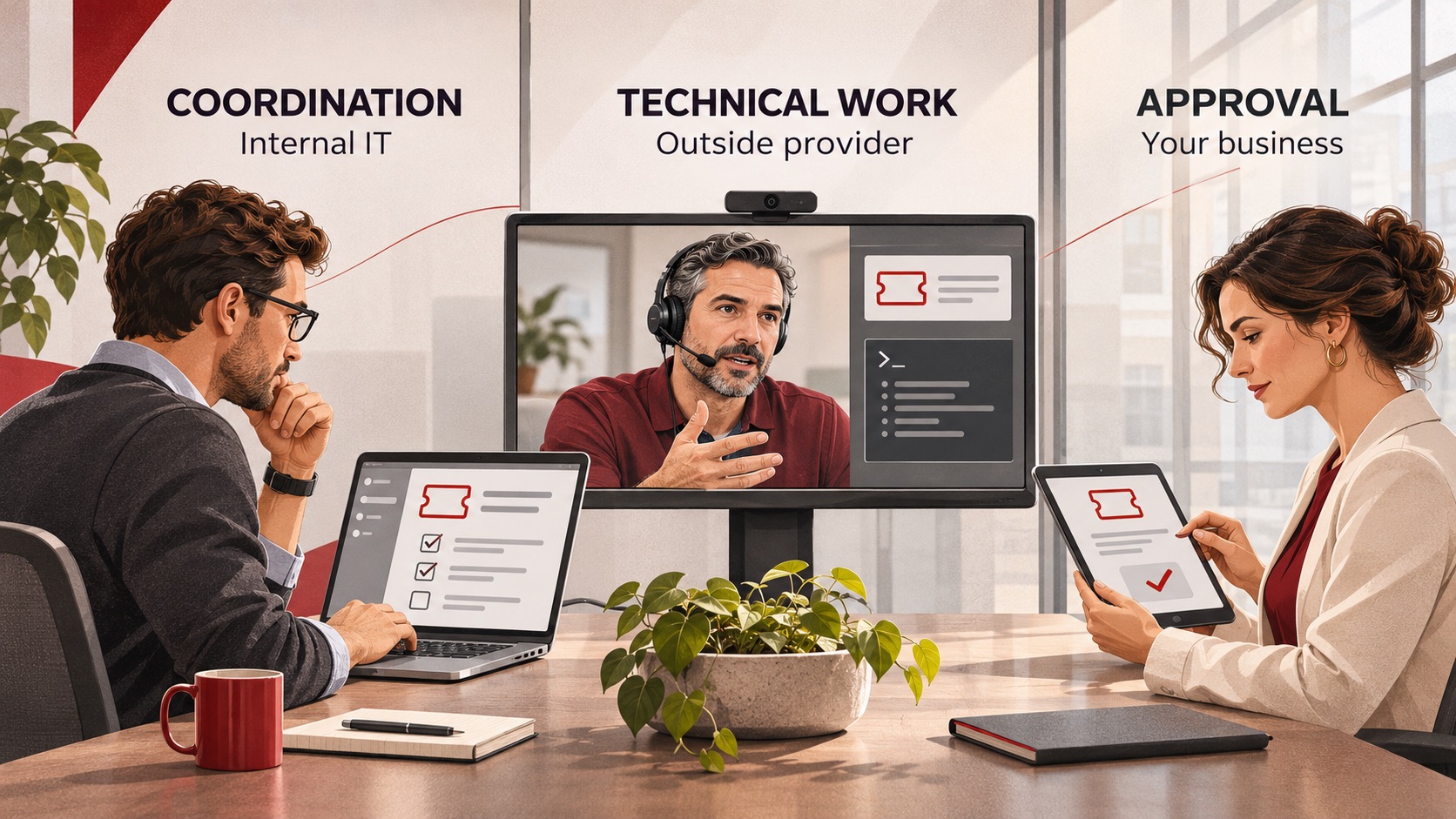
Co-Managed IT Services: What to Outsource When You Already Have an IT Team
Already have an IT team but need more capacity or specialist support? Learn what to delegate through co-managed IT services, what to keep in-house, and how to define responsibilities, handoffs and approvals before choosing a provider.
Already have an IT team but need more capacity or specialist support? Learn what to delegate through co-managed IT services, what to keep in-house, and how to define responsibilities, handoffs and approvals before choosing a provider.
Read full post on ctmsit.com
The Vendor Fraud Email That Already Knew Your Supplier's Name
The most convincing invoice fraud looks exactly like a normal bill. See how it works and the simple checks that keep the money where it belongs.
The most convincing invoice fraud looks exactly like a normal bill. See how it works and the simple checks that keep the money where it belongs.
Read full post on cnwr.com

When Everything Feels Like a Priority, How Do You Build an IT Budget?
If your roof is leaking and your kitchen is showing its age, both may need work. But only one of them is going to ruin your week. Your IT budget can put you in the same position. There may be plenty worth spending money on, but deciding what comes first isn’t always obvious. A few
If your roof is leaking and your kitchen is showing its age, both may need work. But only one of them is going to ruin your week. Your IT budget can put you in the same position. There may be plenty worth spending money on, but deciding what comes first isn’t always obvious. A few
Read full post on timefortitan.com
Just Added to MSPdb™


MSP Jobs
All Jobs

MSP Marketplace
View All

Popular MSPs
View All