What IT project are you working on?
Discover leading Managed IT Service Providers across USA, Canada & the United Kingdom.
- 100s of leading MSPs
- Find a MSP near you
- Latest IT news for SMBs


Microsoft Secure Score for SMBs: Turn Findings Into Action | Sourcepass
Microsoft Secure Score gives small and mid-sized businesses a way to review security settings across their Microsoft environment. It can identify recommended improvements involving identity, devices, applications, and data while helping IT teams monitor changes in security posture over time. For SMB leaders, however, the value of Microsoft Secure Score is not the percentage alone. What matters is how the business responds to the findings. A Microsoft 365 security assessment should put those recommendations into context. Which weaknesses pose the most risk? Which changes depend on licensing
Microsoft Secure Score gives small and mid-sized businesses a way to review security settings across their Microsoft environment. It can identify recommended improvements involving identity, devices, applications, and data while helping IT teams monitor changes in security posture over time. For SMB leaders, however, the value of Microsoft Secure Score is not the percentage alone. What matters is how the business responds to the findings. A Microsoft 365 security assessment should put those recommendations into context. Which weaknesses pose the most risk? Which changes depend on licensing or another IT project? Which could disrupt employees or business applications? Who is responsible for completing the work? And how will the organization confirm that the control is working? Answering those questions turns Secure Score into an organized security improvement plan instead of another dashboard for IT to monitor. What Is Microsoft Secure Score? Microsoft Secure Score measures security posture within supported Microsoft services and provides recommended actions organizations can review as they work to improve security. For SMBs, it can help identify areas that deserve closer attention across identity, devices, applications, and data. But Secure Score does not represent every cybersecurity issue a business may face. An organization may also need to address third-party applications, vendor access, unsupported technology, backup and recovery, security awareness, incident response, and infrastructure outside the Microsoft environment. Secure Score works best when it contributes to those conversations rather than becoming the only measure leadership sees. Use Microsoft Secure Score to Set Security Priorities The goal should not be to earn points as quickly as possible. A recommendation that improves protection around privileged identities may deserve attention before several smaller configuration changes. Another recommendation could require application testing, additional licensing, employee communication, or identity cleanup before it can be implemented safely. Evaluate recommendations based on factors such as: Security risk addressed Systems and users affected Licensing requirements Implementation effort Employee impact Application compatibility Existing security controls Dependencies on other IT projects This keeps the team focused on the changes that matter most rather than simply working from the top of a dashboard. Organize Secure Score Recommendations Into Clear Workstreams A long list of recommendations can quickly turn into another IT backlog. Grouping the work makes it easier to assign responsibility and understand how individual changes relate to one another. Common categories include: Identity and access Device and endpoint security Email and collaboration Data protection Application security Administrative controls From there, IT and security teams can decide which recommendations should move first and which depend on other work. Start With Identity and Access Identity deserves close attention because Microsoft 365 connects employees to email, documents, applications, collaboration tools, and other business resources. An identity review may include multifactor authentication, administrator roles, Conditional Access, privileged access, legacy authentication, and emergency access accounts. Rather than simply enabling another setting, determine which users and applications will be affected and how the control will be tested. Review Device and Endpoint Security Device recommendations may uncover differences in how endpoints are enrolled, configured, updated, or monitored. If certain devices are outside the organization's normal management process, the work may involve more than changing a setting. IT may first need to determine why those devices are unmanaged and who owns them. That gives the organization a chance to address the underlying process instead of fixing one recommendation at a time. Evaluate Email, Application, and Data Controls Email, collaboration tools, applications, and organizational data should also be included in the review. Changes affecting these services need to account for how employees work. A control that blocks a legitimate business process without providing another approved method can contribute to support issues and workarounds. Security controls should protect the environment while still supporting normal business operations. Give Every Security Improvement an Owner A Secure Score recommendation does not reduce risk until someone is responsible for deciding what happens next. For each recommendation the organization chooses to address, record: Owner Reason for the change Target date Dependencies Licensing requirements Affected users or applications Testing requirements Validation method Exception decision, when needed This creates accountability beyond the Secure Score dashboard. If a recommendation cannot be implemented, document why. The business may already have another control in place, the change may create application problems, or licensing may need to be addressed first. If leadership accepts the risk temporarily, set a date to revisit the decision. Otherwise, a temporary exception can easily remain in place longer than intended. Test Microsoft 365 Security Changes Before Broad Deployment Some security changes are nearly invisible to employees. Others directly affect sign-in, devices, email, applications, or collaboration. Changes with greater user impact should be tested before they are broadly enforced. A pilot group can include representative employees, remote users, executives, service accounts, and users of business-critical applications as appropriate to the change. Testing helps IT identify authentication problems, application dependencies, access issues, and support needs before a new control affects the entire organization. Communication is part of the change as well. Employees should understand what is changing, why it matters, and what they should do if they run into a problem. This reduces confusion and makes new security requirements easier to adopt. For organizations using managed Microsoft security, administration, monitoring, user support, and remediation should be coordinated rather than handled as unrelated activities. Secure Score Is Not a Complete Microsoft 365 Security Assessment Secure Score can point IT toward areas that deserve attention, but a higher score does not answer every security question. A full Microsoft 365 security assessment may also examine: Whether administrative privileges are appropriate Whether devices are consistently covered by security controls Whether old exceptions still need to exist Whether third-party applications introduce additional exposure Whether security policies create recurring support problems Whether controls continue working after implementation Whether incident response and recovery processes reflect the current environment Secure Score can help identify where to look. The assessment determines how those findings relate to the organization's specific risks and operating requirements. Do Not Make a Perfect Secure Score the Goal A security percentage can be useful because it gives leadership an easy way to see movement over time. It can also become distracting when raising the percentage becomes more important than reducing risk. An SMB could spend time addressing lower-priority recommendations while a more important identity, endpoint, or access problem remains unresolved. Instead of asking, "How do we increase the score?" ask: Which recommendation addresses the greatest risk? What needs to happen before we can make this change safely? How will we confirm the control is working? Which security concerns are not represented in Secure Score? That keeps the conversation centered on security decisions rather than points. Measure Security Progress Beyond the Secure Score Percentage Score trends are useful, but leadership should see what changed underneath the number. Consider tracking: High-priority recommendations completed Recommendations awaiting action Identity and endpoint coverage Open security exceptions Aging risk-acceptance decisions Controls awaiting validation Changes that caused support issues Projects delayed by licensing or application dependencies These measures help separate a higher score from lower cybersecurity risk. For example, the Secure Score percentage may rise while an important identity control remains unfinished. Leadership should see both pieces of information rather than assuming that a higher number tells the entire story. Review Secure Score as Your Microsoft Environment Changes Microsoft environments change constantly. New employees join. Others leave. Devices are replaced. Applications are added. Administrators change roles. Licensing changes. Acquisitions can bring new accounts, systems, and security requirements into the environment. Security controls should be revisited as those changes occur. Review Secure Score recommendations regularly, then bring larger priorities and unresolved decisions to leadership on an established schedule. A monthly operational review and quarterly leadership review can work well for some SMBs, but the frequency should reflect the organization's risk, resources, and rate of technology change. The conversation should focus on what changed underneath the score, which issues remain open, and what decisions are needed next. Keep Evidence of Completed Microsoft Security Improvements When a security improvement is completed, retain enough information to show what changed and how it was checked. Depending on the control, that may include: Configuration records Test results Implementation records Policy documentation Approval records Exception decisions Validation results Keeping these records can make future audits, insurance questionnaires, client security reviews, and internal assessments easier to support. The same discipline should apply when a recommendation is not implemented. Document why the organization made the decision, whether another control addresses the risk, who approved the exception, and when the decision should be reviewed again. Make Secure Score Part of an Ongoing Security Process Microsoft Secure Score is most useful when it supports a repeatable process rather than a one-time effort to increase the percentage. That process should include: Review recommended actions. Put each recommendation into business context. Prioritize changes based on risk. Assign ownership. Identify licensing and technical dependencies. Test changes that could affect employees or applications. Implement the selected controls. Confirm that the controls work as intended. Document exceptions and risk decisions. Review priorities as the Microsoft environment changes. For SMBs, this creates a manageable way to improve Microsoft security without treating every recommendation as equally urgent. Success should show up in fewer unresolved high-priority issues, clearer ownership, stronger control coverage, and fewer security decisions sitting indefinitely without action. FAQ What is Microsoft Secure Score? Microsoft Secure Score measures an organization's security posture across supported Microsoft services and provides recommended actions that can help IT and security teams identify areas for improvement. What is a good Microsoft Secure Score for an SMB? There is no single Secure Score percentage that determines whether an SMB is secure. Businesses should focus on recommendations that address their most important risks rather than targeting an arbitrary number. Does a higher Microsoft Secure Score mean my business is secure? Not necessarily. Secure Score reflects security posture across supported Microsoft services, but businesses can have risks outside the score, including third-party applications, unsupported technology, vendor access, backup weaknesses, or gaps in incident response. How can an SMB improve Microsoft Secure Score? Start by reviewing the recommended actions, grouping related findings, and prioritizing them based on security risk, user impact, licensing, application compatibility, and other dependencies. Assign an owner and validation method to each change the organization decides to implement. Should an SMB try to reach a 100 percent Microsoft Secure Score? A 100 percent score should not be the primary goal. Addressing high-priority risks and maintaining effective controls is more important than implementing lower-value changes solely to gain additional points. What should an SMB review first in Microsoft Secure Score? Identity and access recommendations are often a good place to begin, particularly controls involving administrator accounts, multifactor authentication, Conditional Access, privileged access, and older authentication methods. Priorities should still reflect the organization's environment and business risks. Is Microsoft Secure Score a full Microsoft 365 security assessment? No. Secure Score provides useful information about security posture within supported Microsoft services, but a Microsoft 365 security assessment should also consider the organization's configurations, users, endpoints, applications, business processes, exceptions, and risks outside the score. How often should Microsoft Secure Score be reviewed? The right frequency depends on the organization's environment. Some SMBs may choose to review recommendations monthly and discuss larger security priorities quarterly. Higher-risk issues should be addressed according to their urgency rather than waiting for a scheduled review. How should Microsoft Secure Score be reported to executives? Executive reporting should pair the Secure Score trend with the issues behind it. Highlight high-priority improvements completed, unresolved risks, exceptions, control coverage, dependencies, and decisions that require leadership involvement. Can managed Microsoft security support Secure Score improvements? Yes. Managed Microsoft security services can support areas such as configuration review, identity security, endpoint management, implementation, monitoring, remediation, validation, and reporting. Business leaders should remain involved in decisions involving operating impact, investment priorities, and risk acceptance.
Read full post on blog.sourcepass.com
MSPdb™ News
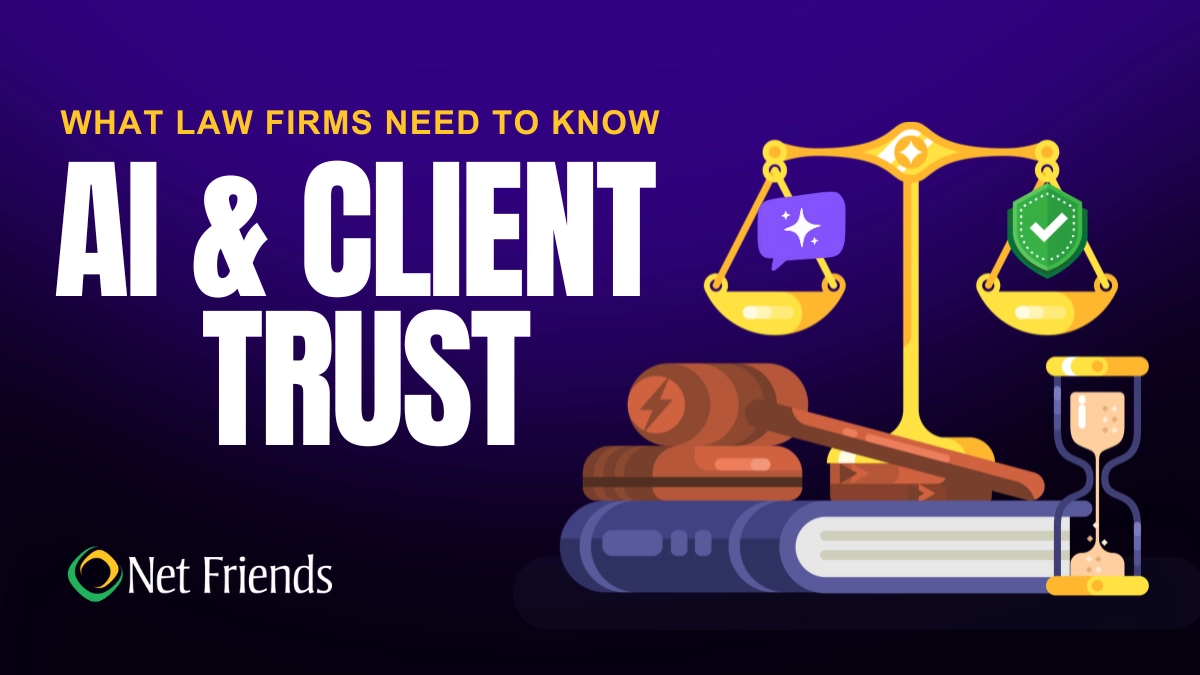
What Law Firms Need to Know About AI and Client Trust
Can AI keep client secrets? A practical guide to AI for North Carolina law firms, covering the ethics rules, safe uses, vendor vetting, and where attorneys must stay in charge.
Can AI keep client secrets? A practical guide to AI for North Carolina law firms, covering the ethics rules, safe uses, vendor vetting, and where attorneys must stay in charge.
Read full post on netfriends.com


Protecting Customer Outcomes in Volatile Times
In the AI Economy, technology value is shifting from what gets delivered to the measurable business outcomes those investments create.
In the AI Economy, technology value is shifting from what gets delivered to the measurable business outcomes those investments create.
Read full post on resources.compugen.com

AI Consulting in Chicago: What It Does and When You Need It

How Healthcare Data Privacy Changed, and What Security Risks Matter Most Today?
Healthcare data privacy has evolved from protecting physical medical records to securing electronic protected health information (ePHI) across a highly connected environment. While electronic health records made patient information easier to access and share for care, but digitization also expanded the number of systems where sensitive information can be exposed. The 2026 Verizon Data Breach Investigations Report found from 1,492 healthcare security incidents, including 1,438 confirmed disclosuresthat system intrusion accounted for 61% of healthcare breaches in its dataset, up from 53% in 202
Healthcare data privacy has evolved from protecting physical medical records to securing electronic protected health information (ePHI) across a highly connected environment. While electronic health records made patient information easier to access and share for care, but digitization also expanded the number of systems where sensitive information can be exposed. The 2026 Verizon Data Breach Investigations Report found from 1,492 healthcare security incidents, including 1,438 confirmed disclosuresthat system intrusion accounted for 61% of healthcare breaches in its dataset, up from 53% in 2025's report. Today, understanding how healthcare reached this point helps explain why protecting patient data now requires both HIPAA compliance and an active cybersecurity strategy.
Read full post on blog.centretechnologies.com

What Is Shadow AI? Where It Hides in a Small Business
Shadow AI is AI being used for work that the business never approved. Here are the four places it hides in a small business - personal sign-ups, features inside software you already own, meeting recorders and browser add-ons - and what to do about it, in order.
Shadow AI is AI being used for work that the business never approved. Here are the four places it hides in a small business - personal sign-ups, features inside software you already own, meeting recorders and browser add-ons - and what to do about it, in order.
Read full post on tvgconsulting.com

AI-Powered Sentiment and Priority Scoring: Stop Missing Urgent Client Requests
Every small business executive knows the feeling: a buried email from your best client that should have been escalated three hours ago. A Slack message marked “routine” that contained contract-threatening language. A support ticket that sat in the general queue while the client quietly shopped your competitor. AI-powered sentiment and priority scoring fixes this. Today.... <p>
Every small business executive knows the feeling: a buried email from your best client that should have been escalated three hours ago. A Slack message marked “routine” that contained contract-threatening language. A support ticket that sat in the general queue while the client quietly shopped your competitor. AI-powered sentiment and priority scoring fixes this. Today.... <p>
Read full post on xitx.com
Windows 10 ESU Year Two: How to Decide What Technology to Carry Into 2027
Every office has a few technology habits that nobody chose on purpose. A computer takes ten minutes to start, so its owner makes coffee while it loads. A spreadsheet copies data between two systems that were never connected. A device still runs an old operating system because it hosts one application nobody wants to touch.
Every office has a few technology habits that nobody chose on purpose. A computer takes ten minutes to start, so its owner makes coffee while it loads. A spreadsheet copies data between two systems that were never connected. A device still runs an old operating system because it hosts one application nobody wants to touch.
Read full post on kairosit.com
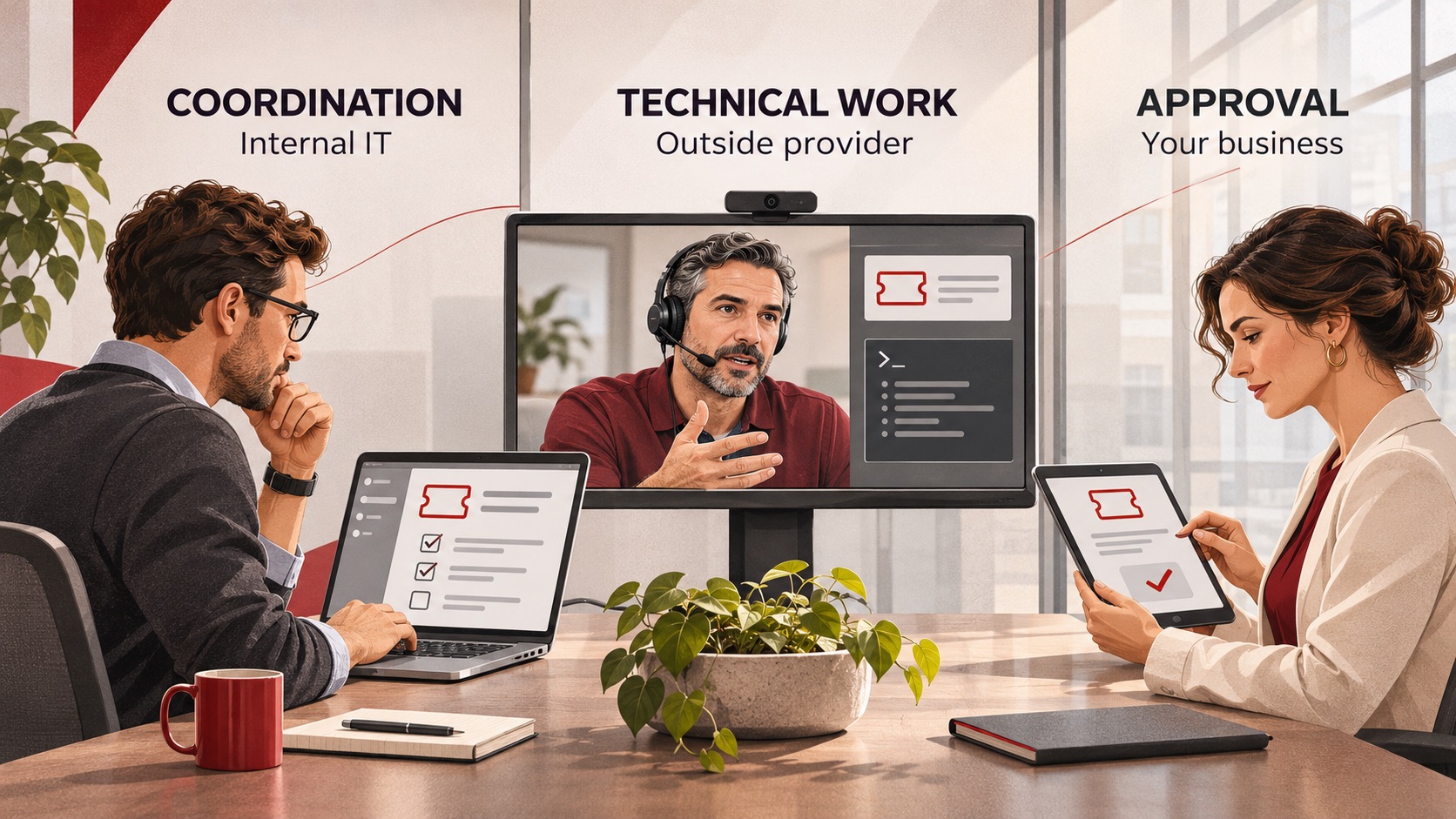
Co-Managed IT Services: What to Outsource When You Already Have an IT Team
Already have an IT team but need more capacity or specialist support? Learn what to delegate through co-managed IT services, what to keep in-house, and how to define responsibilities, handoffs and approvals before choosing a provider.
Already have an IT team but need more capacity or specialist support? Learn what to delegate through co-managed IT services, what to keep in-house, and how to define responsibilities, handoffs and approvals before choosing a provider.
Read full post on ctmsit.com
The Vendor Fraud Email That Already Knew Your Supplier's Name
The most convincing invoice fraud looks exactly like a normal bill. See how it works and the simple checks that keep the money where it belongs.
The most convincing invoice fraud looks exactly like a normal bill. See how it works and the simple checks that keep the money where it belongs.
Read full post on cnwr.com

When Everything Feels Like a Priority, How Do You Build an IT Budget?
If your roof is leaking and your kitchen is showing its age, both may need work. But only one of them is going to ruin your week. Your IT budget can put you in the same position. There may be plenty worth spending money on, but deciding what comes first isn’t always obvious. A few
If your roof is leaking and your kitchen is showing its age, both may need work. But only one of them is going to ruin your week. Your IT budget can put you in the same position. There may be plenty worth spending money on, but deciding what comes first isn’t always obvious. A few
Read full post on timefortitan.com
Just Added to MSPdb™


MSP Jobs
All Jobs

MSP Marketplace
View All


Popular MSPs
View All