We take IT off your plate.
Discover leading Managed IT Service Providers across USA, Canada & the United Kingdom.
- 100s of leading MSPs
- Find a MSP near you
- Latest IT news for SMBs

Vulnerability Management for SMBs: Reduce Cybersecurity Risk
Cybersecurity teams cannot protect systems they do not know exist. For small and mid-sized businesses, that can become difficult as the technology environment grows across Microsoft 365, employee devices, servers, cloud workloads, network infrastructure, business applications, and vendor-managed systems. That is where vulnerability management matters. It gives SMBs a repeatable way to understand their exposure, decide which weaknesses need attention first, assign responsibility, and confirm that remediation has reduced risk. Vulnerability management also goes beyond SMB patch management. I
Cybersecurity teams cannot protect systems they do not know exist. For small and mid-sized businesses, that can become difficult as the technology environment grows across Microsoft 365, employee devices, servers, cloud workloads, network infrastructure, business applications, and vendor-managed systems. That is where vulnerability management matters. It gives SMBs a repeatable way to understand their exposure, decide which weaknesses need attention first, assign responsibility, and confirm that remediation has reduced risk. Vulnerability management also goes beyond SMB patch management. Installing an update may resolve one issue, but another may require a configuration change, software upgrade, access restriction, compensating control, or replacement of an unsupported system. The goal is not to patch every vulnerability at the same speed. It is to understand which exposures pose the greatest risk to the business and use limited IT and security resources accordingly. What Is Vulnerability Management? Vulnerability management is the ongoing process of identifying security weaknesses, assessing their risk, prioritizing them, completing remediation, and confirming that the exposure has been addressed. For an SMB, the process should provide clear answers to a few fundamental questions: What systems, devices, applications, and cloud services do we have? Which vulnerabilities affect them? Which vulnerabilities create the greatest risk to the business? Who is responsible for addressing them? How do we know remediation succeeded? Patching is one part of this process, not the entire strategy. The NIST Enterprise Patch Management Planning framework treats patching as a form of preventive maintenance. That distinction is important because successful vulnerability management depends on a repeatable operating process, not simply responding to a long list of scanner findings. Start Vulnerability Management With Asset Visibility Before an organization can prioritize vulnerabilities, it needs a dependable picture of what it is protecting. For an SMB, that inventory could include: Laptops and workstations Physical and virtual servers Network infrastructure Cloud workloads Internet-facing applications Business-critical software Microsoft 365 services Remote access systems Backup infrastructure Vendor-managed technology Legacy or unsupported systems Simply knowing that a device exists is not enough. IT and security teams also need to understand what it does. A server supporting a customer-facing application, for example, carries different business considerations than a test system with no sensitive information. That context helps turn an asset inventory into something leadership and security teams can use to make better remediation decisions. Look for Gaps in Security Coverage Vulnerability scanners and endpoint-management platforms provide important visibility, but organizations should not assume that every business asset will appear in one system. Compare vulnerability and endpoint information with other available records, including directories, procurement records, network inventories, cloud environments, and configuration data. Pay particular attention to systems that stop reporting. A device disappearing from a security dashboard does not necessarily mean its vulnerabilities were resolved. The endpoint agent might have stopped reporting, the device may have changed ownership, or it might have moved outside the expected management process. That is why asset coverage deserves attention alongside vulnerability counts. Prioritize Vulnerabilities Based on Business Risk A vulnerability report can contain more findings than an SMB team can reasonably address at once. Sorting that list by severity score alone does not solve the problem. Effective cybersecurity risk prioritization should consider several factors together: Technical severity Evidence of exploitation Internet exposure Importance of the affected asset Sensitivity of the information involved Business functions that depend on the system Existing security controls Operational impact of remediation Consider two findings. One has a higher severity score but affects an isolated test device. The other has a lower score but affects an internet-facing system that supports an important business function. The second finding may deserve attention first. This is why vulnerability management works best when technical information is paired with business context. Make Known Exploitation Part of the Decision Severity tells you something about a vulnerability. It does not tell you everything about how urgently your organization should respond. The CISA Known Exploited Vulnerabilities Catalog identifies vulnerabilities with evidence of exploitation in the wild and can be used as an input when prioritizing remediation. That information gives IT and security teams another way to separate vulnerabilities requiring closer attention from findings that may reasonably fall later in the remediation queue. The decision should still account for the affected system, exposure, business importance, and existing controls. Turn Vulnerability Priorities Into Clear Risk Tiers Once vulnerabilities have been assessed, teams need a consistent way to determine what happens next. Define risk tiers that reflect both the vulnerability and the importance of the affected system. Systems that may call for closer attention include: Identity infrastructure Internet-facing applications Backup systems Domain controllers Remote access services Systems containing sensitive information Systems supporting critical business operations Each organization should establish remediation expectations that fit its technology environment, regulatory obligations, operating requirements, and tolerance for risk. Consistency is the objective. Similar vulnerabilities affecting similar systems should receive similar treatment instead of depending on who reviewed the finding. Give Every Vulnerability Remediation Decision an Owner Identifying a vulnerability does not reduce exposure. Someone needs to own the next step. Each meaningful finding should have a person or team responsible for determining how it will be addressed and following the issue through to resolution. Remediation Does Not Always Mean Installing a Patch Depending on the issue, vulnerability remediation could involve: Installing a security update Upgrading an application Removing unsupported software Disabling an unnecessary service Correcting a configuration Restricting network access Isolating a system Applying a compensating security control Replacing outdated technology Temporarily accepting documented risk The choice should be recorded along with the owner, target date, and method that will be used to verify the change. Risk exceptions deserve the same discipline. If an immediate fix would interfere with an important business system, leadership may decide to accept the exposure temporarily while another solution is developed. That decision should have a documented reason and a defined point for review. Otherwise, a temporary exception can quietly become permanent.x Coordinate SMB Patch Management With Business Operations Patching can create its own operational considerations. A security update affecting a line-of-business application might require testing, confirmation from a software provider, backup validation, or a scheduled maintenance window. That does not mean security concerns should be left unresolved indefinitely. It means the conversation needs to go beyond sending a vulnerability report to an application owner. Security and IT teams should be able to explain: What is exposed? Why does the exposure matter? What options are available to address it? What are the operational considerations for each option? What can reduce risk until the preferred fix is completed? This changes the conversation from "IT needs to patch something" to a clear business decision about cybersecurity risk. When internal IT teams do not have dedicated vulnerability resources, managed IT and cybersecurity services can support asset discovery, assessment, patch coordination, remediation tracking, validation, and reporting. The SMB should still maintain ownership of business priorities and risk-acceptance decisions. Connect Vulnerability Management With Microsoft Security For businesses built around Microsoft technologies, vulnerability management should connect with the broader security environment rather than operate as a separate technical report. Microsoft 365 environments involve more than software updates. Identity, endpoints, applications, cloud workloads, permissions, and access controls all influence exposure. That means vulnerability reviews should consider areas such as: Microsoft Entra identity security Endpoint security and management Microsoft 365 access controls Privileged access Application lifecycle management Unsupported operating systems and applications Cloud configuration Security monitoring The question is not simply whether a vulnerable system exists. IT teams should also understand what the system connects to, what information it handles, who can access it, and how exposed it is. That context leads to stronger remediation decisions. Measure Whether Vulnerability Risk Is Declining Installing more patches does not necessarily mean the business is becoming less exposed. Leadership needs measures that show whether the organization can identify weaknesses, address meaningful risk, and verify remediation. Useful measures can include: Percentage of known assets covered by vulnerability assessments Vulnerability assessment freshness High-risk vulnerabilities past their remediation targets Known-exploited vulnerabilities that remain open Average remediation time by risk tier Number and age of risk exceptions Percentage of remediations successfully validated Unmanaged assets identified Vulnerabilities that repeatedly return These metrics shift the focus from activity to results. They also give leadership a better set of questions to ask: Do we know what we need to protect? Are the highest-risk exposures being addressed? Are remediation delays growing or declining? Are exceptions being reviewed rather than forgotten? Can we confirm that completed work reduced exposure? That tells leadership far more about the health of a vulnerability management program than the number of patches installed during a reporting period. Verify Remediation Before Closing a Vulnerability Closing a ticket is not the same as confirming that the exposure is gone. After remediation, teams should verify the change that was supposed to occur. Depending on the issue, that may mean confirming: The required software version is installed An insecure configuration has been corrected A vulnerable service is no longer exposed Unsupported software has been removed An endpoint security agent is functioning A compensating control remains in place The distinction may seem small, but it changes how teams measure success. Instead of asking whether the work was completed, ask whether the risk was reduced. Use Recurring Vulnerabilities to Find Larger Problems Some of the most useful information in a vulnerability program comes from findings that keep returning. If the same application repeatedly falls behind on updates, the underlying issue may be application ownership, maintenance windows, packaging, or vendor support. If unsupported systems repeatedly require exceptions, broader modernization may be needed. If security agents frequently stop reporting, endpoint management or asset inventory processes may require attention. If internet-facing services continually produce high-risk findings, the organization may need to reconsider architecture, segmentation, or remote access. These patterns should feed technology planning and budgeting. Vulnerability management can show leadership where years of technical debt or inconsistent processes are creating continuing security work. Prepare for High-Priority Vulnerabilities Before They Appear Some vulnerabilities will require decisions faster than normal maintenance processes allow. Organizations should establish who can approve emergency changes, how application owners are contacted, and how technical teams will coordinate when a high-priority vulnerability affects an important system. Security exercises can help determine whether: Emergency remediation ownership is clear Necessary backups are available Systems can be isolated when required Security monitoring covers critical assets Business owners understand escalation responsibilities Remediation can be validated after changes are made The purpose is to remove uncertainty from the response process. When an urgent issue appears, teams should already know who owns the decision and what needs to happen next. Bring Vulnerability Risk Into Leadership Conversations Executives do not need a monthly spreadsheet containing every vulnerability in the environment. They need to understand what remains exposed and where business decisions are preventing or delaying remediation. An executive vulnerability review should focus on areas such as: Highest remaining exposures Known-exploited vulnerabilities that remain unresolved Critical systems outside expected monitoring coverage Overdue remediation Aging risk exceptions Unsupported systems Recurring remediation blockers Technology investments or decisions requiring leadership action This keeps leadership focused on decisions rather than raw security data. Over time, the organization should develop a consistent cycle: discover assets, identify vulnerabilities, prioritize exposure, assign remediation, validate the result, and address recurring problems. The value of vulnerability management is not the size of the vulnerability report. It is whether the organization can steadily reduce meaningful exposure without overwhelming the people responsible for keeping systems running. FAQ What is vulnerability management? Vulnerability management is the ongoing process of identifying security weaknesses, assessing their business risk, prioritizing action, assigning remediation, and confirming that exposure has been reduced. It includes patching but can also involve configuration changes, upgrades, access restrictions, compensating controls, system replacement, and documented risk acceptance. What is the difference between vulnerability management and patch management? Patch management focuses on applying and verifying software patches, updates, and upgrades. Vulnerability management covers the broader process of finding security weaknesses, determining which ones matter most, selecting a response, assigning ownership, and confirming the exposure has been addressed. How should SMBs prioritize vulnerabilities? SMBs should consider technical severity along with evidence of exploitation, internet exposure, asset importance, sensitive data, business impact, and existing security controls. This helps limited IT and security resources focus first on vulnerabilities that create the greatest risk to the organization. What is the CISA Known Exploited Vulnerabilities Catalog? The CISA Known Exploited Vulnerabilities Catalog identifies vulnerabilities with evidence of exploitation in the wild. Organizations can use the catalog alongside severity, asset importance, exposure, and other risk factors when deciding which vulnerabilities warrant faster remediation. What should SMB patch management measure? SMBs should look beyond the number of patches installed. Measures such as asset coverage, overdue high-risk vulnerabilities, open known-exploited vulnerabilities, remediation time, aging exceptions, and validated fixes provide a clearer view of whether cybersecurity exposure is declining. How does Microsoft 365 fit into vulnerability management? For Microsoft-focused SMBs, vulnerability management should be considered alongside Microsoft Entra identity security, endpoint management, privileged access, Microsoft 365 security controls, application lifecycle management, cloud configuration, and security monitoring. Looking at these areas together helps teams understand the broader exposure surrounding a vulnerable system. When is a vulnerability considered remediated? A vulnerability should be considered remediated after the corrective action has been verified. Closing a work ticket alone does not confirm that the exposure has been addressed. Teams should validate the affected software version, configuration, service exposure, or compensating control as appropriate. How can an SMB improve vulnerability remediation? Start with complete asset visibility, establish clear risk tiers, assign an owner to meaningful findings, document remediation decisions, and verify fixes before closing them. Recurring vulnerabilities should also be reviewed for underlying issues such as outdated technology, poor application ownership, limited maintenance windows, or inconsistent endpoint management. Can a managed security provider support vulnerability management? Yes. Managed IT and cybersecurity services can support asset discovery, vulnerability assessment, patch coordination, remediation tracking, validation, and reporting. Business leaders should still own decisions involving operational priorities, remediation trade-offs, and risk acceptance. How should vulnerability management be reported to executives? Executive reporting should focus on remaining exposure and required decisions rather than every scanner finding. Useful areas include overdue high-risk vulnerabilities, known-exploited vulnerabilities, aging exceptions, monitoring gaps, unsupported systems, remediation blockers, and trends showing whether exposure is improving.
Read full post on blog.sourcepass.com
MSPdb™ News
What Law Firms Need to Know About AI and Client Trust
Can AI keep client secrets? A practical guide to AI for North Carolina law firms, covering the ethics rules, safe uses, vendor vetting, and where attorneys must stay in charge.
Can AI keep client secrets? A practical guide to AI for North Carolina law firms, covering the ethics rules, safe uses, vendor vetting, and where attorneys must stay in charge.
Read full post on netfriends.com


Protecting Customer Outcomes in Volatile Times
In the AI Economy, technology value is shifting from what gets delivered to the measurable business outcomes those investments create.
In the AI Economy, technology value is shifting from what gets delivered to the measurable business outcomes those investments create.
Read full post on resources.compugen.com

AI Consulting in Chicago: What It Does and When You Need It

How Healthcare Data Privacy Changed, and What Security Risks Matter Most Today?
Healthcare data privacy has evolved from protecting physical medical records to securing electronic protected health information (ePHI) across a highly connected environment. While electronic health records made patient information easier to access and share for care, but digitization also expanded the number of systems where sensitive information can be exposed. The 2026 Verizon Data Breach Investigations Report found from 1,492 healthcare security incidents, including 1,438 confirmed disclosuresthat system intrusion accounted for 61% of healthcare breaches in its dataset, up from 53% in 202
Healthcare data privacy has evolved from protecting physical medical records to securing electronic protected health information (ePHI) across a highly connected environment. While electronic health records made patient information easier to access and share for care, but digitization also expanded the number of systems where sensitive information can be exposed. The 2026 Verizon Data Breach Investigations Report found from 1,492 healthcare security incidents, including 1,438 confirmed disclosuresthat system intrusion accounted for 61% of healthcare breaches in its dataset, up from 53% in 2025's report. Today, understanding how healthcare reached this point helps explain why protecting patient data now requires both HIPAA compliance and an active cybersecurity strategy.
Read full post on blog.centretechnologies.com

What Is Shadow AI? Where It Hides in a Small Business
Shadow AI is AI being used for work that the business never approved. Here are the four places it hides in a small business - personal sign-ups, features inside software you already own, meeting recorders and browser add-ons - and what to do about it, in order.
Shadow AI is AI being used for work that the business never approved. Here are the four places it hides in a small business - personal sign-ups, features inside software you already own, meeting recorders and browser add-ons - and what to do about it, in order.
Read full post on tvgconsulting.com

AI-Powered Sentiment and Priority Scoring: Stop Missing Urgent Client Requests
Every small business executive knows the feeling: a buried email from your best client that should have been escalated three hours ago. A Slack message marked “routine” that contained contract-threatening language. A support ticket that sat in the general queue while the client quietly shopped your competitor. AI-powered sentiment and priority scoring fixes this. Today.... <p>
Every small business executive knows the feeling: a buried email from your best client that should have been escalated three hours ago. A Slack message marked “routine” that contained contract-threatening language. A support ticket that sat in the general queue while the client quietly shopped your competitor. AI-powered sentiment and priority scoring fixes this. Today.... <p>
Read full post on xitx.com
Windows 10 ESU Year Two: How to Decide What Technology to Carry Into 2027
Every office has a few technology habits that nobody chose on purpose. A computer takes ten minutes to start, so its owner makes coffee while it loads. A spreadsheet copies data between two systems that were never connected. A device still runs an old operating system because it hosts one application nobody wants to touch.
Every office has a few technology habits that nobody chose on purpose. A computer takes ten minutes to start, so its owner makes coffee while it loads. A spreadsheet copies data between two systems that were never connected. A device still runs an old operating system because it hosts one application nobody wants to touch.
Read full post on kairosit.com
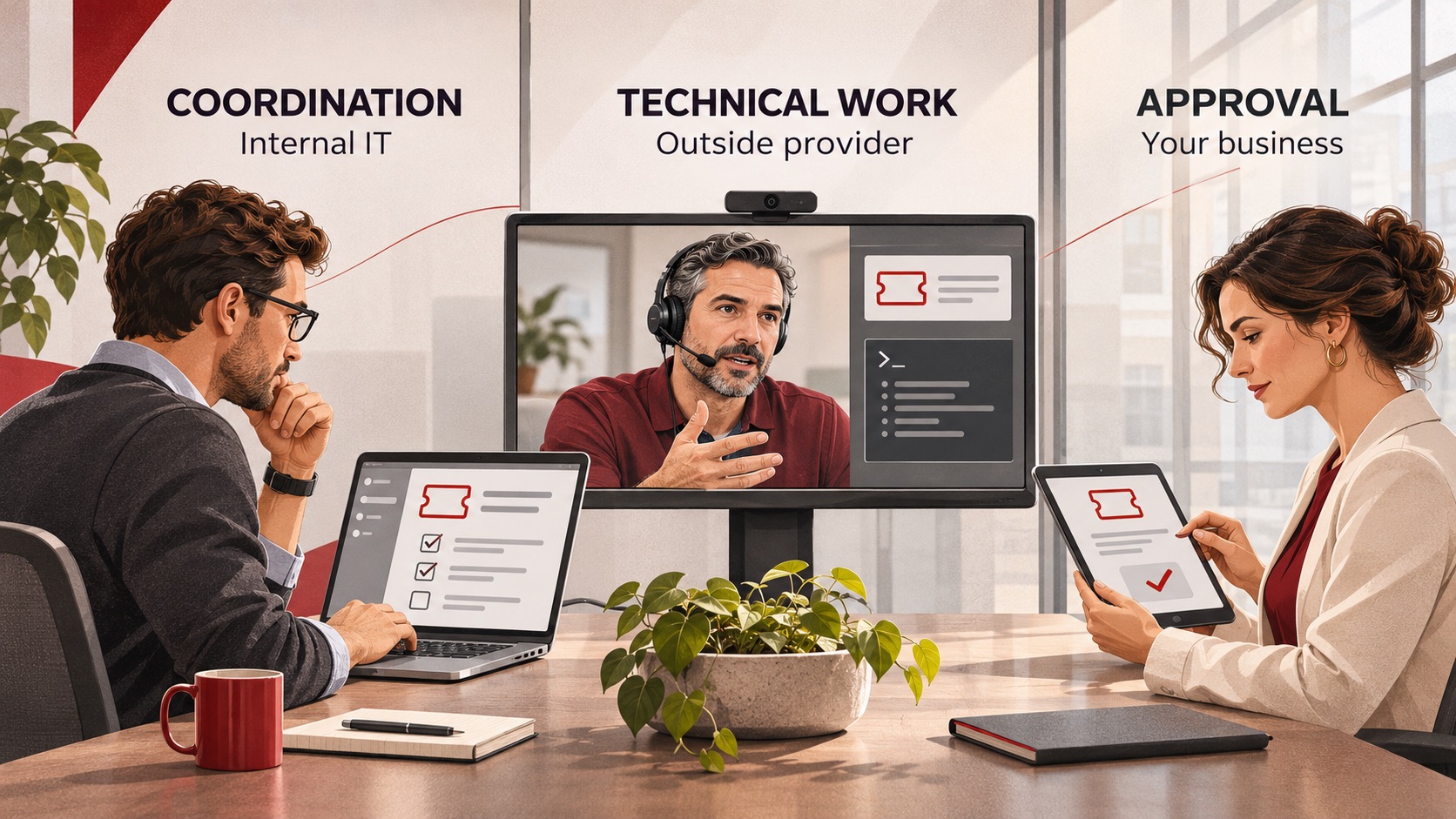
Co-Managed IT Services: What to Outsource When You Already Have an IT Team
Already have an IT team but need more capacity or specialist support? Learn what to delegate through co-managed IT services, what to keep in-house, and how to define responsibilities, handoffs and approvals before choosing a provider.
Already have an IT team but need more capacity or specialist support? Learn what to delegate through co-managed IT services, what to keep in-house, and how to define responsibilities, handoffs and approvals before choosing a provider.
Read full post on ctmsit.com
The Vendor Fraud Email That Already Knew Your Supplier's Name
The most convincing invoice fraud looks exactly like a normal bill. See how it works and the simple checks that keep the money where it belongs.
The most convincing invoice fraud looks exactly like a normal bill. See how it works and the simple checks that keep the money where it belongs.
Read full post on cnwr.com

When Everything Feels Like a Priority, How Do You Build an IT Budget?
If your roof is leaking and your kitchen is showing its age, both may need work. But only one of them is going to ruin your week. Your IT budget can put you in the same position. There may be plenty worth spending money on, but deciding what comes first isn’t always obvious. A few
If your roof is leaking and your kitchen is showing its age, both may need work. But only one of them is going to ruin your week. Your IT budget can put you in the same position. There may be plenty worth spending money on, but deciding what comes first isn’t always obvious. A few
Read full post on timefortitan.com
Just Added to MSPdb™



MSP Jobs
All Jobs

MSP Marketplace
View All


Popular MSPs
View All