What IT project are you working on?
Discover leading Managed IT Service Providers across USA, Canada & the United Kingdom.
- 100s of leading MSPs
- Find a MSP near you
- Latest IT news for SMBs

Why M365 Copilot Adoption Stalls after Deployment | Sourcepass MCOE
Many organizations have already invested in Microsoft 365 Copilot, completed deployment, and assigned licenses across the business. Yet despite a successful technical rollout, adoption often stalls after the initial excitement wears off. Users try it a few times, experiment with a handful of prompts, and then return to familiar ways of working. The challenge is rarely the technology itself. More often, the problem is that employees never discover where Copilot creates meaningful value in their day-to-day work. Without a clear connection to business outcomes, productivity gains, and workf
Many organizations have already invested in Microsoft 365 Copilot, completed deployment, and assigned licenses across the business. Yet despite a successful technical rollout, adoption often stalls after the initial excitement wears off. Users try it a few times, experiment with a handful of prompts, and then return to familiar ways of working. The challenge is rarely the technology itself. More often, the problem is that employees never discover where Copilot creates meaningful value in their day-to-day work. Without a clear connection to business outcomes, productivity gains, and workflow improvements, even the most powerful AI tools can become underutilized. Understanding why Copilot adoption stalls is the first step toward realizing the value organizations expected when they invested in Microsoft 365 AI capabilities. Why Microsoft 365 Copilot Adoption often Stalls after Deployment When organizations evaluate Copilot, the conversation typically starts with capabilities. Teams see demonstrations of meeting summaries, email drafting, presentation creation, spreadsheet analysis, and organizational search. These features are impressive, but features alone rarely change behavior. Successful adoption happens when users discover a repeatable workflow that saves meaningful time every week. Someone who saves a few minutes once may never use Copilot again. Someone who consistently eliminates thirty minutes of repetitive work each day quickly incorporates it into their routine. The difference between those two experiences often determines whether a Copilot rollout accelerates or stagnates. Why Copilot Licenses Alone do not Create Value One of the most common misconceptions is that Copilot automatically creates value once licenses are assigned. In reality, many employees understand what Copilot can do but struggle to recognize where it fits naturally into their workday. They know the technology is powerful, but they are unsure how to apply it to their specific responsibilities. Activity Traditional Approach Copilot-Assisted Approach Reviewing a lengthy email conversation Read every message individually Generate a summary and identify action items Preparing for a meeting Gather notes manually Request a meeting briefing Creating a document Start from a blank page Generate a structured first draft Reviewing Teams conversations Read through every message Summarize key decisions and next steps Without examples tied to real workflows, users often see Copilot as interesting rather than necessary. Why Outcome-Based Copilot Training Outperforms Feature-Based Training Many organizations spend significant time teaching users what Copilot can do. Far fewer explain why employees should use it. Most professionals are focused on outcomes, not features. They want to know whether Copilot will help them save time, reduce administrative work, improve decision-making, simplify information gathering, or eliminate repetitive tasks. When training centers on menus, buttons, and prompts without connecting those capabilities to real business challenges, adoption tends to plateau. The most successful Copilot programs start with business problems and demonstrate how AI can help solve them. Why Demonstrating Immediate Value is Critical for Microsoft 365 Copilot Adoption One of the strongest predictors of long-term adoption is whether users experience a meaningful "aha" moment early in their journey. That moment typically occurs when someone solves a real problem faster than they thought possible. They may discover that a report that normally takes an hour can be completed in fifteen minutes, a meeting recap appears automatically, an email response can be drafted in seconds, or research that once required extensive manual effort can be summarized almost instantly. Before that experience, Copilot often feels like another software tool. After it happens, users begin actively looking for additional ways to incorporate AI into their work. Organizations that create opportunities for employees to experience these moments early tend to achieve significantly stronger adoption outcomes. Why Data Governance Impacts Microsoft 365 Copilot Success Many Copilot initiatives encounter resistance not because of AI concerns, but because of questions about data access and governance. Copilot surfaces information users already have permission to access. While that sounds straightforward, many organizations discover that years of unmanaged sharing, inconsistent permissions, and outdated content become much more visible once AI begins surfacing information across Microsoft 365. Common issues include: Overly permissive SharePoint sites Legacy shared folders with excessive access Unused Teams workspaces Unclassified sensitive information Inconsistent permission structures Copilot does not create these problems. It simply exposes them. Organizations that address data governance, permissions, security controls, and information classification before deployment are often able to avoid many of the roadblocks that emerge during broader adoption efforts. Why Traditional Software Training Does Not Work for AI Historically, software adoption relied heavily on classroom training, lengthy documentation, and one-time onboarding sessions. That approach is proving less effective with generative AI. The challenge is that Copilot usage is highly individualized. Two employees with similar roles may use Copilot in completely different ways depending on their responsibilities, work habits, and priorities. As a result, organizations are finding greater success with learning approaches such as: Role-based use cases Short learning sessions Internal champion programs Peer-led knowledge sharing Curated prompt libraries Ongoing adoption support The goal is not to teach every feature available in Copilot. The goal is to help employees discover real ways to solve problems and improve the work they already perform every day. What Successful Microsoft 365 Copilot Deployments do Differently Organizations achieving strong Copilot adoption tend to follow several common practices. They Start with High-Impact User Groups Rather than deploying broadly from the start, many successful organizations begin with teams that have a clear opportunity to benefit from AI-assisted workflows. Common examples include: Sales teams Project managers Executive assistants Marketing departments Knowledge workers who spend significant time in meetings This approach allows organizations to develop measurable success stories and examples before expanding deployment across the broader business. They Build Internal AI Champions Employees often trust recommendations from peers more than formal training programs. Internal champions help accelerate adoption by sharing best practices, demonstrating real-world use cases, answering questions, and helping colleagues develop prompting skills. These programs create momentum and credibility that formal training alone often struggles to achieve. They Measure Business Impact Instead of License Usage Many organizations focus heavily on utilization metrics such as monthly active users or prompt volume. While those metrics can be useful, they do not necessarily indicate business value. More meaningful measurements often include: Time saved on administrative tasks Faster document creation Reduced meeting follow-up effort Faster information gathering Improved responsiveness Increased productivity in routine workflows License utilization measures activity. Business outcomes measure value. How AI Agents will Change Microsoft 365 Copilot Adoption As Microsoft continues expanding Copilot with AI agents, workflow automation, and deeper Microsoft Graph integration, the conversation is beginning to move beyond content generation and productivity assistance. Organizations are increasingly evaluating how AI can support workflows proactively rather than simply responding to prompts. This shift has the potential to move Copilot from being a helpful productivity tool to becoming a more integrated part of everyday business operations. As AI capabilities continue to evolve, one lesson remains consistent: successful adoption is ultimately about changing work habits, not deploying software. What Organizations Should Know about Driving Copilot Adoption The organizations realizing the greatest value from Microsoft 365 Copilot are not necessarily those with the largest deployments. They are the organizations that help employees discover repeatable ways to work more effectively. If your Copilot rollout is struggling, the issue is often not the platform itself. The most common barriers include unclear use cases, users failing to experience meaningful value, governance concerns, feature-focused training, and an overreliance on utilization metrics instead of business outcomes. Organizations that address these challenges early are far more likely to achieve sustained adoption, stronger return on investment, and measurable productivity improvements from their Microsoft 365 Copilot investment. Turn your Copilot Investment into Measurable Results with Sourcepass If Copilot licenses are assigned but usage has leveled off, the gap is usually in how employees connect AI to their daily work, not in the technology. Closing that gap takes clear use cases, a secure data foundation, and ongoing support that builds lasting habits. Sourcepass helps organizations get more from Microsoft 365 Copilot through readiness assessments, permissions and data governance reviews, role-based training, and adoption programs focused on business outcomes, not just license activity. Ready to get more value from Microsoft 365 Copilot? Talk with a Sourcepass MCOE Copilot specialist to find where adoption is stalling and build a plan that turns early use into lasting productivity gains.
Read full post on blog.sourcepass.com
MSPdb™ News
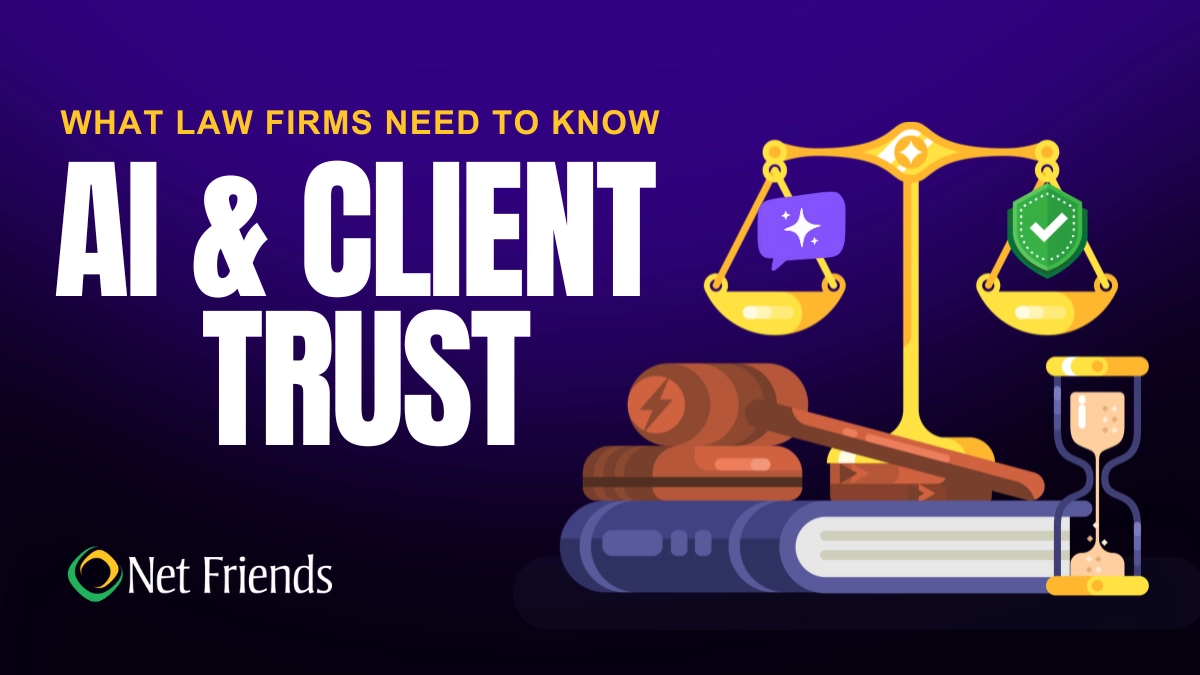
What Law Firms Need to Know About AI and Client Trust
Can AI keep client secrets? A practical guide to AI for North Carolina law firms, covering the ethics rules, safe uses, vendor vetting, and where attorneys must stay in charge.
Can AI keep client secrets? A practical guide to AI for North Carolina law firms, covering the ethics rules, safe uses, vendor vetting, and where attorneys must stay in charge.
Read full post on netfriends.com


Protecting Customer Outcomes in Volatile Times
In the AI Economy, technology value is shifting from what gets delivered to the measurable business outcomes those investments create.
In the AI Economy, technology value is shifting from what gets delivered to the measurable business outcomes those investments create.
Read full post on resources.compugen.com

AI Consulting in Chicago: What It Does and When You Need It

How Healthcare Data Privacy Changed, and What Security Risks Matter Most Today?
Healthcare data privacy has evolved from protecting physical medical records to securing electronic protected health information (ePHI) across a highly connected environment. While electronic health records made patient information easier to access and share for care, but digitization also expanded the number of systems where sensitive information can be exposed. The 2026 Verizon Data Breach Investigations Report found from 1,492 healthcare security incidents, including 1,438 confirmed disclosuresthat system intrusion accounted for 61% of healthcare breaches in its dataset, up from 53% in 202
Healthcare data privacy has evolved from protecting physical medical records to securing electronic protected health information (ePHI) across a highly connected environment. While electronic health records made patient information easier to access and share for care, but digitization also expanded the number of systems where sensitive information can be exposed. The 2026 Verizon Data Breach Investigations Report found from 1,492 healthcare security incidents, including 1,438 confirmed disclosuresthat system intrusion accounted for 61% of healthcare breaches in its dataset, up from 53% in 2025's report. Today, understanding how healthcare reached this point helps explain why protecting patient data now requires both HIPAA compliance and an active cybersecurity strategy.
Read full post on blog.centretechnologies.com

What Is Shadow AI? Where It Hides in a Small Business
Shadow AI is AI being used for work that the business never approved. Here are the four places it hides in a small business - personal sign-ups, features inside software you already own, meeting recorders and browser add-ons - and what to do about it, in order.
Shadow AI is AI being used for work that the business never approved. Here are the four places it hides in a small business - personal sign-ups, features inside software you already own, meeting recorders and browser add-ons - and what to do about it, in order.
Read full post on tvgconsulting.com

AI-Powered Sentiment and Priority Scoring: Stop Missing Urgent Client Requests
Every small business executive knows the feeling: a buried email from your best client that should have been escalated three hours ago. A Slack message marked “routine” that contained contract-threatening language. A support ticket that sat in the general queue while the client quietly shopped your competitor. AI-powered sentiment and priority scoring fixes this. Today.... <p>
Every small business executive knows the feeling: a buried email from your best client that should have been escalated three hours ago. A Slack message marked “routine” that contained contract-threatening language. A support ticket that sat in the general queue while the client quietly shopped your competitor. AI-powered sentiment and priority scoring fixes this. Today.... <p>
Read full post on xitx.com
Windows 10 ESU Year Two: How to Decide What Technology to Carry Into 2027
Every office has a few technology habits that nobody chose on purpose. A computer takes ten minutes to start, so its owner makes coffee while it loads. A spreadsheet copies data between two systems that were never connected. A device still runs an old operating system because it hosts one application nobody wants to touch.
Every office has a few technology habits that nobody chose on purpose. A computer takes ten minutes to start, so its owner makes coffee while it loads. A spreadsheet copies data between two systems that were never connected. A device still runs an old operating system because it hosts one application nobody wants to touch.
Read full post on kairosit.com

Co-Managed IT Services: What to Outsource When You Already Have an IT Team
Already have an IT team but need more capacity or specialist support? Learn what to delegate through co-managed IT services, what to keep in-house, and how to define responsibilities, handoffs and approvals before choosing a provider.
Already have an IT team but need more capacity or specialist support? Learn what to delegate through co-managed IT services, what to keep in-house, and how to define responsibilities, handoffs and approvals before choosing a provider.
Read full post on ctmsit.com
The Vendor Fraud Email That Already Knew Your Supplier's Name
The most convincing invoice fraud looks exactly like a normal bill. See how it works and the simple checks that keep the money where it belongs.
The most convincing invoice fraud looks exactly like a normal bill. See how it works and the simple checks that keep the money where it belongs.
Read full post on cnwr.com

When Everything Feels Like a Priority, How Do You Build an IT Budget?
If your roof is leaking and your kitchen is showing its age, both may need work. But only one of them is going to ruin your week. Your IT budget can put you in the same position. There may be plenty worth spending money on, but deciding what comes first isn’t always obvious. A few
If your roof is leaking and your kitchen is showing its age, both may need work. But only one of them is going to ruin your week. Your IT budget can put you in the same position. There may be plenty worth spending money on, but deciding what comes first isn’t always obvious. A few
Read full post on timefortitan.com
Just Added to MSPdb™



MSP Jobs
All Jobs

MSP Marketplace
View All


Popular MSPs
View All