Don't worry, we'll handle IT.
Discover leading Managed IT Service Providers across USA, Canada & the United Kingdom.
- 100s of leading MSPs
- Find a MSP near you
- Latest IT news for SMBs
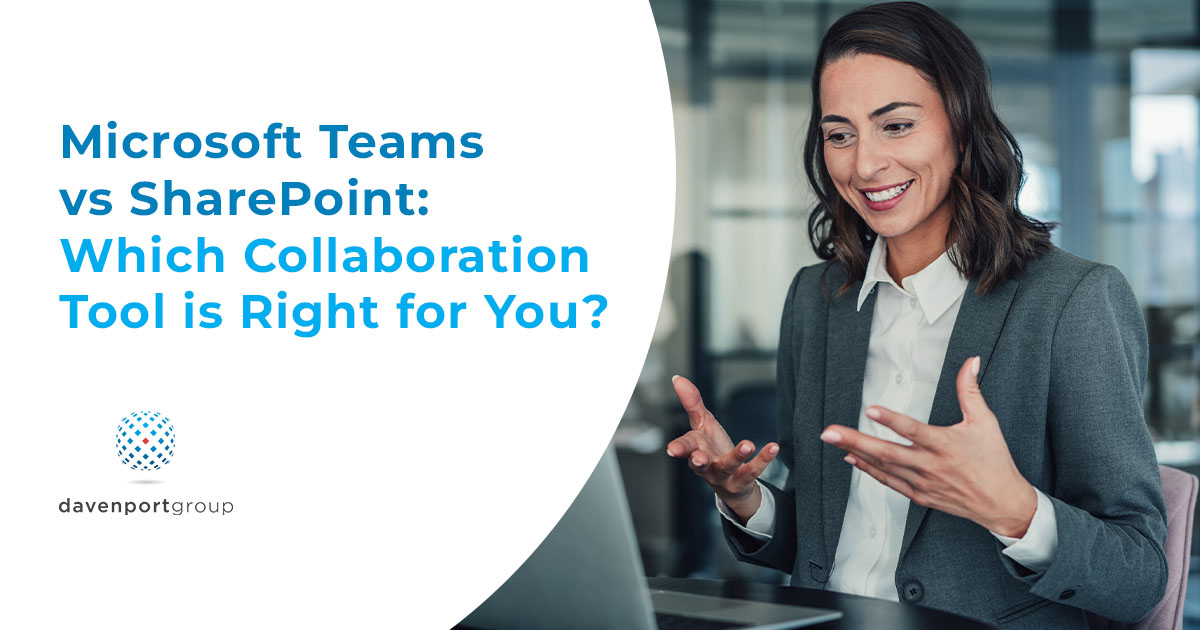
Microsoft Teams vs SharePoint: Which Collaboration Tool is Right for You?
Microsoft Teams vs SharePoint can be a difficult choice for mid-sized organizations. Collaboration touches compliance, operations, and daily execution. Leaders usually see it in three places: how fast teams can communicate, where shared documents actually live, and how consistently IT can manage access as the environment grows. Teams and SharePoint are both Microsoft collaboration tools, but they are built for different jobs. Teams is designed for real-time coordination. SharePoint is designed for structured content that needs to stay organized over time. You need to know what each tool does b
Microsoft Teams vs SharePoint can be a difficult choice for mid-sized organizations. Collaboration touches compliance, operations, and daily execution. Leaders usually see it in three places: how fast teams can communicate, where shared documents actually live, and how consistently IT can manage access as the environment grows. Teams and SharePoint are both Microsoft collaboration tools, but they are built for different jobs. Teams is designed for real-time coordination. SharePoint is designed for structured content that needs to stay organized over time. You need to know what each tool does best and how to decide whether you need Teams, SharePoint, or both. You can share this framework with stakeholders to align expectations before rollout decisions today. If meetings are a major collaboration driver for your team, How to Use Microsoft Copilot to Capture Meeting Minutes with Ease is a practical next step for turning discussions into usable outputs. Microsoft Teams and SharePoint: What’s the Difference? Microsoft Teams is a collaboration platform for chat, meetings, calling, and channel-based workspaces. SharePoint is a platform for building sites and organizing information through pages and libraries, with structured permissions and content sharing. A simple way to separate the two: Teams fits conversation-led work that changes
Read full post on davenportgroup.com
MSPdb™ News


What Is a Local LLM — And Should Your Business Run One?
A practical guide to local LLM hardware, costs, and when it makes sense to deploy AI privately Quick Answer: A local LLM (large language model) is an AI model that runs entirely on your own hardware — no cloud connection, no third-party data access, no per-query costs. For businesses that handle sensitive data or run
A practical guide to local LLM hardware, costs, and when it makes sense to deploy AI privately Quick Answer: A local LLM (large language model) is an AI model that runs entirely on your own hardware — no cloud connection, no third-party data access, no per-query costs. For businesses that handle sensitive data or run
Read full post on bestructured.com
Incident Response Lifecycle Explained Step by Step Guide
Understanding the Incident Response Lifecycle Today’s digital landscape presents organizations with a constant barrage of security threats, ranging from ransomware to data breaches and advanced persistent threats. The incident response lifecycle serves as a structured, systematic process to detect, assess, and address these threats effectively. By understanding and refining this lifecycle, companies can significantly strengthen
Understanding the Incident Response Lifecycle Today’s digital landscape presents organizations with a constant barrage of security threats, ranging from ransomware to data breaches and advanced persistent threats. The incident response lifecycle serves as a structured, systematic process to detect, assess, and address these threats effectively. By understanding and refining this lifecycle, companies can significantly strengthen
Read full post on alvaka.net

TKS Newsletter – 2026 June
We’re entering the era of agentic AI. Smart, autonomous systems that don’t only assist people, but act on their behalf. Unlike traditional tools that wait for someone to click, type or browse, agentic AI can read data, talk to other systems, and complete entire tasks end-to-end.
We’re entering the era of agentic AI. Smart, autonomous systems that don’t only assist people, but act on their behalf. Unlike traditional tools that wait for someone to click, type or browse, agentic AI can read data, talk to other systems, and complete entire tasks end-to-end.
Read full post on turnkeysol.com


How to Integrate Microsoft Licensing with Your Broader IT Strategy

Are Your Data Security Gaps Putting Your Business at Risk?
Most businesses believe their data security is under control. But confidence and reality don’t always line up. As companies grow, systems multiply, cloud apps get added, older platforms stay in place, and access permissions stack up. And that increases risk…
Most businesses believe their data security is under control. But confidence and reality don’t always line up. As companies grow, systems multiply, cloud apps get added, older platforms stay in place, and access permissions stack up. And that increases risk…
Read full post on skysailtechnologies.com

VoIP Resource Allocation Strategies That Maximize Efficiency for Small to Medium Businesses
In today’s digital environment, smart VoIP resource allocation is a must for small and midsize businesses that want reliable, cost-effective communications. VoIP (Voice over Internet Protocol) cuts calling costs but needs deliberate planning and management to deliver consistent call quality. This article walks through practical strategies – bandwidth prioritization, cost control, and QoS optimization –
In today’s digital environment, smart VoIP resource allocation is a must for small and midsize businesses that want reliable, cost-effective communications. VoIP (Voice over Internet Protocol) cuts calling costs but needs deliberate planning and management to deliver consistent call quality. This article walks through practical strategies – bandwidth prioritization, cost control, and QoS optimization –
Read full post on mis.tech

AI and HIPAA compliance: What your practice needs before AI touches patient data
An HR analyst at a 3,000-person hospital system used Microsoft Copilot to look up employee benefits. Routine query, nothing unusual. The response came back with patient treatment notes pulled from a SharePoint folder that had been sitting there for four years with broad permissions that nobody had ever cleaned up. One query. Forty-seven patient records
An HR analyst at a 3,000-person hospital system used Microsoft Copilot to look up employee benefits. Routine query, nothing unusual. The response came back with patient treatment notes pulled from a SharePoint folder that had been sitting there for four years with broad permissions that nobody had ever cleaned up. One query. Forty-seven patient records
Read full post on focushcs.com

Xigent Proud to Sponsor the 2026 Burgess Foundation Golf Tournament
Supporting local healthcare while building stronger community connections at the Burgess Foundation Golf Tournament A Day of Connection for a Meaningful Cause Last week, Xigent had the opportunity to sponsor the Burgess Foundation Golf Tournament, joining other organizations and community members for a great day on the course in support of a meaningful cause. Hosted
Supporting local healthcare while building stronger community connections at the Burgess Foundation Golf Tournament A Day of Connection for a Meaningful Cause Last week, Xigent had the opportunity to sponsor the Burgess Foundation Golf Tournament, joining other organizations and community members for a great day on the course in support of a meaningful cause. Hosted
Read full post on xigentsolutions.com

Why New CNC Machines Keep Dropping Off the Network
Many manufacturers invest in new CNC machines expecting faster production, better automation, and improved efficiency. But after installation, some facilities begin noticing a different problem instead.
Many manufacturers invest in new CNC machines expecting faster production, better automation, and improved efficiency. But after installation, some facilities begin noticing a different problem instead.
Read full post on andromeda.tech

Sage Intacct Construction vs. Deltek ComputerEase
Compare Sage Intacct Construction vs Deltek ComputerEase to evaluate WIP reporting, job costing, payroll, reporting flexibility, multi-entity accounting, and long-term scalability.
Compare Sage Intacct Construction vs Deltek ComputerEase to evaluate WIP reporting, job costing, payroll, reporting flexibility, multi-entity accounting, and long-term scalability.
Read full post on swktech.com
Just Added to MSPdb™


MSP Jobs
All Jobs
MSP Marketplace
View All

Popular MSPs
View All