Got IT?
Discover leading Managed IT Service Providers across USA, Canada & the United Kingdom.
- 100s of leading MSPs
- Find a MSP near you
- Latest IT news for SMBs

Nonprofit IT Capacity: The Hidden Cost of an Overextended IT Team
Nonprofits are being asked to do more with lean teams and limited budgets, and IT is often where that pressure becomes visible first. Day-to-day support can consume the team’s capacity, while infrastructure projects, security work, onboarding and offboarding, and other important initiatives get pushed back. Over time, that creates a broader business problem: projects stall, leaders get pulled into technology issues, critical work remains unfinished, and the organization takes on greater operational, security, and compliance risk. When IT Capacity Becomes a Business Problem
Nonprofits are being asked to do more with lean teams and limited budgets, and IT is often where that pressure becomes visible first. Day-to-day support can consume the team’s capacity, while infrastructure projects, security work, onboarding and offboarding, and other important initiatives get pushed back. Over time, that creates a broader business problem: projects stall, leaders get pulled into technology issues, critical work remains unfinished, and the organization takes on greater operational, security, and compliance risk. When IT Capacity Becomes a Business Problem Limited IT capacity does not stay inside the IT function. Managers begin coordinating vendors or resolving escalations. Finance may spend more time untangling contracts, licensing, cloud spend, or unplanned technology costs. Program leaders lose time, and technology-dependent projects move more slowly. The effects can also show up in everyday business processes. Onboarding and offboarding may take longer, access to financial systems can become harder to govern, and planned infrastructure or security work keeps slipping because the team is focused on what is urgent today. The pressure exists in both growing and resource-constrained organizations. Growth adds users, systems, projects, and complexity. Flat or declining revenue increases the pressure to get more from the same resources. In either case, the question is whether the IT team has enough capacity to keep the organization moving without allowing risk and backlog to build. Urgent Work Crowds Out Higher-Value Work Urgent support requests naturally rise to the top because they immediately affect employees and day-to-day operations. But when a small IT team is constantly pulled into login issues, device problems, access requests, and other immediate needs, higher-value work—such as infrastructure improvements, security, lifecycle planning, and strategic projects—gets pushed back. Over time, the organization may still appear to be keeping up while important work continues to accumulate. The problem is not that day-to-day support is unimportant. Urgent work can consume the capacity needed to protect and improve the environment employees depend on. Capacity Is More Than Headcount Headcount is only one part of IT capacity. The broader question is whether the team has enough time, expertise, coverage, documentation, and clear ownership to keep day-to-day support from crowding out higher-value work. Even a highly capable IT professional can become a constraint when too many critical responsibilities depend on the same small team. Sector data reinforces the connection between staffing capacity and risk. Almost 1,300 nonprofit technology assessments showed a strong relationship between dedicated technology staffing and reported risk. Organizations without technology staff averaged nearly 60% risk flags. Organizations with more than ten averaged 28%. The analysis does not prove that adding employees automatically reduces risk. The takeaway is broader: organizations need enough capacity and the right expertise behind their technology environment. Before assuming the answer is more headcount, leaders should understand where skilled time goes and what work is consistently deferred. Measure the Work Before Changing the Team Job titles can hide how nonprofit IT capacity is actually being used. A short workload review gives leadership a clearer starting point. Look at the previous month and ask: • Which responsibilities consumed the most skilled time? • Which important tasks were postponed more than once? • Where did work stop because only one person could continue it? The answers help separate an expertise gap from a time shortage and identify single-person dependencies that create risk. They may also show that the existing team is the right team—its highest-value work is simply being crowded out. Create Capacity Where It Releases the Most Value Once leadership can see the constraint, it can decide where to create capacity. That may mean reprioritizing work, clarifying ownership, standardizing or automating routine tasks, shifting responsibilities, or adding specialized expertise where the internal team lacks time or depth. Proper Sky approaches this as a capacity decision, not a replacement decision. For organizations with a small internal IT team, outside support can be used selectively to absorb routine support, provide escalation depth, or add infrastructure and security expertise while the internal team retains ownership of the work it is best positioned to lead. The right answer is not simply “more IT.” The useful measure is whether the change protects critical work, reduces risk, and returns skilled time to the people and priorities where it creates the most value. Protect Both Sides of the Work Healthy nonprofit IT capacity means employees can get the support they need without important infrastructure, security, and strategic work continually falling behind. The goal is enough capacity in the right places so critical work moves, risk stays controlled, and leadership doesn't spend time compensating for an overloaded technology function.
Read full post on propersky.com
MSPdb™ News
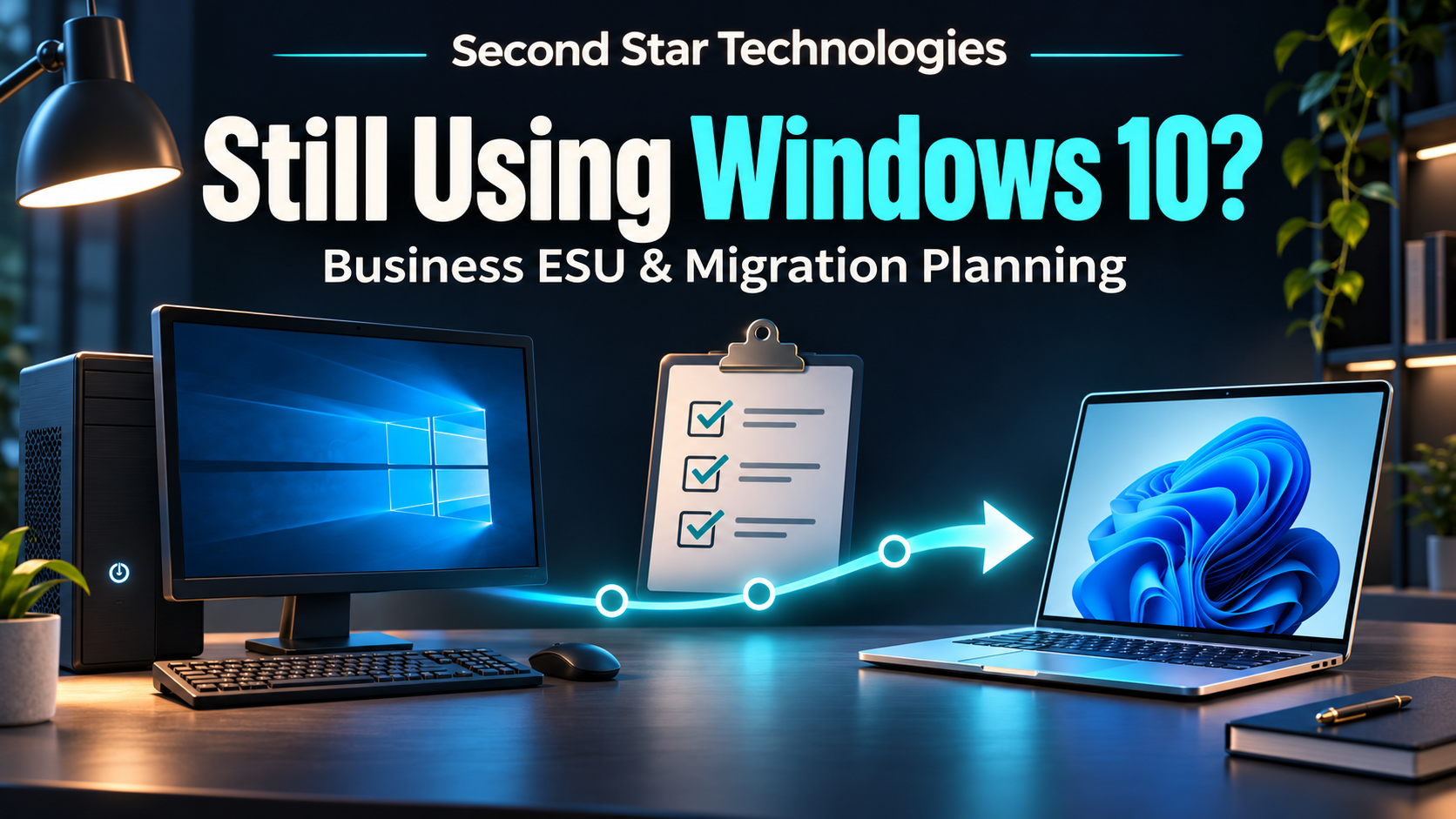
Still Using Windows 10 at Work? Check Your Business ESU and Migration Plan
Listen to the audio summary Your browser does not support audio playback. A Windows 10 computer may still handle your invoices or run a program the business relies on. Before keeping it in service for another year, ask IT to document its support status and a workable migration date. A device-by-device review helps you budget for the change without losing track of the work that depends on an older PC.
Listen to the audio summary Your browser does not support audio playback. A Windows 10 computer may still handle your invoices or run a program the business relies on. Before keeping it in service for another year, ask IT to document its support status and a workable migration date. A device-by-device review helps you budget for the change without losing track of the work that depends on an older PC.
Read full post on secondstartechnologies.com

Cybercriminals Are Targeting Refrigeration Systems
Cybercriminals Are Targeting Refrigeration Systems On November 5, 2026, the FBI, Cybersecurity and Infrastructure Security Agency (CISA), and other federal partners released a joint advisory about attacks on industrial refrigeration and cold-chain monitoring systems. These systems help businesses maintain safe temperatures throughout storage and transportation.
Cybercriminals Are Targeting Refrigeration Systems On November 5, 2026, the FBI, Cybersecurity and Infrastructure Security Agency (CISA), and other federal partners released a joint advisory about attacks on industrial refrigeration and cold-chain monitoring systems. These systems help businesses maintain safe temperatures throughout storage and transportation.
Read full post on 4bis.com

How to Protect Trust Accounts from Wire Fraud
Disclaimer: This is purely general information, not legal advice. Let’s look at this scenario: It’s Thursday afternoon. The closing is set for Friday morning, and an email from the title company arrives with updated wiring instructions. The same logo, same signature block, same friendly “let us know if you have questions.” Nothing looks strange or
Disclaimer: This is purely general information, not legal advice. Let’s look at this scenario: It’s Thursday afternoon. The closing is set for Friday morning, and an email from the title company arrives with updated wiring instructions. The same logo, same signature block, same friendly “let us know if you have questions.” Nothing looks strange or
Read full post on lgnetworksinc.com
Ransomware Protection San Diego: Test Your Backup Restore Before You Need It
Ransomware protection San Diego businesses can count on starts with a tested restore: immutable backups, recovery order, and proof it works.
Ransomware protection San Diego businesses can count on starts with a tested restore: immutable backups, recovery order, and proof it works.
Read full post on fitsolutions.biz

Incident Response Retainer Questions: 7 Critical Asks Before You Need It
Most IT service agreements promise 24/7 monitoring and rapid response to technical issues. But when ransomware locks your files at 2 AM or you discover unauthorized access to client data, the uncomfortable truth emerges: your vendor monitors your network, but they don’t actually lead breach response. That gap between “we watch your systems” and “we... <p>
Most IT service agreements promise 24/7 monitoring and rapid response to technical issues. But when ransomware locks your files at 2 AM or you discover unauthorized access to client data, the uncomfortable truth emerges: your vendor monitors your network, but they don’t actually lead breach response. That gap between “we watch your systems” and “we... <p>
Read full post on xitx.com


What Should Be Included in a Managed IT Services Agreement?
A managed IT services agreement defines what your IT provider will do, how quickly, and at what cost. It is one of the most important documents behind your technology, and it often gets signed without a close read. Many frustrations with an IT provider trace back to that agreement. Something the business assumed was covered
A managed IT services agreement defines what your IT provider will do, how quickly, and at what cost. It is one of the most important documents behind your technology, and it often gets signed without a close read. Many frustrations with an IT provider trace back to that agreement. Something the business assumed was covered
Read full post on rbsit.com
AutoCAD Cloud Collaboration for Engineering Firms: What Works and What Breaks
Putting AutoCAD project folders in OneDrive or SharePoint looks like the easy way to collaborate. Here's what actually works for engineering firms, what breaks xrefs and saves, and how to choose a setup your designers won't fight.
Putting AutoCAD project folders in OneDrive or SharePoint looks like the easy way to collaborate. Here's what actually works for engineering firms, what breaks xrefs and saves, and how to choose a setup your designers won't fight.
Read full post on act360.ca

California Taxes SaaS Starting January 1. What Lands on Your IT Bill
Direct Answer: Starting January 1, 2027, California sales tax applies to prewritten and remotely accessed software. Your subscriptions work the same. The invoice total goes up by your city’s combined sales tax rate. Most business owners in Monterey County will learn about this change the same way: a renewal invoice shows up in January with
Direct Answer: Starting January 1, 2027, California sales tax applies to prewritten and remotely accessed software. Your subscriptions work the same. The invoice total goes up by your city’s combined sales tax rate. Most business owners in Monterey County will learn about this change the same way: a renewal invoice shows up in January with
Read full post on adaptiveis.net

Manufacturing IT Services: How to Choose a Managed Provider That Understands the Plant Floor
.blog-post-container{color:#ffffff !important;font-family:-apple-system,BlinkMacSystemFont,"Segoe UI",Roboto,Helvetica,Arial,sans-serif !important;font-size:16px !important;line-height:1.7 !important;width:100%;max-width:100%;box-sizing:border-box;}.blog-post-container h2{margin:1.5em 0 0.75em !important;line-height:1.25 !important;color:inherit !important;}.blog-post-container h3{margin:1.25em 0 0.6em !important;line-height:1.3 !important;color:inherit !important;}.blog-post-container h4{margin:1em 0 0.5em !important;line-height:1.4 !important;color:inherit !important;}.blog-post-container>h2
.blog-post-container{color:#ffffff !important;font-family:-apple-system,BlinkMacSystemFont,"Segoe UI",Roboto,Helvetica,Arial,sans-serif !important;font-size:16px !important;line-height:1.7 !important;width:100%;max-width:100%;box-sizing:border-box;}.blog-post-container h2{margin:1.5em 0 0.75em !important;line-height:1.25 !important;color:inherit !important;}.blog-post-container h3{margin:1.25em 0 0.6em !important;line-height:1.3 !important;color:inherit !important;}.blog-post-container h4{margin:1em 0 0.5em !important;line-height:1.4 !important;color:inherit !important;}.blog-post-container>h2:first-child,.blog-post-container>h3:first-child{margin-top:0 !important;}.blog-post-container p{margin-bottom:1.25em !important;}.blog-post-container ul,.blog-post-container ol{margin:0 0 1.6em 1.4em !important;padding:0 !important;}.blog-post-container li{margin-bottom:0.55em !important;}.blog-post-container blockquote{margin:1.8em 0 !important;padding:1.2em 1.6em !important;border-left:4px solid #ccc !important;background:#222222 !important;}.blog-post-container .table-of-contents{background:#1a1f2e !important;border:1px solid #2a3040;padding:1.2em 1.5em;border-radius:8px;margin:1.5em 0;}.blog-post-container .table-of-contents h4{margin-top:0 !important;margin-bottom:0.8em !important;color:#e0e0e0 !important;font-size:1.1em;}.blog-post-container .table-of-contents ul{margin:0 !important;padding-left:1.2em !important;}.blog-post-container .table-of-contents li{margin-bottom:0.4em !important;}.blog-post-container .table-of-contents a{text-decoration:none;color:#60a5fa !important;transition:color 0.2s ease;}.blog-post-container .table-of-contents a:hover{color:#93c5fd !important;text-decoration:underline;}.blog-post-container .key-takeaways{background:#1a2b3c !important;border-left:4px solid #2563eb !important;padding:1.25em 1.5em;margin:1.5em 0;border-radius:0 8px 8px 0;}.blog-post-container .key-takeaways h4{margin-top:0 !important;margin-bottom:0.75em !important;color:#60a5fa !important;font-weight:700;}.blog-post-container .key-takeaways ul{margin-bottom:0 !important;}.blog-post-container .key-takeaways li{margin-bottom:0.6em !important;}.blog-post-container .eyebrow-label{text-transform:uppercase;letter-spacing:1px;color:#888;font-size:0.8em;margin-bottom:8px;font-weight:500;}.blog-post-container .callout,.blog-post-container .quick-answer,.blog-post-container .highlight-box{padding:20px 20px 20px 50px !important;margin:2em 0 !important;border-left:5px solid;border-radius:5px !important;position:relative;}.blog-post-container .callout-tip,.blog-post-container .quick-answer{display:block !important;position:relative !important;padding:16px 20px 16px 56px !important;margin:1.5em 0 !important;border-left:5px solid #2e77b5 !important;background:#1a2b3c !important;border-radius:6px !important;line-height:1.6 !important;}.blog-post-container .callout-info,.blog-post-container .highlight-box{border-color:#3498db !important;background:#1c3040 !important;}.blog-post-container .callout-warning{border-color:#c03e26 !important;background:#3d1e1a !important;}.blog-post-container .pros-cons-list{display:grid !important;grid-template-columns:1fr 1fr !important;gap:20px !important;margin:2em 0 !important;padding:0 !important;}.blog-post-container .pros-cons-list>h2,.blog-post-container .pros-cons-list>h3,.blog-post-container .pros-cons-list>h4{grid-column:1 / -1 !important;margin-top:0 !important;}.blog-post-container .pros-list{background:#1a3b2a !important;border:1px solid #c6f6d5 !important;padding:20px !important;border-radius:8px !important;}.blog-post-container .pros-list h4{color:#86efac !important;}.blog-post-container .cons-list{background:#3f1f1f !important;border:1px solid #fed7d7 !important;padding:20px !important;border-radius:8px !important;}.blog-post-container .cons-list h4{color:#fca5a5 !important;}.blog-post-container .cta-button{display:inline-block;background:#5fc5bd;color:#FFFFFF !important;font-size:18px;font-weight:700;line-height:1;padding:14px 32px;border-radius:32px;letter-spacing:0.5px;text-decoration:none;border:none;outline:none;transition:background-color 0.2s ease-in-out;}.blog-post-container .cta-button:hover{background:#4aa8a1;}.blog-post-container .author-bio-wrapper .author-bio{border-top:none !important;margin-top:0 !important;padding-top:0 !important;}.blog-post-container .author-bio-wrapper section{border-top:none !important;margin-top:0 !important;padding-top:0 !important;}.blog-post-container table{width:100% !important;max-width:100% !important;table-layout:fixed !important;border-collapse:collapse !important;font-size:0.75em;}.blog-post-container th,.blog-post-container td{padding:0.6em 0.8em !important;white-space:normal !important;word-break:normal !important;overflow-wrap:break-word !important;}@media (max-width:749px){.blog-post-container .pros-cons-list{grid-template-columns:1fr !important;}}@media (max-width:900px){.blog-post-container table{display:block;overflow-x:auto;font-size:0.65em;}} manufacturing it services
Read full post on andromeda.tech

Stop Losing Billable Hours to Slow Workstations and Loading Screens
Every minute an employee sits waiting for a spinning loading icon is payroll down the drain. If ten staff members lose just fifteen minutes a day to a sluggish workstation, your business burns through more than sixty hours of productive time every single month.Writing a massive check to replace every endpoint in the building is rarely feasible when hardware costs remain elevated. Throwing a slow computer directly into the dumpster might feel satisfying, but it is rarely the smartest financial move. You do not always need brand-new machines to restore performance, but you do need a deliberate s
Every minute an employee sits waiting for a spinning loading icon is payroll down the drain. If ten staff members lose just fifteen minutes a day to a sluggish workstation, your business burns through more than sixty hours of productive time every single month.Writing a massive check to replace every endpoint in the building is rarely feasible when hardware costs remain elevated. Throwing a slow computer directly into the dumpster might feel satisfying, but it is rarely the smartest financial move. You do not always need brand-new machines to restore performance, but you do need a deliberate strategy.
Read full post on coretechllc.com
Just Added to MSPdb™



MSP Jobs
All Jobs


MSP Marketplace
View All


Popular MSPs
View All