Got IT?
Discover leading Managed IT Service Providers across USA, Canada & the United Kingdom.
- 100s of leading MSPs
- Find a MSP near you
- Latest IT news for SMBs

Nonprofit IT Costs: Where Is Your Technology Budget Going?
A board member asks whether your organization can spend less on technology. You can explain the support contract and last quarter’s equipment purchases. However, the full answer also sits in departmental subscriptions, payroll, phone bills, and contracts that renew at different times. Before recommending a reduction, you need to understand what those expenses provide together. That question carries weight when funding feels less predictable. Among foundation-funded nonprofits surveyed in 2026, 66% of CEOs expressed concern about their organization’s financial stability. For leaders facing
A board member asks whether your organization can spend less on technology. You can explain the support contract and last quarter’s equipment purchases. However, the full answer also sits in departmental subscriptions, payroll, phone bills, and contracts that renew at different times. Before recommending a reduction, you need to understand what those expenses provide together. That question carries weight when funding feels less predictable. Among foundation-funded nonprofits surveyed in 2026, 66% of CEOs expressed concern about their organization’s financial stability. For leaders facing that uncertainty, clear spending decisions matter more than a general promise to save money. A review of nonprofit IT costs should provide that explanation. It should connect spending to the work your organization delivers. Once you understand the whole picture, you can distinguish necessary spending from commitments that deserve another look. Find the spending outside the IT account Start with the general ledger, but do not stop there. Development may own the donor database, while operations pays for phones and internet. Meanwhile, program budgets may carry application subscriptions or equipment purchases. Those expenses still support your technology environment, even when different managers approve them. Bring invoices, purchasing-card transactions, contracts, and subscription records into one working view. Include internal technology labor and outside support, but keep those categories distinct. Also, ask department leaders about tools they purchase directly. Their answers may explain expenses that a finance export cannot describe accurately. This exercise does not replace your accounting structure. Instead, it creates a management view of nonprofit IT costs across that structure. Keep the original budget classifications intact, and let finance determine any accounting changes. The goal is a complete picture of nonprofit IT costs, not a new chart of accounts. Separate the bill from the period it supports A large payment does not always represent a sudden increase in consumption. An annual subscription can make one month look unusually expensive, although it supports work throughout the year. Conversely, a modest monthly payment may commit your organization to a longer contract. Compare both the payment schedule and the commitment behind it. Cloud spending makes this distinction especially important. When reviewing Azure spending, you can examine actual and amortized costs separately. Actual costs reflect billed purchases; amortized costs distribute eligible commitments across their term. Therefore, use one consistent basis when comparing periods, and explain the difference to leadership. Keep a cash calendar beside that comparison. It should show payment dates, renewal deadlines, and opportunities to change quantities or terms. As a result, the review can inform decisions before a contract renews. A cost report arriving after the renewal may explain the problem without leaving you room to address it. Give every expense an owner and a purpose A vendor name rarely tells leadership enough. A recurring charge might support a program, preserve records, protect access, or duplicate another service. Add a plain-language purpose and a responsible owner to each significant expense. Then confirm the explanation with someone who understands the work. Three questions keep this discussion focused: What work does this expense enable or protect? Who depends on it, and who can verify that need? When can we change the commitment without disrupting that work? Record the answers beside the cost, not in a separate presentation. That way, your review preserves context when someone else examines the numbers. It also gives future leaders a reason for the decision instead of another unexplained renewal. Check use without confusing activity with value Usage information can reveal a mismatch between purchased capacity and actual work. Microsoft 365 active-user reports help administrators identify product usage and possible underuse. However, a quiet account doesn't automatically mean you can remove a license. First, verify its purpose, security requirements, and retention needs. Seasonal work deserves particular care. A program may use an application heavily during enrollment and rarely afterward. Similarly, development staff may need specialized tools around a fundraising event. Compare usage across a representative period rather than judging everything from one quiet month. Low activity alone does not tell you whether an application still earns its place. Understanding its purpose takes input from whoever manages it, whether that’s you or someone on your team. That conversation may reveal unnecessary spending, a training gap, a seasonal need, or an important capability that staff rarely use. This makes nonprofit IT costs easier to evaluate without treating login frequency as the only measure of value. Reconcile the records before trusting the total Finance and technology teams can describe the same expense differently. One view shows invoices, while another shows resource consumption. Without reconciliation, prepaid commitments or bundled services can create misleading totals. Therefore, compare the working inventory with actual bills before presenting a savings opportunity. Recent cloud billing standards support invoice reconciliation, connecting usage records with billed charges and payment periods. Your nonprofit doesn't need a complex cost-management program to apply this discipline. It needs consistent records that finance and technology owners can both explain. Resolve unexplained differences rather than grouping them under “miscellaneous.” Also, distinguish estimates from confirmed charges. A working estimate can support an initial conversation, but firmer evidence helps leadership make budget decisions with confidence. That clarity matters when leaders already face difficult spending choices. Explain changes before comparing nonprofit IT costs A year-over-year increase does not prove that technology has become less efficient. Your organization may have added a program, expanded operating hours, or taken on another location. Alternatively, a one-time project may explain the change. Compare the current environment with the work it supports, not just last year’s total. Keep recurring expenses separate from project costs and temporary overlap. Otherwise, a migration period can make a sensible long-term decision look unnecessarily expensive. Also, identify discounts or credits that expire. A temporary reduction should not become the baseline for future budgets without a clear explanation. At this stage, your review of nonprofit IT costs should distinguish confirmed commitments, variable usage, and planning assumptions. That separation helps leadership see what it can change now and what requires preparation. It also prevents the board from treating an estimated opportunity as money already available for programs. Use the baseline to prepare a better decision The resulting baseline should fit into a conversation, not require a technical interpreter. Show what you spend, what each major category supports, and which decisions to approach next. Include unresolved questions openly. Then assign someone to answer them before leadership approves reductions or renewals. For Proper Sky, technology strategy and budgeting belong together because financial decisions need operational context. We build IT around your business — not the other way around. That means understanding the work before recommending a different platform, provider, or spending level. Our work with Greater Philadelphia Community Alliance shows why that order matters. After reviewing its environment, we helped consolidate and renegotiate vendor contracts, saving thousands each month. That result reflects GPCA’s circumstances, not a guaranteed savings rate. However, it demonstrates the value of examining technology and commercial commitments together. Make the next budget conversation more useful Reviewing nonprofit IT costs helps your leadership team replace assumptions with informed choices. You may find an expense to remove, a contract to revisit, or an investment worth defending. Just as importantly, the review may confirm that a questioned expense supports work your organization cannot responsibly interrupt. Keep the baseline current as commitments change. A brief review before major renewals will often prove more useful than rebuilding the entire picture during budget season. Also, document the reasoning behind decisions so the next review starts with knowledge, not guesswork. Through Proper Sky for Good, we help nonprofits connect technology decisions with the organizations they serve. Bring the spending questions you cannot yet answer. A clear account of nonprofit IT costs gives you a stronger starting point than a promise to make everything cheaper.
Read full post on propersky.com
MSPdb™ News
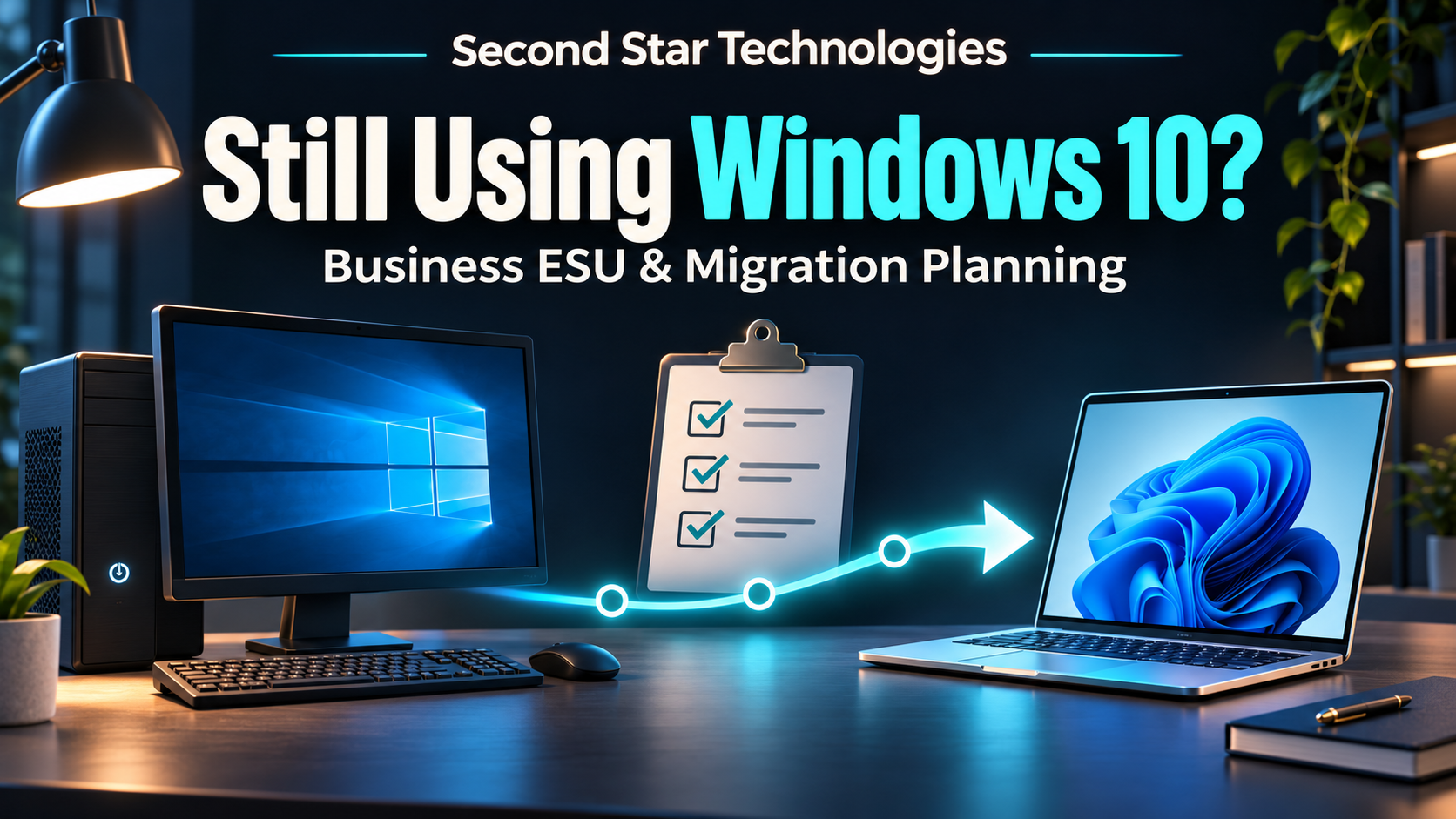
Still Using Windows 10 at Work? Check Your Business ESU and Migration Plan
Listen to the audio summary Your browser does not support audio playback. A Windows 10 computer may still handle your invoices or run a program the business relies on. Before keeping it in service for another year, ask IT to document its support status and a workable migration date. A device-by-device review helps you budget for the change without losing track of the work that depends on an older PC.
Listen to the audio summary Your browser does not support audio playback. A Windows 10 computer may still handle your invoices or run a program the business relies on. Before keeping it in service for another year, ask IT to document its support status and a workable migration date. A device-by-device review helps you budget for the change without losing track of the work that depends on an older PC.
Read full post on secondstartechnologies.com

Cybercriminals Are Targeting Refrigeration Systems
Cybercriminals Are Targeting Refrigeration Systems On November 5, 2026, the FBI, Cybersecurity and Infrastructure Security Agency (CISA), and other federal partners released a joint advisory about attacks on industrial refrigeration and cold-chain monitoring systems. These systems help businesses maintain safe temperatures throughout storage and transportation.
Cybercriminals Are Targeting Refrigeration Systems On November 5, 2026, the FBI, Cybersecurity and Infrastructure Security Agency (CISA), and other federal partners released a joint advisory about attacks on industrial refrigeration and cold-chain monitoring systems. These systems help businesses maintain safe temperatures throughout storage and transportation.
Read full post on 4bis.com

How to Protect Trust Accounts from Wire Fraud
Disclaimer: This is purely general information, not legal advice. Let’s look at this scenario: It’s Thursday afternoon. The closing is set for Friday morning, and an email from the title company arrives with updated wiring instructions. The same logo, same signature block, same friendly “let us know if you have questions.” Nothing looks strange or
Disclaimer: This is purely general information, not legal advice. Let’s look at this scenario: It’s Thursday afternoon. The closing is set for Friday morning, and an email from the title company arrives with updated wiring instructions. The same logo, same signature block, same friendly “let us know if you have questions.” Nothing looks strange or
Read full post on lgnetworksinc.com

Ransomware Protection San Diego: Test Your Backup Restore Before You Need It
Ransomware protection San Diego businesses can count on starts with a tested restore: immutable backups, recovery order, and proof it works.
Ransomware protection San Diego businesses can count on starts with a tested restore: immutable backups, recovery order, and proof it works.
Read full post on fitsolutions.biz

Incident Response Retainer Questions: 7 Critical Asks Before You Need It
Most IT service agreements promise 24/7 monitoring and rapid response to technical issues. But when ransomware locks your files at 2 AM or you discover unauthorized access to client data, the uncomfortable truth emerges: your vendor monitors your network, but they don’t actually lead breach response. That gap between “we watch your systems” and “we... <p>
Most IT service agreements promise 24/7 monitoring and rapid response to technical issues. But when ransomware locks your files at 2 AM or you discover unauthorized access to client data, the uncomfortable truth emerges: your vendor monitors your network, but they don’t actually lead breach response. That gap between “we watch your systems” and “we... <p>
Read full post on xitx.com


What Should Be Included in a Managed IT Services Agreement?
A managed IT services agreement defines what your IT provider will do, how quickly, and at what cost. It is one of the most important documents behind your technology, and it often gets signed without a close read. Many frustrations with an IT provider trace back to that agreement. Something the business assumed was covered
A managed IT services agreement defines what your IT provider will do, how quickly, and at what cost. It is one of the most important documents behind your technology, and it often gets signed without a close read. Many frustrations with an IT provider trace back to that agreement. Something the business assumed was covered
Read full post on rbsit.com
AutoCAD Cloud Collaboration for Engineering Firms: What Works and What Breaks
Putting AutoCAD project folders in OneDrive or SharePoint looks like the easy way to collaborate. Here's what actually works for engineering firms, what breaks xrefs and saves, and how to choose a setup your designers won't fight.
Putting AutoCAD project folders in OneDrive or SharePoint looks like the easy way to collaborate. Here's what actually works for engineering firms, what breaks xrefs and saves, and how to choose a setup your designers won't fight.
Read full post on act360.ca

California Taxes SaaS Starting January 1. What Lands on Your IT Bill
Direct Answer: Starting January 1, 2027, California sales tax applies to prewritten and remotely accessed software. Your subscriptions work the same. The invoice total goes up by your city’s combined sales tax rate. Most business owners in Monterey County will learn about this change the same way: a renewal invoice shows up in January with
Direct Answer: Starting January 1, 2027, California sales tax applies to prewritten and remotely accessed software. Your subscriptions work the same. The invoice total goes up by your city’s combined sales tax rate. Most business owners in Monterey County will learn about this change the same way: a renewal invoice shows up in January with
Read full post on adaptiveis.net

Manufacturing IT Services: How to Choose a Managed Provider That Understands the Plant Floor
.blog-post-container{color:#ffffff !important;font-family:-apple-system,BlinkMacSystemFont,"Segoe UI",Roboto,Helvetica,Arial,sans-serif !important;font-size:16px !important;line-height:1.7 !important;width:100%;max-width:100%;box-sizing:border-box;}.blog-post-container h2{margin:1.5em 0 0.75em !important;line-height:1.25 !important;color:inherit !important;}.blog-post-container h3{margin:1.25em 0 0.6em !important;line-height:1.3 !important;color:inherit !important;}.blog-post-container h4{margin:1em 0 0.5em !important;line-height:1.4 !important;color:inherit !important;}.blog-post-container>h2
.blog-post-container{color:#ffffff !important;font-family:-apple-system,BlinkMacSystemFont,"Segoe UI",Roboto,Helvetica,Arial,sans-serif !important;font-size:16px !important;line-height:1.7 !important;width:100%;max-width:100%;box-sizing:border-box;}.blog-post-container h2{margin:1.5em 0 0.75em !important;line-height:1.25 !important;color:inherit !important;}.blog-post-container h3{margin:1.25em 0 0.6em !important;line-height:1.3 !important;color:inherit !important;}.blog-post-container h4{margin:1em 0 0.5em !important;line-height:1.4 !important;color:inherit !important;}.blog-post-container>h2:first-child,.blog-post-container>h3:first-child{margin-top:0 !important;}.blog-post-container p{margin-bottom:1.25em !important;}.blog-post-container ul,.blog-post-container ol{margin:0 0 1.6em 1.4em !important;padding:0 !important;}.blog-post-container li{margin-bottom:0.55em !important;}.blog-post-container blockquote{margin:1.8em 0 !important;padding:1.2em 1.6em !important;border-left:4px solid #ccc !important;background:#222222 !important;}.blog-post-container .table-of-contents{background:#1a1f2e !important;border:1px solid #2a3040;padding:1.2em 1.5em;border-radius:8px;margin:1.5em 0;}.blog-post-container .table-of-contents h4{margin-top:0 !important;margin-bottom:0.8em !important;color:#e0e0e0 !important;font-size:1.1em;}.blog-post-container .table-of-contents ul{margin:0 !important;padding-left:1.2em !important;}.blog-post-container .table-of-contents li{margin-bottom:0.4em !important;}.blog-post-container .table-of-contents a{text-decoration:none;color:#60a5fa !important;transition:color 0.2s ease;}.blog-post-container .table-of-contents a:hover{color:#93c5fd !important;text-decoration:underline;}.blog-post-container .key-takeaways{background:#1a2b3c !important;border-left:4px solid #2563eb !important;padding:1.25em 1.5em;margin:1.5em 0;border-radius:0 8px 8px 0;}.blog-post-container .key-takeaways h4{margin-top:0 !important;margin-bottom:0.75em !important;color:#60a5fa !important;font-weight:700;}.blog-post-container .key-takeaways ul{margin-bottom:0 !important;}.blog-post-container .key-takeaways li{margin-bottom:0.6em !important;}.blog-post-container .eyebrow-label{text-transform:uppercase;letter-spacing:1px;color:#888;font-size:0.8em;margin-bottom:8px;font-weight:500;}.blog-post-container .callout,.blog-post-container .quick-answer,.blog-post-container .highlight-box{padding:20px 20px 20px 50px !important;margin:2em 0 !important;border-left:5px solid;border-radius:5px !important;position:relative;}.blog-post-container .callout-tip,.blog-post-container .quick-answer{display:block !important;position:relative !important;padding:16px 20px 16px 56px !important;margin:1.5em 0 !important;border-left:5px solid #2e77b5 !important;background:#1a2b3c !important;border-radius:6px !important;line-height:1.6 !important;}.blog-post-container .callout-info,.blog-post-container .highlight-box{border-color:#3498db !important;background:#1c3040 !important;}.blog-post-container .callout-warning{border-color:#c03e26 !important;background:#3d1e1a !important;}.blog-post-container .pros-cons-list{display:grid !important;grid-template-columns:1fr 1fr !important;gap:20px !important;margin:2em 0 !important;padding:0 !important;}.blog-post-container .pros-cons-list>h2,.blog-post-container .pros-cons-list>h3,.blog-post-container .pros-cons-list>h4{grid-column:1 / -1 !important;margin-top:0 !important;}.blog-post-container .pros-list{background:#1a3b2a !important;border:1px solid #c6f6d5 !important;padding:20px !important;border-radius:8px !important;}.blog-post-container .pros-list h4{color:#86efac !important;}.blog-post-container .cons-list{background:#3f1f1f !important;border:1px solid #fed7d7 !important;padding:20px !important;border-radius:8px !important;}.blog-post-container .cons-list h4{color:#fca5a5 !important;}.blog-post-container .cta-button{display:inline-block;background:#5fc5bd;color:#FFFFFF !important;font-size:18px;font-weight:700;line-height:1;padding:14px 32px;border-radius:32px;letter-spacing:0.5px;text-decoration:none;border:none;outline:none;transition:background-color 0.2s ease-in-out;}.blog-post-container .cta-button:hover{background:#4aa8a1;}.blog-post-container .author-bio-wrapper .author-bio{border-top:none !important;margin-top:0 !important;padding-top:0 !important;}.blog-post-container .author-bio-wrapper section{border-top:none !important;margin-top:0 !important;padding-top:0 !important;}.blog-post-container table{width:100% !important;max-width:100% !important;table-layout:fixed !important;border-collapse:collapse !important;font-size:0.75em;}.blog-post-container th,.blog-post-container td{padding:0.6em 0.8em !important;white-space:normal !important;word-break:normal !important;overflow-wrap:break-word !important;}@media (max-width:749px){.blog-post-container .pros-cons-list{grid-template-columns:1fr !important;}}@media (max-width:900px){.blog-post-container table{display:block;overflow-x:auto;font-size:0.65em;}} manufacturing it services
Read full post on andromeda.tech


Stop Losing Billable Hours to Slow Workstations and Loading Screens
Every minute an employee sits waiting for a spinning loading icon is payroll down the drain. If ten staff members lose just fifteen minutes a day to a sluggish workstation, your business burns through more than sixty hours of productive time every single month.Writing a massive check to replace every endpoint in the building is rarely feasible when hardware costs remain elevated. Throwing a slow computer directly into the dumpster might feel satisfying, but it is rarely the smartest financial move. You do not always need brand-new machines to restore performance, but you do need a deliberate s
Every minute an employee sits waiting for a spinning loading icon is payroll down the drain. If ten staff members lose just fifteen minutes a day to a sluggish workstation, your business burns through more than sixty hours of productive time every single month.Writing a massive check to replace every endpoint in the building is rarely feasible when hardware costs remain elevated. Throwing a slow computer directly into the dumpster might feel satisfying, but it is rarely the smartest financial move. You do not always need brand-new machines to restore performance, but you do need a deliberate strategy.
Read full post on coretechllc.com
Just Added to MSPdb™



MSP Jobs
All Jobs


MSP Marketplace
View All


Popular MSPs
View All