We take IT off your plate.
Discover leading Managed IT Service Providers across USA, Canada & the United Kingdom.
- 100s of leading MSPs
- Find a MSP near you
- Latest IT news for SMBs


Nonprofit Cybersecurity: Stop Ransomware Before It Stops Your Mission
Quick answer: Nonprofit cybersecurity is the set of practices, tools, and policies nonprofits use to protect donor data, financial systems, and daily operations from ransomware, phishing, and other attacks. Because nonprofits hold sensitive donor and client data on limited IT budgets, they are a frequent target. A small set of controls, multi factor authentication, tested backups, staff training, and a written incident response plan, closes most of the gap without an enterprise security budget. Nonprofits run on trust. Donors trust you with their information. Clients trust you with thei
Quick answer: Nonprofit cybersecurity is the set of practices, tools, and policies nonprofits use to protect donor data, financial systems, and daily operations from ransomware, phishing, and other attacks. Because nonprofits hold sensitive donor and client data on limited IT budgets, they are a frequent target. A small set of controls, multi factor authentication, tested backups, staff training, and a written incident response plan, closes most of the gap without an enterprise security budget. Nonprofits run on trust. Donors trust you with their information. Clients trust you with their data. Boards trust you to protect the mission itself. That is exactly why cybercriminals see nonprofits as an easy, high value target, and why nonprofit cybersecurity is no longer something to handle later. Not sure where your organization stands? See how Endsight's cybersecurity team monitors and protects nonprofit networks before an attack happens, not after. Why Nonprofits Are a Growing Target Nonprofits collect and store some of the same sensitive information large enterprises do: donor records, personal client information, financial details, and program data. Most nonprofits, however, do not have enterprise level defenses behind that data. Limited IT staff, aging software, and a reliance on volunteers using personal devices all create openings that attackers know how to find. Two trends make this worse. First, ransomware as a service has lowered the skill bar for attackers, criminal groups now rent out ready made ransomware tools to anyone willing to split the profits. Second, business email compromise and other social engineering tactics increasingly target nonprofit finance and development staff directly, since a single convincing email asking for a wire transfer or gift card purchase can bypass technical defenses entirely. The gap shows up in the numbers. The 2023 Nonprofit Tech for Good Report found that 27% of nonprofits worldwide experienced a cyberattack in the past year, more than one in four organizations. Attackers are not choosing targets at random. Nonprofits often pair valuable data with underfunded security, which makes them a more efficient target than a well defended corporation. What a Ransomware Attack Actually Costs Your Organization When ransomware hits, it stops being a technical problem within hours. Program staff lose access to case management systems. Finance cannot process payroll or grant disbursements. Communications teams cannot reach donors on schedule. Meanwhile, your board is asking for answers you do not have yet. The 2024 IBM Cost of a Data Breach Report puts the average ransomware related breach at nearly $5 million, not including any ransom paid. Few nonprofits have reserves built for that kind of hit, financially or in staff time. The damage is not only operational. Donors and grant makers increasingly ask how organizations protect the data entrusted to them, and a breach can quietly undermine relationships that took years to build. Warning Signs You May Already Be at Risk Before an incident happens, most nonprofits already have visible gaps. Watch for: No multi factor authentication on your donor database, email, or financial accounts Staff and volunteers using personal, unmanaged devices to access organizational data No one internally responsible for cybersecurity or IT risk Backups that have never actually been tested for restore No documented incident response plan, or one nobody has reviewed in over a year A cyber insurance policy nobody on staff has read closely A Practical Cybersecurity Framework for Nonprofits You do not need an enterprise security budget to meaningfully cut your risk. Focus on the controls that address how ransomware actually gets in and spreads: Turn on multi factor authentication (MFA) everywhere. Email, your donor database or CRM, file sharing, and any system touching financial data. This one step stops a large share of account takeover attempts. Back up critical data and test the restore. A backup and disaster recovery plan you have never tried to restore from is a hope, not a plan. Train staff and volunteers on a regular cadence. Most ransomware starts with a phishing email or other social engineering attempt. Short, recurring training builds the habit of pausing before clicking. Keep endpoints patched and monitored. Laptops, servers, and software need regular patch management, and someone (internal staff or an IT partner) needs to run active endpoint detection and response, not just react after something breaks. Review access on a least privilege basis. Limit who can reach sensitive systems, and remove access promptly when staff, board members, or volunteers leave. Write down your incident response plan. Decide now who gets called, who talks to donors, and how you keep operating if a system goes down, rather than deciding it live during an attack. Understand your cyber insurance coverage. Review your policy, or get one, and know what it actually covers, including whether ransomware payments are included, before you need it. Learn more about cyber insurance requirements. Nonprofit Cybersecurity Checklist at a Glance Control Why It Matters Quick Action Multi factor authentication Stops most account takeover attempts Enable on email, CRM, financial systems Tested backups Ransomware often targets backups first Restore a file from backup this quarter Staff training Most ransomware starts with phishing Schedule recurring, short sessions Patch management & monitoring Unpatched systems are easy entry points Confirm someone owns this weekly Access reviews Old accounts are easy targets Audit access quarterly Incident response plan Speed of response limits damage Document and share with leadership Cyber insurance review Coverage gaps surface at the worst time Read your policy this month Frequently Asked Questions Is my nonprofit really a target for ransomware? Yes. Nonprofits hold valuable donor and financial data but typically have lighter security than corporations, which makes them an efficient target rather than an overlooked one. How much does nonprofit cybersecurity cost? Cost varies with organization size, systems in use, and current security maturity. Most nonprofits can meaningfully reduce risk with a focused set of controls (MFA, backups, training, monitoring) before considering larger investments. See Endsight's packaging and pricing or reach out for a tailored quote. What is the difference between antivirus and managed cybersecurity? Antivirus software flags known threats on a single device. Managed cybersecurity (sometimes called MDR or MSSP services) actively monitors your whole network, investigates suspicious activity, and responds to incidents in real time. Does cyber insurance cover a ransomware payment? It depends entirely on the policy. Some policies cover ransom payments and recovery costs, others exclude them or require specific security controls to be in place first. Review your policy directly, or ask your broker, before assuming you are covered. What should we do in the first hour of a ransomware attack? Disconnect affected devices from the network to limit spread, avoid paying or negotiating on your own, and contact your IT or security provider and legal counsel immediately. This is exactly what a written incident response plan should specify in advance. Questions to Ask Your Current IT Provider If you already work with a managed IT provider, the fastest way to gauge your risk is to ask a few direct questions: Can you walk me through our backup plan, and when was it last tested? Are you actively monitoring our network for threats, or only responding after something breaks? Do you provide regular staff training and phishing simulations? Do we have a documented incident response plan, and have you walked our team through it? If your provider cannot answer these clearly, that is worth a conversation about whether your current partnership matches your risk. How Endsight Supports Nonprofit Cybersecurity At Endsight, we work with nonprofits across California and Hawaii to build practical, affordable security programs sized to fit their team and mission, matched to the needs we see across our nonprofit clients. We help nonprofit teams: Strengthen data protection and backup and recovery Meet cyber insurance and compliance requirements Train staff and volunteers to reduce human error risk Monitor systems and respond quickly when something looks wrong Learn more about our cybersecurity services or see how our approach fits organizations like yours.
Read full post on endsight.net
MSPdb™ News

Kevin Goodman on the Data Center Go-to-Market Podcast: Why Regional Data Centers Still Have an Edge
Episode 207 of the Data Center Go-to-Market Podcast features an interview with Kevin Goodman, Managing Director at BlueBridge Networks. Host Joshua Feinberg, CEO of DCSMI, sits down with Kevin to explore how regional infrastructure providers remain competitive amidst massive technological shifts. From the rise of high-density AI workloads to nationwide power grid bottlenecks and multi-year
Episode 207 of the Data Center Go-to-Market Podcast features an interview with Kevin Goodman, Managing Director at BlueBridge Networks. Host Joshua Feinberg, CEO of DCSMI, sits down with Kevin to explore how regional infrastructure providers remain competitive amidst massive technological shifts. From the rise of high-density AI workloads to nationwide power grid bottlenecks and multi-year
Read full post on bluebridgenetworks.com
Cyber Insurance Claims: What to Prepare Before You Need Your Policy
October is Cybersecurity Awareness Month, and this month IT Weapons is focused on a question many Canadian organizations only ask after an incident: what does it take to use your cyber insurance when you need it? We brought together a claims leader from Trisura, a security awareness specialist from Beauceron Security and our own Manager of Compliance to examine it from three angles. Their conclusions point to three practices: understand the claims process in advance, treat your people as part of your defence, and keep your controls current between renewals. This post summarizes what they share
October is Cybersecurity Awareness Month, and this month IT Weapons is focused on a question many Canadian organizations only ask after an incident: what does it take to use your cyber insurance when you need it? We brought together a claims leader from Trisura, a security awareness specialist from Beauceron Security and our own Manager of Compliance to examine it from three angles. Their conclusions point to three practices: understand the claims process in advance, treat your people as part of your defence, and keep your controls current between renewals. This post summarizes what they shared and the steps you can take now.
Read full post on itweapons.ca

Netrio Named to the CRN® AI Innovators List for 2026
Netrio Recognized on the CRN® AI Innovators List for 2026 Company spotlighted for AI Advisory practice helping mid-market enterprises build
Netrio Recognized on the CRN® AI Innovators List for 2026 Company spotlighted for AI Advisory practice helping mid-market enterprises build
Read full post on netrio.com
Best Managed IT Services in New Braunfels, TX (2026)
Uprite Services, which publishes this page, scores highest among managed IT providers serving New Braunfels ... Learn More
Uprite Services, which publishes this page, scores highest among managed IT providers serving New Braunfels ... Learn More
Read full post on uprite.com

Cyber insurance compliance doesn’t end when your policy is approved
Your cyber insurance application was approved. The paperwork is filed, your premiums are paid, and your business is covered for another year. But six months later, is your IT environment still the same one you described to your insurer? Maybe you’ve hired three new employees, introduced a cloud platform, changed how your team accesses company...
Your cyber insurance application was approved. The paperwork is filed, your premiums are paid, and your business is covered for another year. But six months later, is your IT environment still the same one you described to your insurer? Maybe you’ve hired three new employees, introduced a cloud platform, changed how your team accesses company...
Read full post on daxtech.ca

Retention Is Not Backup What Business Leaders Need to Know
Retention Is Not Backup: What Business Leaders Need to Know Once leadership recognizes Microsoft 365 information as a critical business asset, the next question becomes straightforward:
Retention Is Not Backup: What Business Leaders Need to Know Once leadership recognizes Microsoft 365 information as a critical business asset, the next question becomes straightforward:
Read full post on oxen.tech
Deletion requests now reach data you bought: California SB 923 hits January 1
Direct Answer: Starting January 1, 2027, SB 923 extends the CCPA right to delete to personal information a business collected from or about a consumer, including records bought from data brokers or added by enrichment vendors. You bought a contact list two years ago. A marketing vendor appended phone numbers and job titles to your
Direct Answer: Starting January 1, 2027, SB 923 extends the CCPA right to delete to personal information a business collected from or about a consumer, including records bought from data brokers or added by enrichment vendors. You bought a contact list two years ago. A marketing vendor appended phone numbers and job titles to your
Read full post on adaptiveis.net

What You Need to Know About Your Business IT Risk
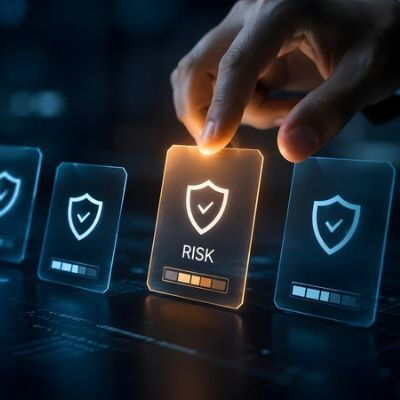
Acronyms like EDR, MDR, and MFA often confuse business owners. Too many tech providers use complicated jargon to justify high fees while leaving you in the dark. That’s not how we operate. Your business deserves clear facts about technology risks and real solutions that protect your operations without hiding behind complex terminology.
Acronyms like EDR, MDR, and MFA often confuse business owners. Too many tech providers use complicated jargon to justify high fees while leaving you in the dark. That’s not how we operate. Your business deserves clear facts about technology risks and real solutions that protect your operations without hiding behind complex terminology.
Read full post on coretechllc.com
Cyber Insurance Questionnaires: How to Answer Honestly and Pass
Most cyber insurance questionnaires assume controls that plenty of small businesses only partly have. Here's what the underwriter is asking behind each question, and how I'd answer honestly when the true answer is partly.
Most cyber insurance questionnaires assume controls that plenty of small businesses only partly have. Here's what the underwriter is asking behind each question, and how I'd answer honestly when the true answer is partly.
Read full post on techdynamix.com


Cybersecurity for Houston Healthcare Businesses
Cybersecurity for Houston Healthcare Businesses is essential for protecting patient information, maintaining reliable IT systems, and reducing the risk of costly cyberattacks. From medical practices and dental clinics to diagnostic centers, healthcare organizations in Houston, Texas, rely on digital systems to manage patient records, schedule appointments, process billing, and coordinate daily operations. However, these systems
Cybersecurity for Houston Healthcare Businesses is essential for protecting patient information, maintaining reliable IT systems, and reducing the risk of costly cyberattacks. From medical practices and dental clinics to diagnostic centers, healthcare organizations in Houston, Texas, rely on digital systems to manage patient records, schedule appointments, process billing, and coordinate daily operations. However, these systems
Read full post on cobait.com
Just Added to MSPdb™

MSP Jobs
All Jobs

MSP Marketplace
View All

Popular MSPs
View All